


Firefox crashed twice at Fidelity.com, twice at AMEX login - "restore tab" gives blank page. New problem today

Firefox 160.0. Win 10 22H2
First time I've seen this, four tabs crashed
All Replies (3)
We're sorry to hear that Firefox is crashing. In order to assist you better, please follow the steps below to provide us crash IDs to help us learn more about your crash.
The crash report is several pages of data. We need the report numbers to see the whole report.
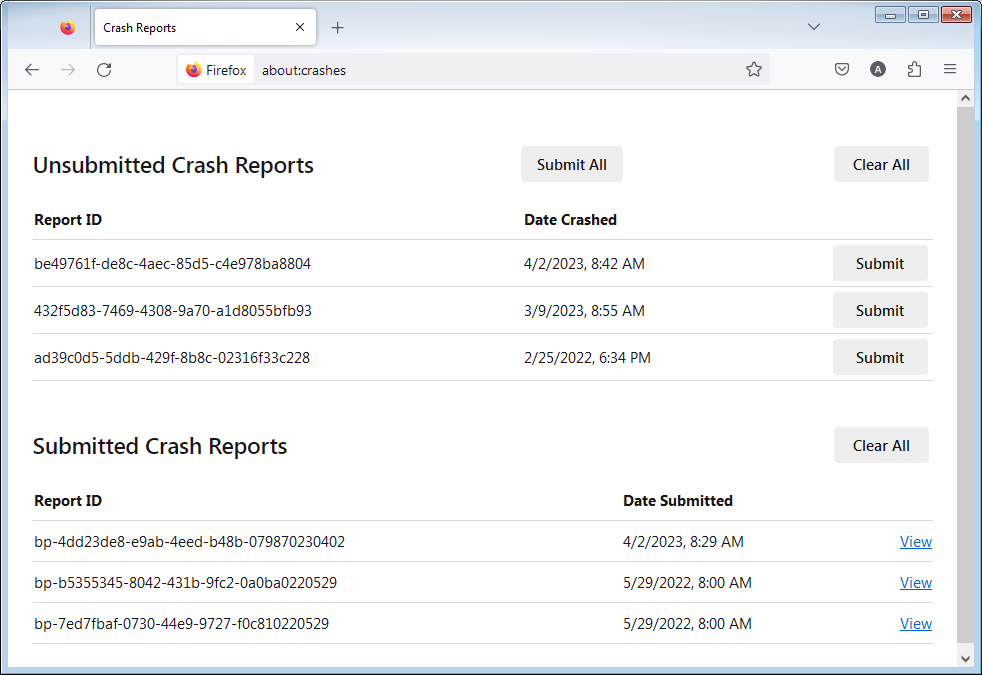
- Enter about:crashes in the Firefox address bar and press Enter. A list of Submitted (and Unsubmitted, if any) Crash Reports will appear, similar to the one shown below.
- Copy the 5 most recent Submitted Report IDs that start with bp- and then go back to your forum question and paste those IDs into the "Post a Reply" box.
Note: If a recent Report ID does not start with bp- click on it to submit the report.
(Please don't take a screenshot of your crashes, just copy and paste the IDs. The below image is just an example of what your Firefox screen should look like.)
Thank you for your help!
More information and further troubleshooting steps can be found in the Troubleshoot Firefox crashes (closing or quitting unexpectedly) article.
bp-2ed261cc-6be7-489f-8f91-c07d90261116 11/16/2026, 5:57 PM
bp-53a708bc-2e31-4a16-accf-de8c40261116 11/16/2026, 5:57 PM
bp-079789e9-750a-4861-9aff-d38950261116 11/16/2026, 5:57 PM
bp-d481c91d-5224-4861-bcc5-607ca0261116 11/16/2026, 5:57 PM
bp-51f6c25f-f881-4ea1-83e3-cbb850261116 11/16/2026, 5:57 PM
Last crash ID said "Failed" = that one was a WINDOWS crash, said "Memory Management" It rebooted and has been fine since.
Oooof — Possible bit flips max confidence: 92% — that points to faulty hardware.
See if you can run some reputable system stress tests to help uncover any HW faults in your system.