


Firefox 157+ crashces.

Hi!
Ever since the release of version 157 and above my browser crashes almost immediately after startup. Downgrading to 156 does not crash. I have the same problem on my desktop AND laptop.
I have tried to:
- run without any extensions.
- a complete reinstall
- create a "new" profile.
After doing that and logging in to my firefox account to sync bookmarks and passwords it starts to crash again after a day or two.
I'm now assuming something is "corrupt" in my cloud profile, is there any way to reset that one while keeping my bookmarks/passwords?
Or does anyone have any idea what can be the problem.
All Replies (7)
Can you start into a new profile (firefox.exe -P) and try to submit any crash logs from there, and share their IDs here?
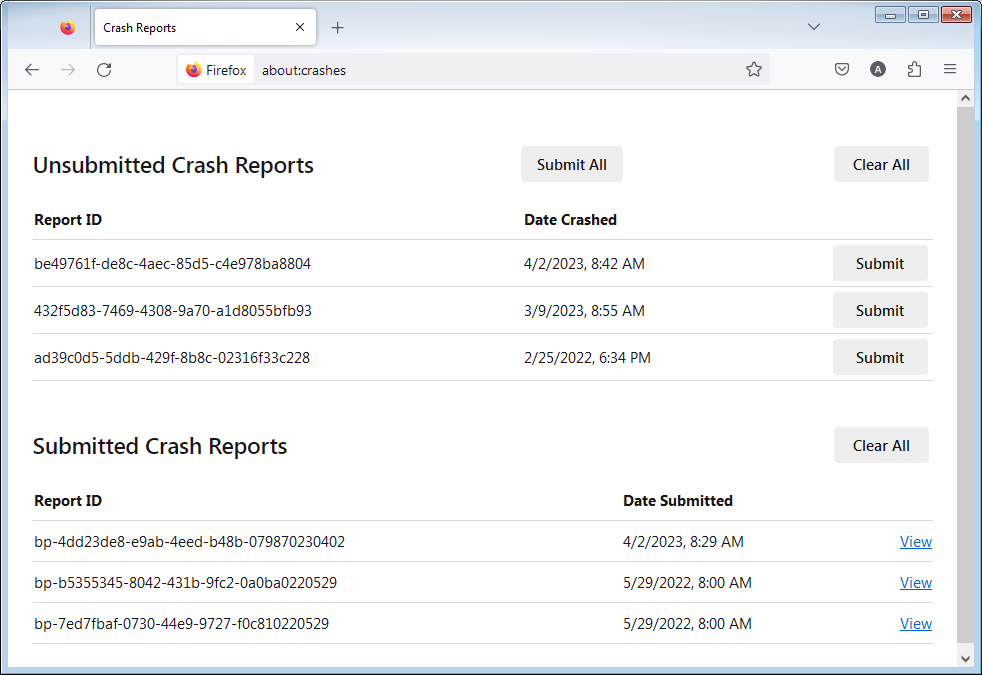
- Enter about:crashes in the Firefox address bar and press Enter. A list of Submitted (and Unsubmitted, if any) Crash Reports will appear, similar to the one shown below.
- Copy the 5 most recent Submitted Report IDs that start with bp- and then go back to your forum question and paste those IDs into the "Post a Reply" box.
Note: If a recent Report ID does not start with bp- click on it to submit the report.
(Please don't take a screenshot of your crashes, just copy and paste the IDs. The below image is just an example of what your Firefox screen should look like.)
bp-8d5780c8-d89f-40a0-81d4-2052c0261110 bp-275b06d1-8bf2-4f08-9dfd-b09de0261110 bp-7396dc70-4491-442b-89de-380f90261110 bp-5d6b689e-709b-407b-a8bb-3df720261110 bp-70f104b3-6bc3-45df-acb7-b2d580261110
This ones are a month old (been downgraded since then), but i can fetch newer ones from this weekend of my laptop if needed.
Hmh this is the same as support.mozilla.org/questions/1601984 which should for most cases be resolved in 157.0 :( There's something being synced that's not allowed to open without user gesture:/
https://bugzilla.mozilla.org/show_bug.cgi?id=2066354 https://bugzilla.mozilla.org/show_bug.cgi?id=2080238 is the context.
They all have "Illegal load attempt of file: URL from web" — like, dunno, if you're syncing your settings for a custom homepage that tries to iframe a local file listing or something?
A problem with the homepage was a thing i initially thought about. But it continued to crash even after set both New windows and new tab to "Empty page".
Modified by firefox3448
In signing into your account did you check all the data types to sync? How to perform Sync on Firefox desktop — you mention just passwords and bookmarks, but have you tried changing the sync prefs on that screen in Settings to actually just subset what's getting synced, by e.g. excluding addons, settings and anything you don't necessarily need synced at that point?
If having a local page or directory listing interacting with the public web doesn't ring a bell in terms where to go look in the profile to remove, I can only think of doing a sift through the local profile data manually. Basically you'd download e.g. nightly.mozilla.org to have a separate installation of the version that's crashing, coming with a separate clean profile, and then moving over the data types locally from your existing profile:
- Manually back up and restore Firefox profile data
- Restore bookmarks, passwords and data from an old Firefox profile
- About your important data and their files
for as long as it doesn't crash — which will help you figure out what's the thing, when moved over, causing this.
Thanks I'll experiment a bit with nightly and come back!