


How do I automatically open all current Firefox tabs from one laptop onto a new computer?

How do I automatically open all current Firefox tabs from one laptop onto a new computer? I just set-up Firefox app on a new laptop computer, and want to automatically reopen all the tabs that I have open on the old computer onto the new one?
How do I do this without going individual tab by tab?
Thank you for your help.
الحل المُختار
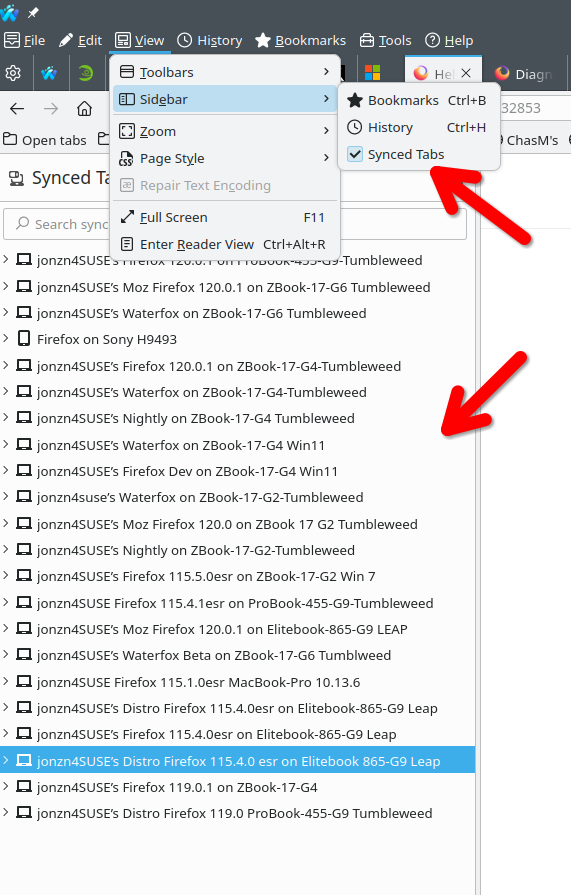
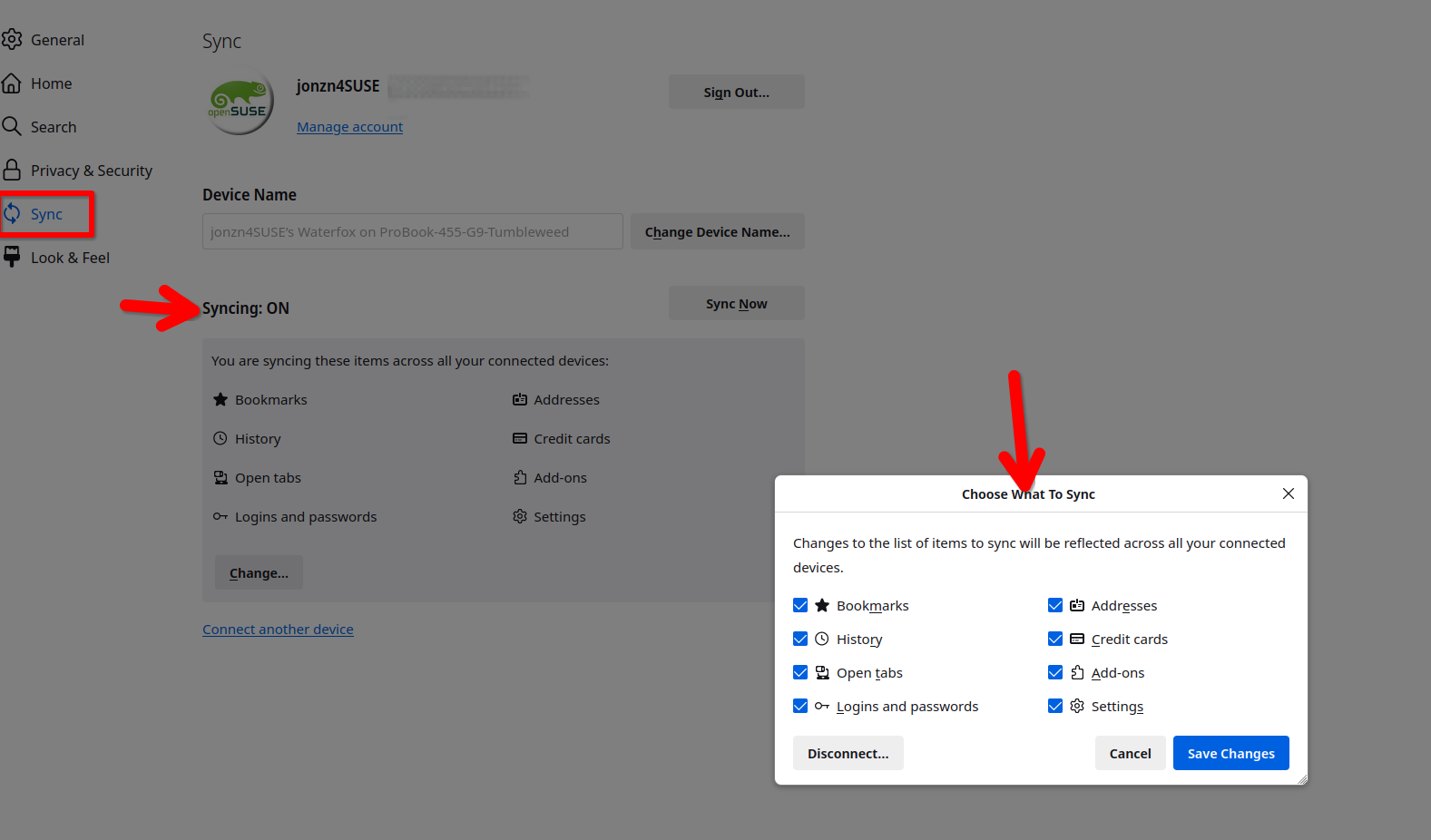
Are you logged into the same sync account on both devices? If so, then you should be able to see in the synced tabs. see screenshot They do not automagically open, you have open the tabs from device 1 via sync on device 2.
https://support.mozilla.org/en-US/kb/how-do-i-set-sync-my-computer https://support.mozilla.org/en-US/kb/how-do-i-choose-what-information-sync-firefox
Read this answer in context 👍 1All Replies (1)
الحل المُختار
Are you logged into the same sync account on both devices? If so, then you should be able to see in the synced tabs. see screenshot They do not automagically open, you have open the tabs from device 1 via sync on device 2.
https://support.mozilla.org/en-US/kb/how-do-i-set-sync-my-computer https://support.mozilla.org/en-US/kb/how-do-i-choose-what-information-sync-firefox
Modified by jonzn4SUSE