


Old PC died. I loaded Thunderbird on new PC, but can't find any of the saved EMAILS

Old PC died and will not start up. I bought a new PC and was able to recover most file in the initiating the new desktop. I installed Mozilla Thunderbird on the new PC, but when I opened it only 55 EMAILS were available with the oldest being about 2 weeks old dating back to July 16, 2026. Is there a time limit for maintaining EMAILS online? Also, all of my contacts and Calendar events are not available.
I had created several folders to save important EMAILS and none of those sub-folders are visible to me. How do I get to those folders and EMAILS? Contacts and calendar are not as important, but they were used all of the time to communicate and stay on schedule
I tried to import using the tool provided, but received the following message: Import failed unexpectedly, more information may be available in the error console.
I have lots of important information that I can't access!
Help
Gekose oplossing
I cannot read the screenshot; it's much too tiny. To read your POP messages, just do this:
- install the addon, importexporttools NG
- Highlight Local Folders
- rightclick and select the importexport option to import mbox files
- from there, browse to the POP messages you located. they will be in twos: inbox, inbox.msf, sent, sent.msf, etc. ignore the msf entries. One by one, select a file and import into local folders
You cannot convert a POP account to an IMAP account. You must separately create the IMAP account.
All Replies (11)
If you post a screenshot of the profile on old PC, we may be able to help salvage parts of it. If the harddrive is not accessible, any local messages may be lost. If the account is IMAP, all messages will be available. If POP, usually all are lost, unless the latest download brought in the 55 messages. So, more information is needed. With no backup, it may prove difficult.

This is a side remark : if your old PC died but the hard disk is still ok, you should be able to restore your old Thunderbird profile if there were some emails that are no longer on your email service provider , so don't throw the old PC out yet, verify if the hard disk is still working first.
David, Thanks for replying so quickly! Unfortunately, I had set it up as a POP account. The old PC is completely dead. Are there any instructions for setting it up as IMAP account? As of now, I set it up the new PC as a POP account which I need to change.
As a side note it would be nice if Mozilla would issue a warning for those among us who select to use POP
Thanks Again Leo
You can set the account up as IMAP. just specify that during the setup. But you cannot change one format to another. So, for your situation, set the IMAP account up alongside the POP account and then delete the POP account. BUT, in doing so, any messages you downloaded and deleted from server need to be copied to a folder in Local Folders. On your suggesting, many people prefer POP, so it would be inappropriate to suggest IMAP. That is, many prefer to have all messages on their hard drive, not stored on some server somewhere.
Michel,
Thanks for the response. My old PC would not booth. I'd get the HP logo and a message that read something like Preparing automatic Repair. I waited for 15-20 minutes and would reboot with the same results. I'm thinking of taking it to BestBuy to see if they can get it started?
Thanks Again, Leo
David, Thanks, I was able to create an IMAP account.
Thanks for the feedback. Another reason to use IMAP is if you also use email from a phone or other PC. With IMAP all are automatically in sync.
I was able to read my SSD drive, and I believe that I found a lot of the emails that were in the POP account.
I already have created an IMAP account in Mozilla.
However, since I had my crash, I've been going directly to the server to read my emails.
My question is, should I create another POP account so that I can read the old emails?
And then will I be able to convert that POP account into an IMAP account,
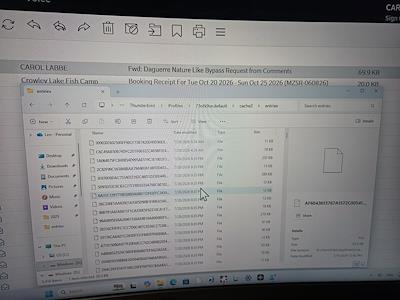
I have attached a screen shot of what I think is the missing file,
I really appreciate any help that you can provide me with this issue.
Regards
Gekose oplossing
I cannot read the screenshot; it's much too tiny. To read your POP messages, just do this:
- install the addon, importexporttools NG
- Highlight Local Folders
- rightclick and select the importexport option to import mbox files
- from there, browse to the POP messages you located. they will be in twos: inbox, inbox.msf, sent, sent.msf, etc. ignore the msf entries. One by one, select a file and import into local folders
You cannot convert a POP account to an IMAP account. You must separately create the IMAP account.
David,
Thanks Again for your instructions. It is a tedious task, but I will only transfer the EMAILS that I need to keep.
You are a big help!
It was my pleasure to assist. :)