


How to fully remove google, bing, and perplexity from additional search engines
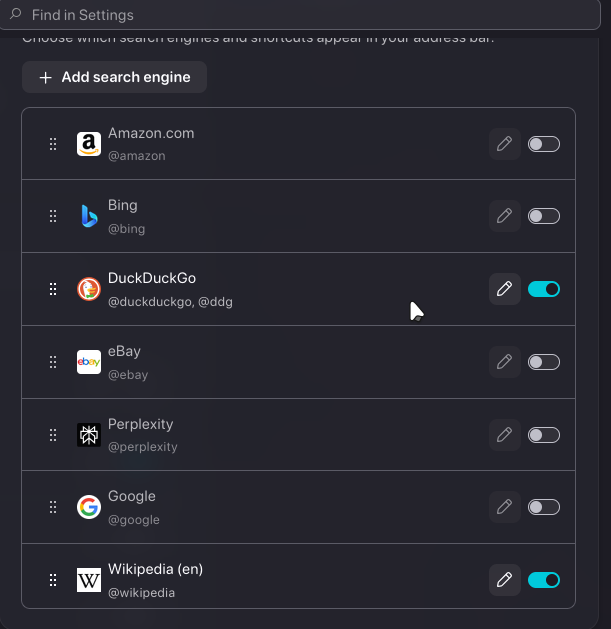
I'm not sure what update it was but, new system so I had to go into setting and set things how I like. I cant remove options from additional search engines in settings. This used to be a normal feature. It is no longer one. I want to know how to remove them. Not just disable them, it is not the same. It's fine, If I have to manually recompile the browser to get this done. I just don't want them there. On version 155.0a1 on Arch Linux.
Any constructive help would be greatly appreciated.
All Replies (1)
These are not in Firefox code, but loaded from application services. You'd need to stand up your own wiki.mozilla.org/Firefox/RemoteSettings server and maintain most of the content with real data (e.g. certificate revokations, blocklists and such). Or maybe MITM the connections to the real RS server, and tamper with just the one bucket on the line — not sure whether/how search engine data get cryptographically validated in their collection though.
Gewysig op deur jbr