Restore Tab Behavior Change
Until the most recent version(s) (at least through 148), if I have multiple windows open, the restore tab hotkey (control + shift + t) would open a closed tab in the previous window it had been closed in. Now, it opens the tab in whichever window I currently have focus on. It also used to remember the tab's previous location with regards to order among other tabs; now it opens it at the end of all tabs.
Example: I have two windows open, window A and window B. Window A has 5 tabs; window B has 10 tabs. I close tab 3 of Window B.
Old behavior: Pressing restore tab hotkey (control + shift + t) would cause the closed tab to always open in window B regardless of which window currently had focus, and would open it between tabs 2 and 4, as tab 3 again.
New behavior: Pressing restore tab hotkey (control + shift + t) will now cause the closed tab to open in whichever window has focus, A or B, and open as the last tab; for instance, if I am in window A, it will open as tab 6, if I am in window B, it will now open as tab 10, instead of tab 3.
Is there any way to restore the old behavior? At the very least, to get the windows to separate out the restore tab lists? I don't want tabs restoring to incorrect windows.
All Replies (2)
Okay, further testing - it apparently DOES restore to proper tab order if I remain focused on the correct window, but if I tab to a DIFFERENT window, it will lose tab order. So the new behavior is actually:
(same parameters as example above)
close tab 3 of window B.
New Behavior, focus on Window B: Restore tab to slot 3. Happens regardless of if focus to Window A and then back to Window B, as long as you are actively focused on Window B when you press the hotkey.
New Behavior, focus on Window A: Restore tab to tab 6 (last slot) of Window A. If you then shift focus to Window B, it will restore to tab 10 (last slot) of Window B as this tab is now associated with Window A and not with Window B where it originally came from.
This definitely feels like unintended behavior?
There's a change during v148 but that's actually a fix, at least on my system. In macOS builds I don't see a tab from a different window getting restored into the current window or anywhere else at all for that matter; the old behavior is that only tabs closed in that window (or before it was opened) get restored when that window is focused.
See version notes below:
2025-11-21--mozilla-central--firefox-147.0a1.en-US.mac.dmg
Starting in an empty window, I open tab A–0, and close it. I open tabs A–1, A–2, A–3 titled such so I can tell which is which when reopening. I open a new window, creating B–1, B–2.
- scenario A: Switching back to A closing A-2 I can reopen it using the key combo. Closing it again and focusing window B, the key combo does not do anything. I can use the history menu to reopen tab A–2 when in B window, however that opens that tab last, alas, like you observe in later versions.
- scenario B: Instead of closing A–2 originally, closing B–2 instead and moving back to window A and pressing the key combo reopens A–0 and not B–2 as could be expected. Seems the undo close is scoped to windows in these older versions and for me prioritizes window origin above time order. (This is what might have gotten fixed in later versions.) Only after I "undo" myself from all the tab history stack, once A-0 is restored I can then ⌘⇧T to get B–2 open, however that opens in a whole new fresh window C instead of window B … so I'm unable to actually reproduce what you're describing on my system; might be just OS difference.
2026-01-29--mozilla-central--firefox-149.0a1.en-US.mac.dmg
Behaves like you describe for current builds. Closing B–2 reopens B–2 in position if current window B, or if window A is focused this B–2 get reopened at the end of window A.
However I get exactly the same on:
2025-12-15--mozilla-central--firefox-148.0a1.en-US.mac.dmg
So this seems to have been in v148 already (which would match bugzilla.mozilla.org/1916884 that describes what appears to align with my observation) — so I'm confused as being unable to find any difference between v148 and v152 regarding this — for me these behave exactly the same, and the only difference was between v147 and v148 where the older seemed to have been behaving in unfavorable way regarding the shortcut not actually doing the action at all, so the window–scoping seems to have been gotten rid of.
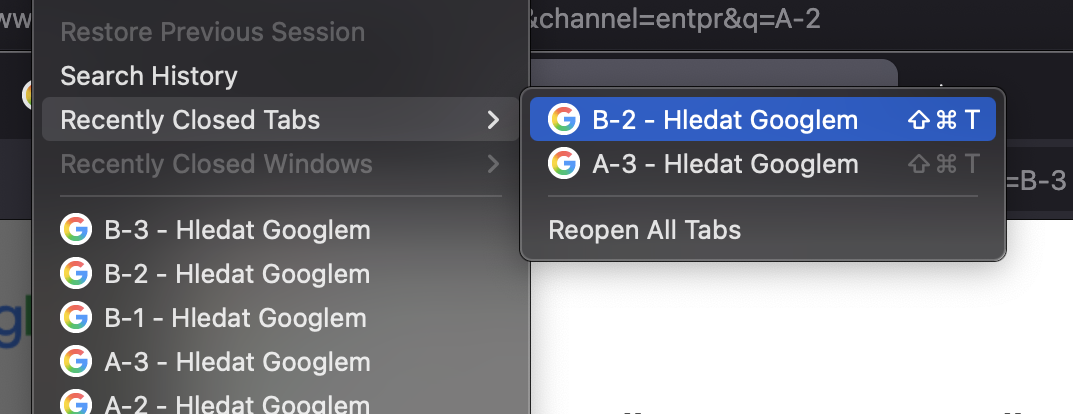
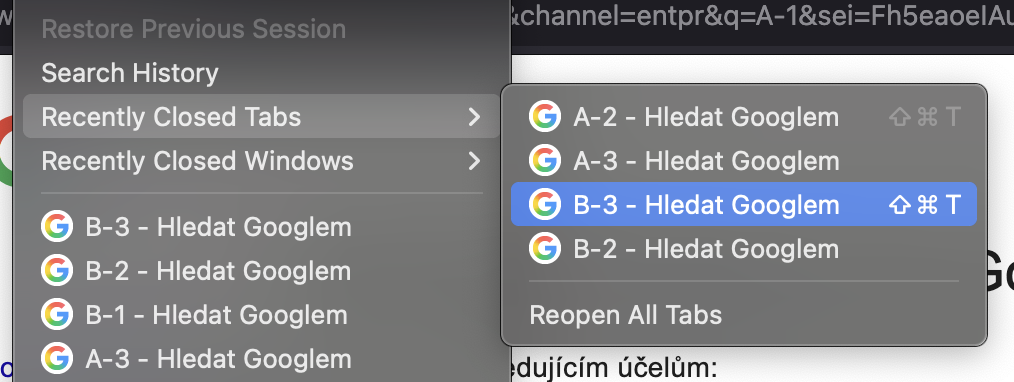
It seems that in the previous versions the tab–undo stack was actually only kept per–window, at least as the key combo in the menus would show, hinting at two different tabs to actually be at that shortcut (possibly based on the focused window later):