


Upgrade to 151 = loss of all unsigned extensions!!!

Hi I use Firefox for years (decades probably). How on earth is it possible that after an upgrade (to 151), I had to manipulate about:config in order to allow unsigned extensions to keep working? Of course, I am not dealing with DIY extensions, but with small and unknown extensions as AdBlocker or uBlock origin... It doesn't seem I am the only one... Any explanation will be warmly accepted...
Gekose oplossing
The most frequent certificate issue is the computer clock being off (or read wrong), or a time zone setting getting confused — usually a simple restart of the app later, or the system as a whole just gives fresh enough data to trust the signatures going forwards.
Glad to hear they all appear original again. 💪
All Replies (7)
Hello
Add-on signing in Firefox https://support.mozilla.org/en-US/kb/add-on-signing-in-firefox
Standard Firefox versions do not allow unsigned add-ons.
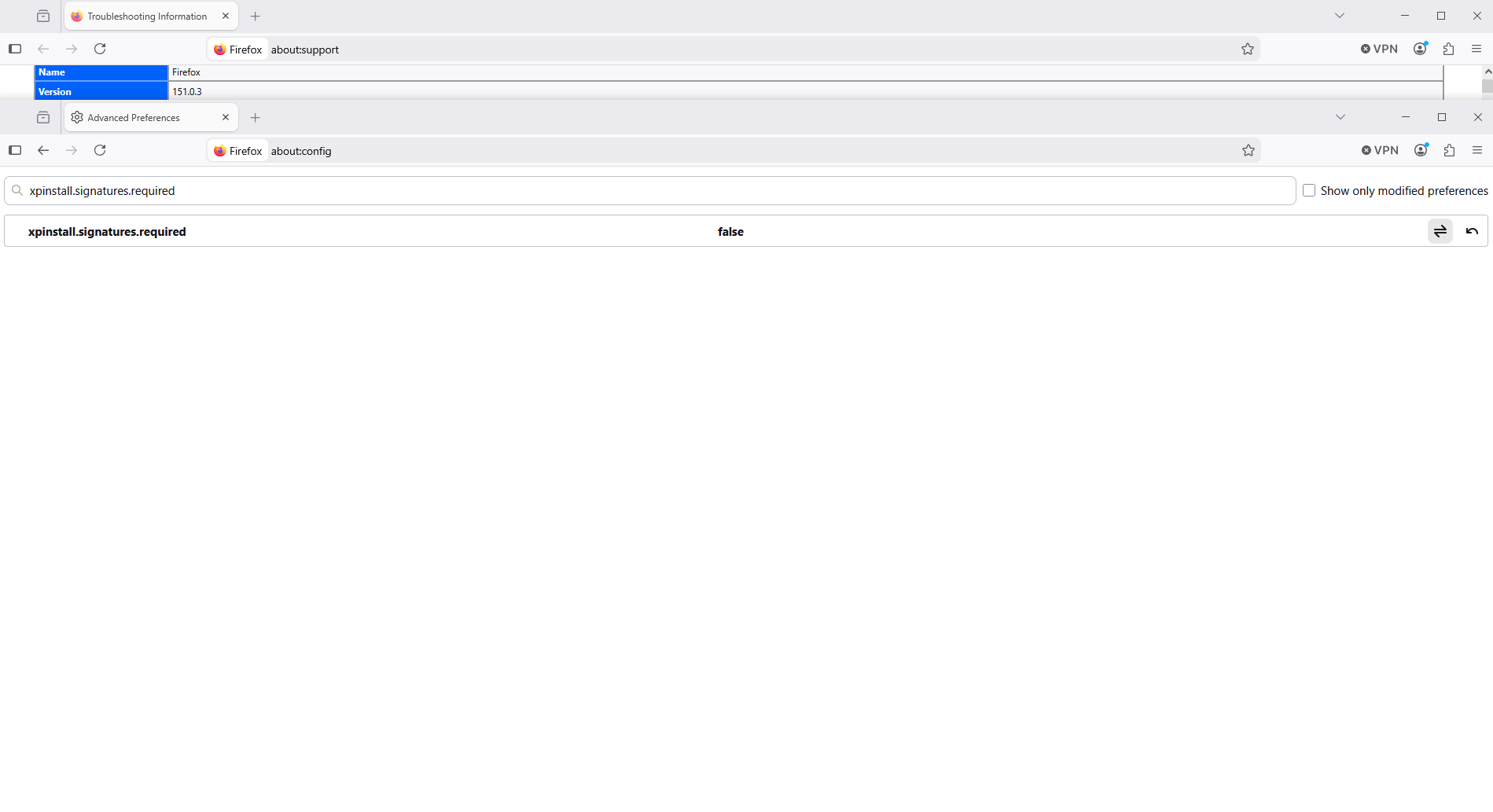
Dear virtual agent, I don't know whether you are or not effectively virtual. I would hope there is a beating heart in your chest... Anyway, the problem is that, despite having installed only and solely signed extensions, downloaded on AMO, which are still active, updated and currently signed, upgrading to FF 151 made all of them being disabled. In my case, it happened with 151, but for others it happened with earlier upgrades. Wouldn't this be called a bug? The proposed "solutions" removing all extensions and installing them back is, to me, a non-solution Best
Nicolas, the previous topics you have found most likely all related to a scheduled certificate rotation — that affected only those not updating (willingly or not) to the necessary versions, as noted in Update Firefox to prevent add-ons issues from root certificate expiration — that was a planned event. If you however have reports of losing signatures on regular updates outside of this time frame, it would be helpful to link them here as well in case there's a bug somebody needs look into.
Your issue is not losing unsigned extensions, the ones you reported are coming from official sources and are signed.
If they out of the blue can't be verified, please make sure they really come from the source you expect, no malicious software tried tampering with them or replacing them with modified versions before you blindly allow them running unsigned.
If removing and re-adding say one of them to test from addons.mozilla.org doesn't yield any results, the next steps would be troubleshooting the certificate trust. You really don't wanna run any code from whatever unknown provenance if you can't guarantee it's the same addon content you chose.
Dear Janbrasna Thank you for your answer That was it: out of the blue (just after Upgrade to 151) the extensions were considered not signed. This happened yesterday evening, I had to work hence I went there to make FF consider my extensions were signed. After your answer, I turned the config as it was before... and the extensions were as usual, signed... If it's a bug, I can't reproduce it... You'll find in attachment the screenshots of my extensions


Gewysig op deur nicolas.monteix
Gekose oplossing
The most frequent certificate issue is the computer clock being off (or read wrong), or a time zone setting getting confused — usually a simple restart of the app later, or the system as a whole just gives fresh enough data to trust the signatures going forwards.
Glad to hear they all appear original again. 💪
nicolas.monteix said
That was it: out of the blue (just after Upgrade to 151) the extensions were considered not signed. This happened yesterday evening, I had to work hence I went there to make FF consider my extensions were signed. After your answer, I turned the config as it was before... and the extensions were as usual, signed... If it's a bug, I can't reproduce it...
About, xpinstall.signatures.required
For example ESR versions https://whattrainisitnow.com/calendar
Info esr 140 https://www.camp-firefox.de/artikel/1060-alles-wissenswerte-zu-firefox-esr-140-inklusive-unterschiede-zu-firefox-140
Only in Firefox ESR 140: Deactivatable signature requirement for add-ons To protect its users, Mozilla has introduced a signature requirement for add-ons in Firefox, which has been enabled by default since Firefox 43. This can only be disabled in Nightly builds and in the Developer Edition of Firefox, not in beta or final versions. The ESR version of Firefox 140 also allows the deactivation of the signature requirement in the final version. For deactivation, the following switch must be switched via about:config to false: xpinstall.signatures.required Attention: For security reasons, it is not recommended to deactivate the signature requirement for extensions. If you purchase your extensions exclusively via addons.mozilla.org, you will also usually find exclusively signed extensions anyway.