


Account hub not showing Exchange options

Hi,
My mail account was recently migrated to office365, and I saw that Thunderbird v145 and later supports this natively without the use of a plugin.
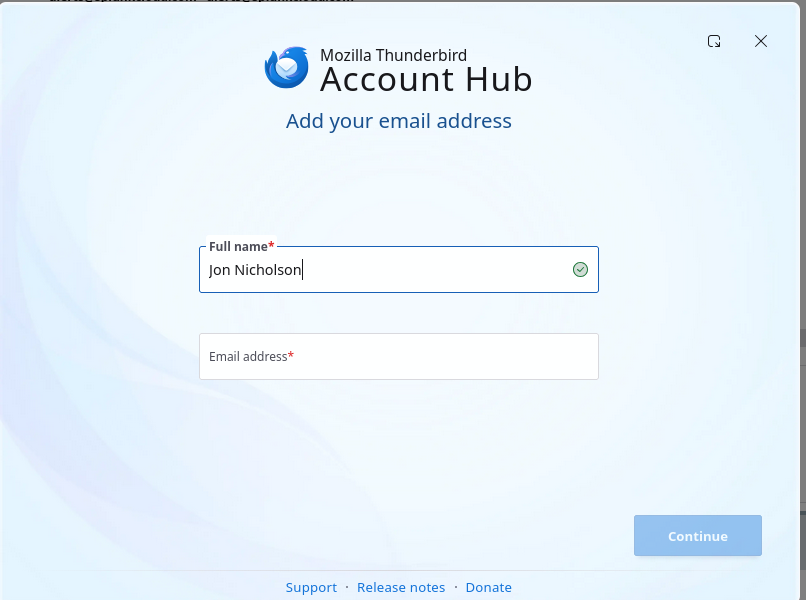
However when I follow the instructions to set this up I don't see the Account hub in the same way that's shown in the article.
https://blog.thunderbird.net/2025/11/thunderbird-adds-native-microsoft-exchange-email-support/
instead I see the one attached.
I've tried this on both Linux (ubuntu 24.04) and Window 11 both with my original profile and a completely blank installation. On Linux I've used both the Canonical supplied Snap (from the monthly/stable channel) and the download directly from thunderbird.net.
Any help appreciated.
All Replies (3)
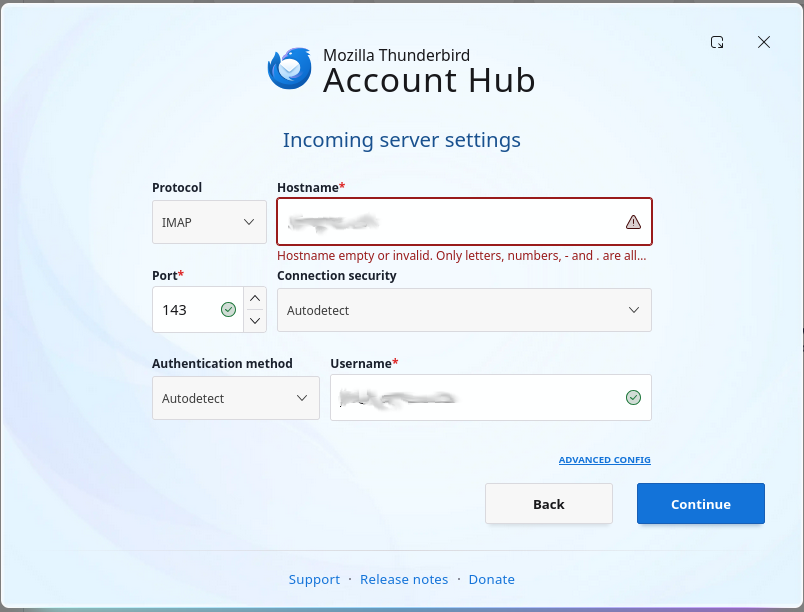
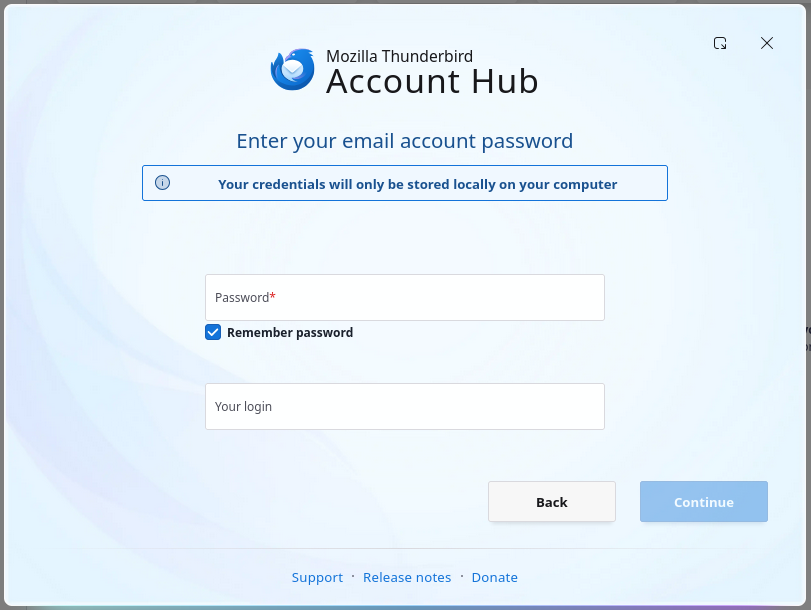
Sure here are the screen shots from the next two pages after I enter my email address, neither match what's in the documentation.
I've redacted the server information.
Gewysig op deur jjn6542