


Windows 10 reached EOS (end of support) on October 14, 2025. If you are on Windows 10, see this article.

Search Support

Avoid support scams. We will never ask you to call or text a phone number or share personal information. Please report suspicious activity using the “Report Abuse” option.

Learn More
Hierdie gesprek is in die argief. Vra asseblief 'n nuwe vraag as jy hulp nodig het.
In die argief

Desktop mozilla screen flickering and causing blurry glitch

TyDraniu replied
m1gbr

Occasionally, when I'm browsing or watching videos the screen will break into 3 or more pieces, to where you only see the top part of the website. If I scroll up or down, the image distorts further and if I scroll down enough, it will break out of the glitch but leave my screen very blurry. When I hover my mouse over any object on the screen, it distorts and makes it incredibly blurry. This problem persists even after closing Firefox, so I have to restart my PC every time this happens.

Please help, I want to switch from Chrome, but Chrome never had an issue like this. The first picture I uploaded is the screen breaking, the second is the blurriness it leaves afterwards.
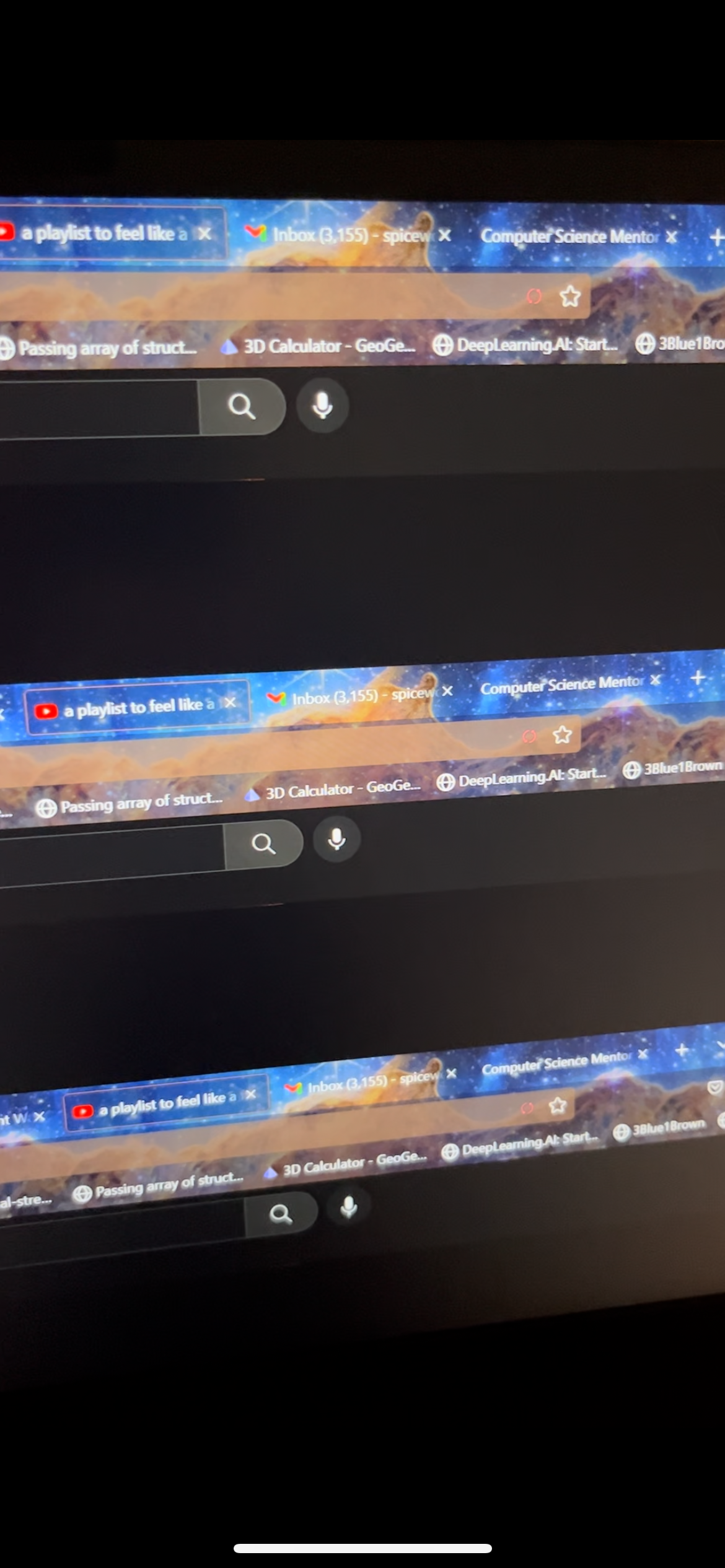

Occasionally, when I'm browsing or watching videos the screen will break into 3 or more pieces, to where you only see the top part of the website. If I scroll up or down, the image distorts further and if I scroll down enough, it will break out of the glitch but leave my screen very blurry. When I hover my mouse over any object on the screen, it distorts and makes it incredibly blurry. This problem persists even after closing Firefox, so I have to restart my PC every time this happens. Please help, I want to switch from Chrome, but Chrome never had an issue like this. The first picture I uploaded is the screen breaking, the second is the blurriness it leaves afterwards.
Aangehegde skermkiekies

All Replies (1)

Try to set up Firefox to use your NVidia GPU (in NVidia Control Panel).