


print pdf in Firefox Browser verses Adobe
Printing a pdf file using Adobe allows you to select to Print the page as Actual Size, verses Fit or Shrink. I need Actual Size to print onto Card Stock that has preprinted info. Now pdf files can open in the Firefox Browser, but Actual Size is not an option of the Print Window.
Any ideas to Print Actual Size using Firefox Browser?
email me, Ken [email]@yahoo.com
Gewysig op deur Andrew
All Replies (3)
Hi Ken, I set up a "Legal" sized PDF at https://www.jeffersonscher.com/temp/legal-length.pdf
What I notice is that I need to modify the paper size in my printer driver to avoid either shrink-to-fit or splitting over two pages.
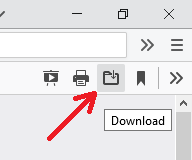
It's probably more convenient to print from Acrobat. You can launch the PDF from the built-in viewer by clicking the Download button on its toolbar.

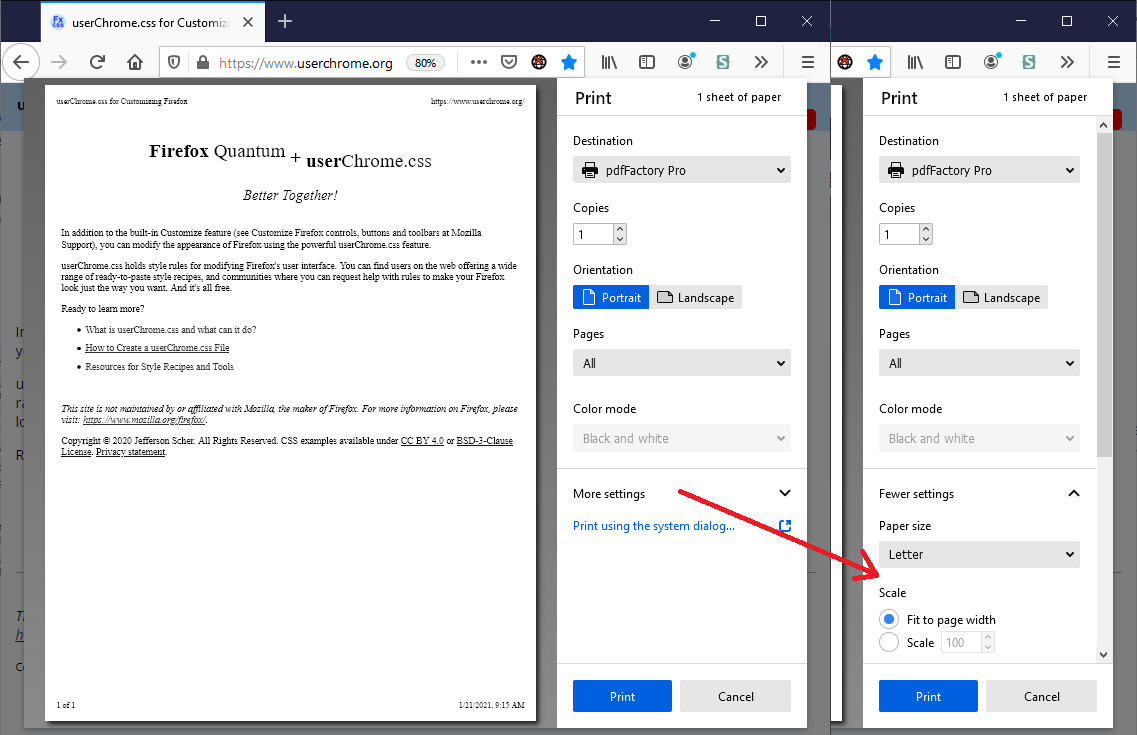
By the way, if you have the new print experience, expand the More settings section to change between Shrink to Fit and percentage scaling.

Thanks jscher2000,
Yes, I finally downloaded and opened the file with the old Adobe. I hoped that the Firefox Browser Print driver might have an answer.