


Background when in FireFox browser
The background color on all the pages in Firefox is now white, it was not like this before, not sure if I clicked on something to make it change or not but it is blinding to open my web browser now. How can i change it back to black or make it dark gray? I have tried going to the options page, (which by the way is black but not the rest of the pages). Your help would be greatly appreciated.

Gekose oplossing
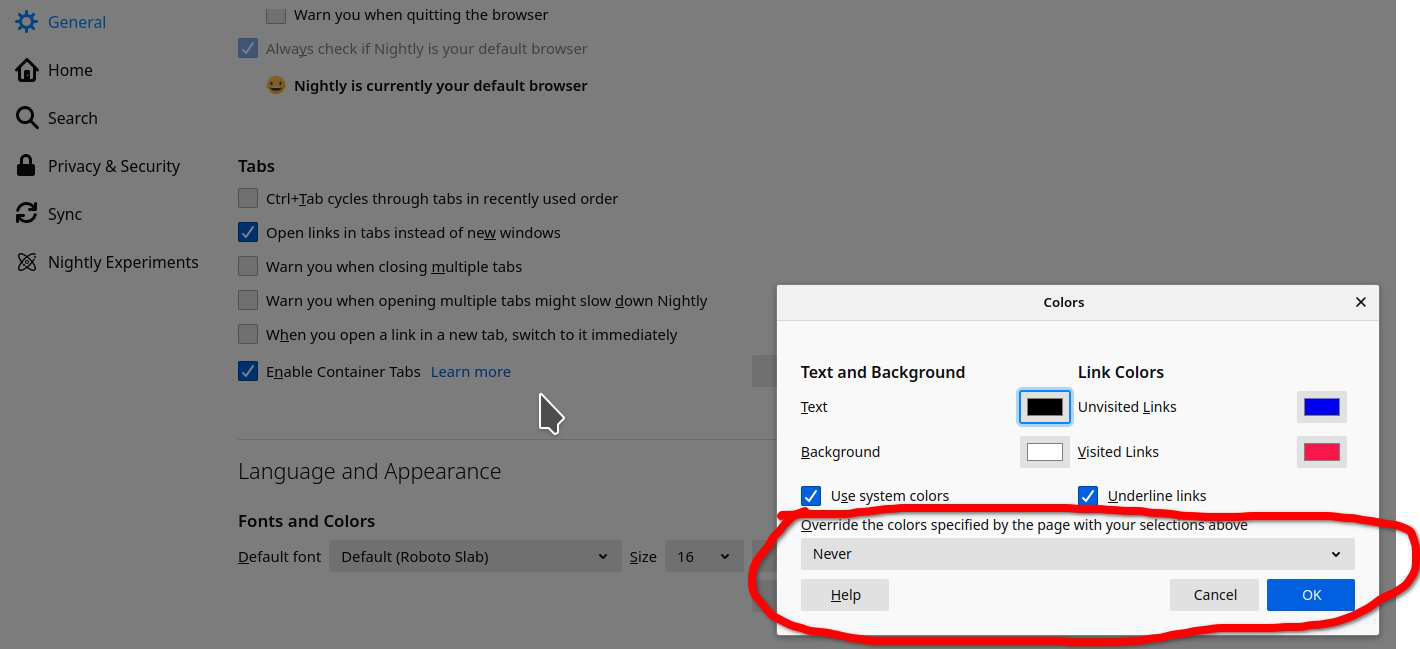
What do you have set here? see screenshot
Lees dié antwoord in konteks 👍 0All Replies (3)

The support page is white. Do you have another example site with this issue?
Gewysig op deur jonzn4SUSE
Yes, O'Reilly, Walmart (although it is not as bright and full of pictures of products,) those help to relieve the brightness.
I did find that a few pages do have my old preferences with the darker background, probably because they allow you to choose the colors. I guess it may be something I will have to deal with.

Gekose oplossing
What do you have set here? see screenshot
Gewysig op deur jonzn4SUSE