


Can't upload videos on twitter
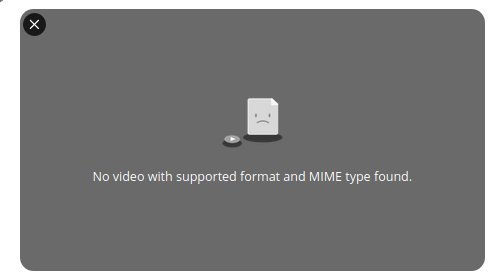
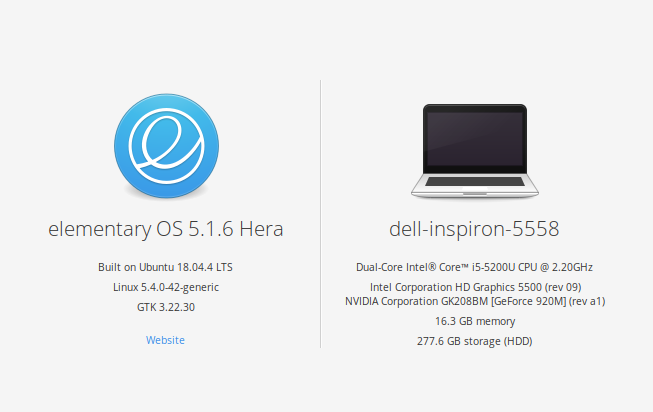
Every time i try to upload a video on twitter, I get the error from the 1st image. Videos work fine, only uploading to twitter doesn't work I have tried: - installing ubuntu-restricted-extras and x264 - installing the addon "HTML5 Everywhere" - installing/uninstalling flash - enabling/disabling hardware acceleration My laptop's specs are in the 2nd image
Gekose oplossing
Found the problem, my screen recorder was using a codec that was not supported (hence why uploading videos didn't work with either firefox or twitter) I've selected a video recorded through OBS, and it worked instantly. (used Software, x264 to record it)
Lees dié antwoord in konteks 👍 0All Replies (5)
hello anton............
(1) Clear Firefox's Cache
"3-bar" menu button (or Tools menu) > Options > Advanced
On the Network mini-tab > Cached Web Content : "Clear Now"
If you have a large hard drive, this might take a few minutes.
(2) Remove the site's cookies (save any pending work first). While viewing a page on the site, try either:
   right-click and choose View Page Info > Security > "View Cookies"
   (menu bar) Tools > Page Info > Security > "View Cookies"
   click the padlock or globe icon in the address bar > More Information > "View Cookies"
In the dialog that opens, you can remove the site's cookies individually.
Then try reloading the page. Does that help?
Gewysig op deur ARMAN KHAN
Tried both, didn't help
Make sure you have the latest FFmpeg and libavcodec packages installed in your Linux distribution.
I did, even uninstalled and reinstalled them several times.
Gekose oplossing
Found the problem, my screen recorder was using a codec that was not supported (hence why uploading videos didn't work with either firefox or twitter) I've selected a video recorded through OBS, and it worked instantly. (used Software, x264 to record it)