


Firefox 58 doesn't render HTML (Windows 10)

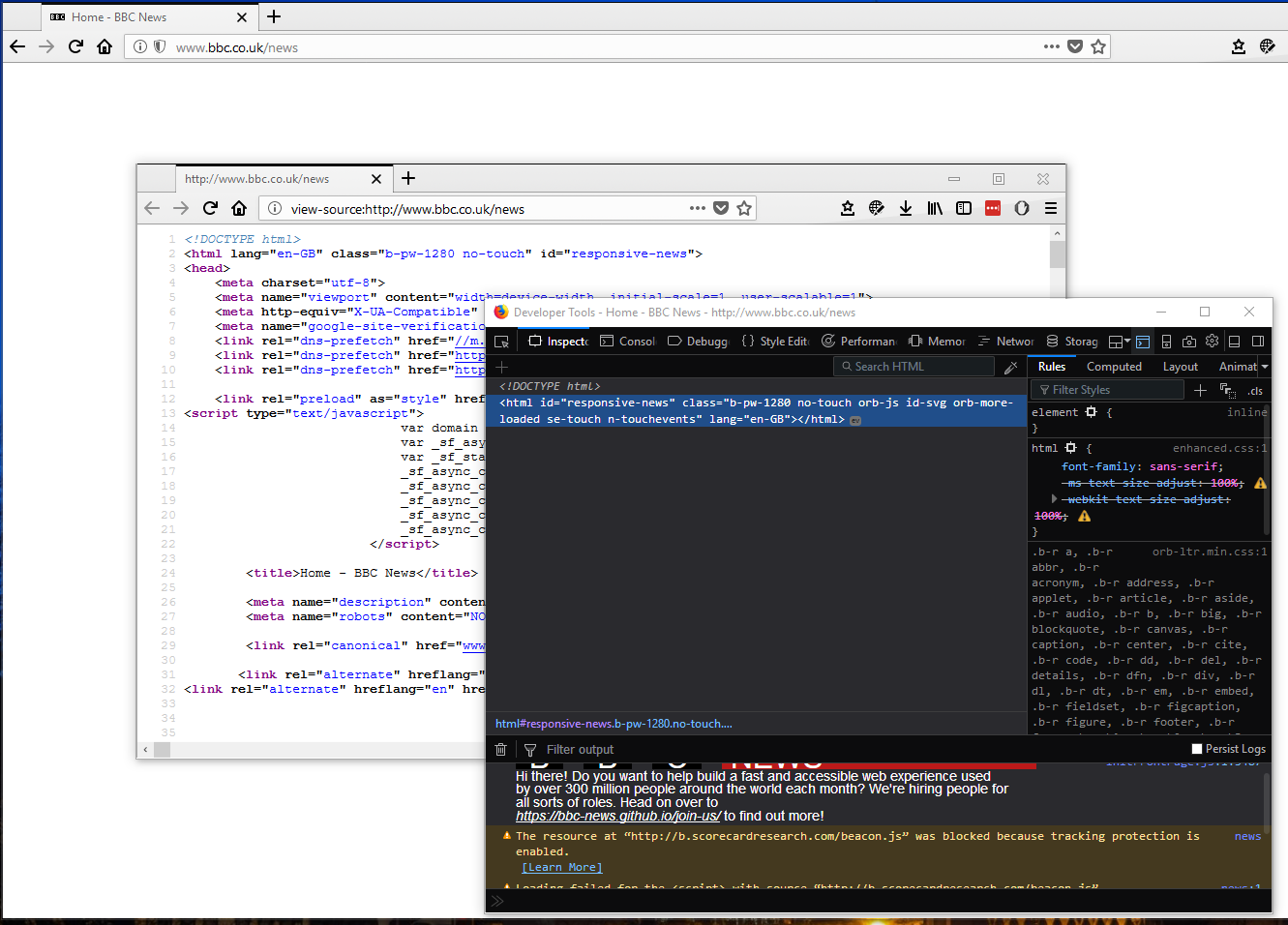
Just updated to FF 58 and it no longer renders any HTML in the viewport - the viewport is completely blank.
I've rebooted the machine, and tried turning off tracking protection; neither of which had any effect.
The page title is correctly displayed on the tab. If I view source, I see what looks like a complete HTML document. If I open developer tools, there's only one element in the DOM (html). This occurs on every website I visit. Comparing the attributes of the html tag in the source and developer tools, it looks like JS is running and styles seem to be applied to that single html element.
See the attached for to see what I'm seeing.
Gekose oplossing
hello, can you try to replicate this behaviour when you launch firefox in safe mode once? if not, maybe an addon is interfering here...
Troubleshoot extensions, themes and hardware acceleration issues to solve common Firefox problems
Lees dié antwoord in konteks 👍 0All Replies (3)
Gekose oplossing
hello, can you try to replicate this behaviour when you launch firefox in safe mode once? if not, maybe an addon is interfering here...
Troubleshoot extensions, themes and hardware acceleration issues to solve common Firefox problems
Disabling the AdBlock extension did the trick. A bit disappointing, hope they get an update to AdBlock out soon.
If you use Adblock Plus then you can consider uBlock Origin as a replacement to see if that works better (lower memory footprint).