


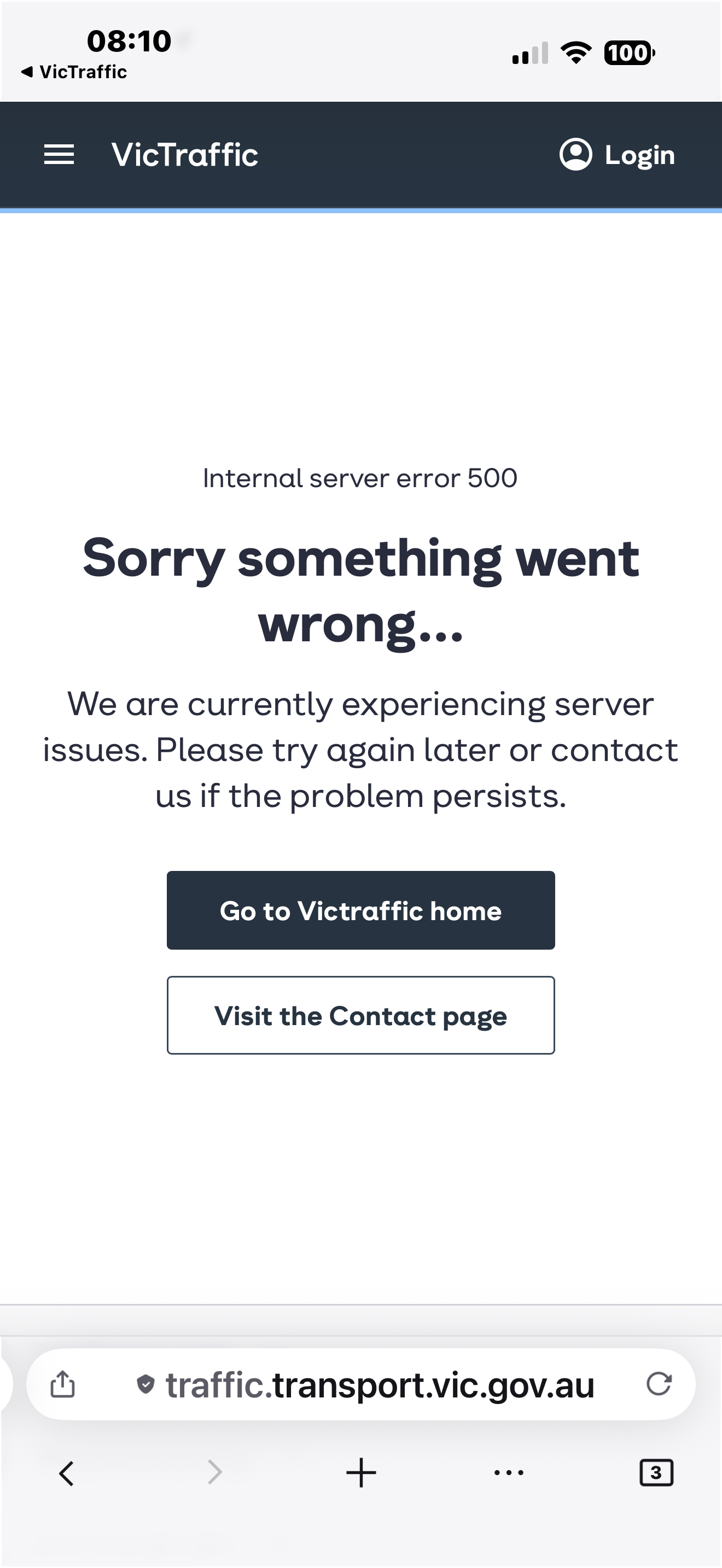
Internal server error 500
Receiving Internal server error 500 on iOS
Isisombululo Esikhethiwe
Oooh, they're doing something in the app based on the user agent and ending up erroring out. It's a bug worth reporting to that agency if you have a good way for that, but I'll also start diagnosing if there's anything apparent in the communication that's triggering it.
Do you think this error is new, or you haven't really tried in the recent past?
For me it happens just on https://traffic.transport.vic.gov.au/ where they try to launch a wizard of sorts, and are redirecting from every step to their /error page. (You can probably use the ‹ back button to actually reach the preceding page every single time and proceed that way, but that's really dumb.) — I'll quickly check if we could ship an intervention and cloak the user agent.
All Replies (7)
Hi ronkerys,
A 500 Internal Server Error is a generic HTTP error that indicates something went wrong on the website's server while it was processing your request. Because it's a server-side error, it typically means the problem is with the website itself rather than with Firefox or another browser.
In other words, the server encountered an unexpected condition that prevented it from completing the request, so this is generally not considered a browser issue.
If I use Google, Safari or DuckDuckGo browsers there is no problem or FireFox on my Mac. If I use my iPhone or Ipad is when I encounter this issue
FYI, all browsers on iOS and iPadOS are required to use the same underlying browser engine as Safari, so it's somewhat surprising that the issue only occurs in Firefox. That makes it less likely that the problem is related to how web pages are rendered.
One possibility is that the website is detecting the browser through its user agent and handling Firefox differently from Safari or other browsers. While this isn't common, it does happen on some websites.
Would you be willing to share the website URL that's causing the issue? That would help us investigate further and determine whether the problem is specific to the site or related to Firefox.
Isisombululo Esikhethiwe
Oooh, they're doing something in the app based on the user agent and ending up erroring out. It's a bug worth reporting to that agency if you have a good way for that, but I'll also start diagnosing if there's anything apparent in the communication that's triggering it.
Do you think this error is new, or you haven't really tried in the recent past?
For me it happens just on https://traffic.transport.vic.gov.au/ where they try to launch a wizard of sorts, and are redirecting from every step to their /error page. (You can probably use the ‹ back button to actually reach the preceding page every single time and proceed that way, but that's really dumb.) — I'll quickly check if we could ship an intervention and cloak the user agent.
I'm not sure how long this has been going on for- only noticed a few days ago - no real way for me to report the bug. thank you for your kind help - I appreciate it very much kind regards, Ron
Thanks for jumping in, jbr. Let me mark your answer as the solution instead of my reply.
I don't see anything specific targeting Firefox vs. Safari/Chrome at a first glance so it won't be as trivial as I'd hoped for — the error seems to be genuine, based on "something" (the site is full of flaws esp. regarding tracking, they set a lot of analytics cookies in ways not permitted, and the mapbox also does some telemetry/beacons of its own that I see blocked — however it doesn't seem to be affected by Enhanced Tracking Protection in either way, both allowlisting the site or conversely tightening up to Strict to remove more of that crud has no effect). I'll do some more poking and then file a webcompat bug to track this — will share the link here once I have better idea about the culprit.
Thank you Ron for reporting this — I unfortunately don't have an immediate workaround for you at this moment, but will keep you posted if I find how to get it unblocked somehow!