


Join us to show up for other Firefox users 🦊. Earn fun badges and Mozilla swag vouchers! Find out more: https://mzl.la/askafox150

Windows 10 reached EOS (end of support) on October 14, 2025. If you are on Windows 10, see this article.

Search Support

Avoid support scams. We will never ask you to call or text a phone number or share personal information. Please report suspicious activity using the “Report Abuse” option.

Learn More

Closing tabs often causes Firefox to freeze on the new version

  • 1 baphendule
  • 0 zinale nkinga
  • 171 views
  • Igcine ukuphendulwa ngu piguy413
  • Kusonjululiwe

Recently, my Samsung A23 5G started freezing when closing tabs. I only started having this issue since Firefox updated to a new version with a new UI. I am currently on 147.0.3 on both devices. I load one tab, close it, load another, and then it usually freezes on the next close. Clearing the cache often allows me to go a couple more tabs without freezing, while simply closing Firefox still usually has the limit of two tabs before freezing. I usually just press "close app" when the "Firefox isn't responding" system box comes up. I've restarted my Samsung phone but the issue persists. My new Moto G Stylus 2025 doesn't freeze, but Firefox still feels noticably slower, especially when closing tabs.

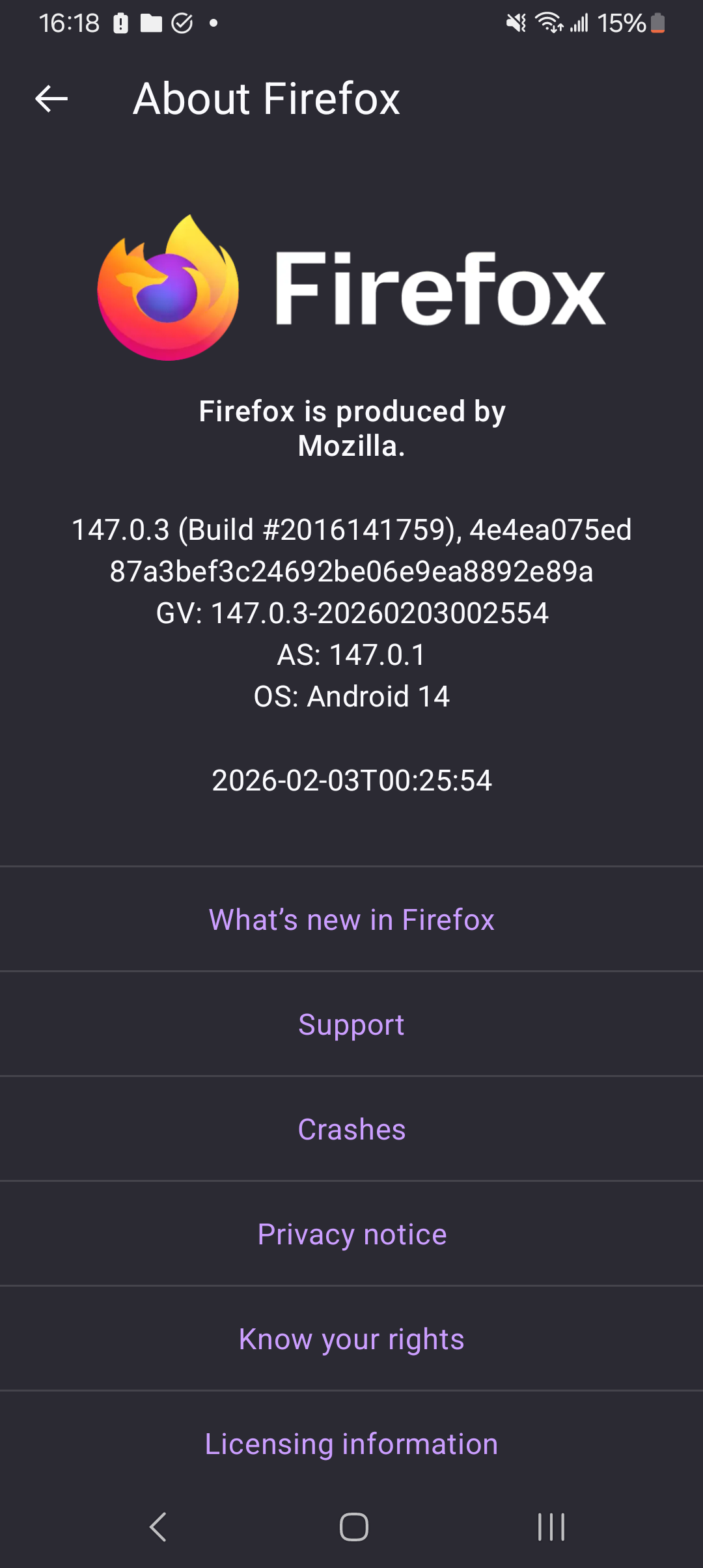
I've uploaded three screenshots. The first one shows how it freezes while I close a tab, while the second shows how Android's "not responding" message comes up. The third one shows the current version on both of my phones.
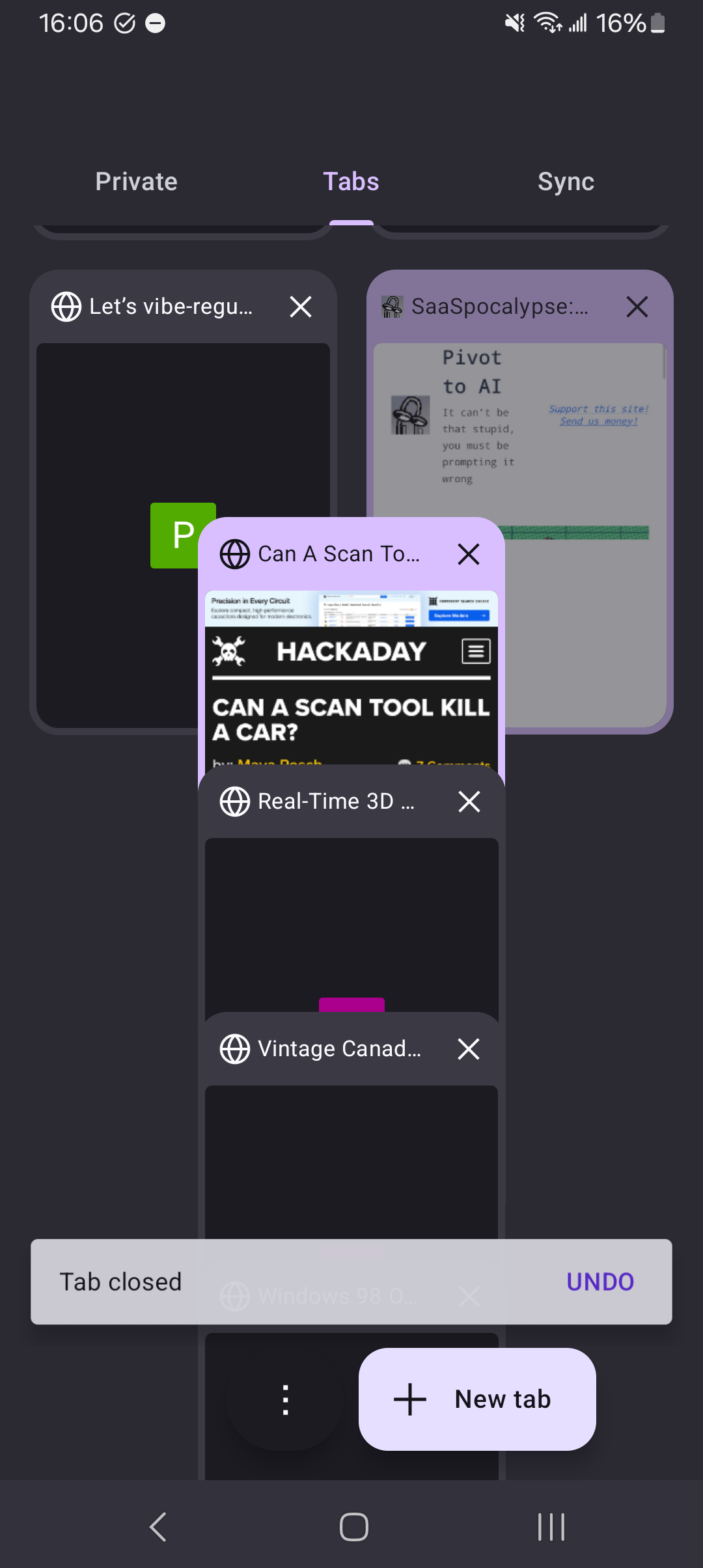
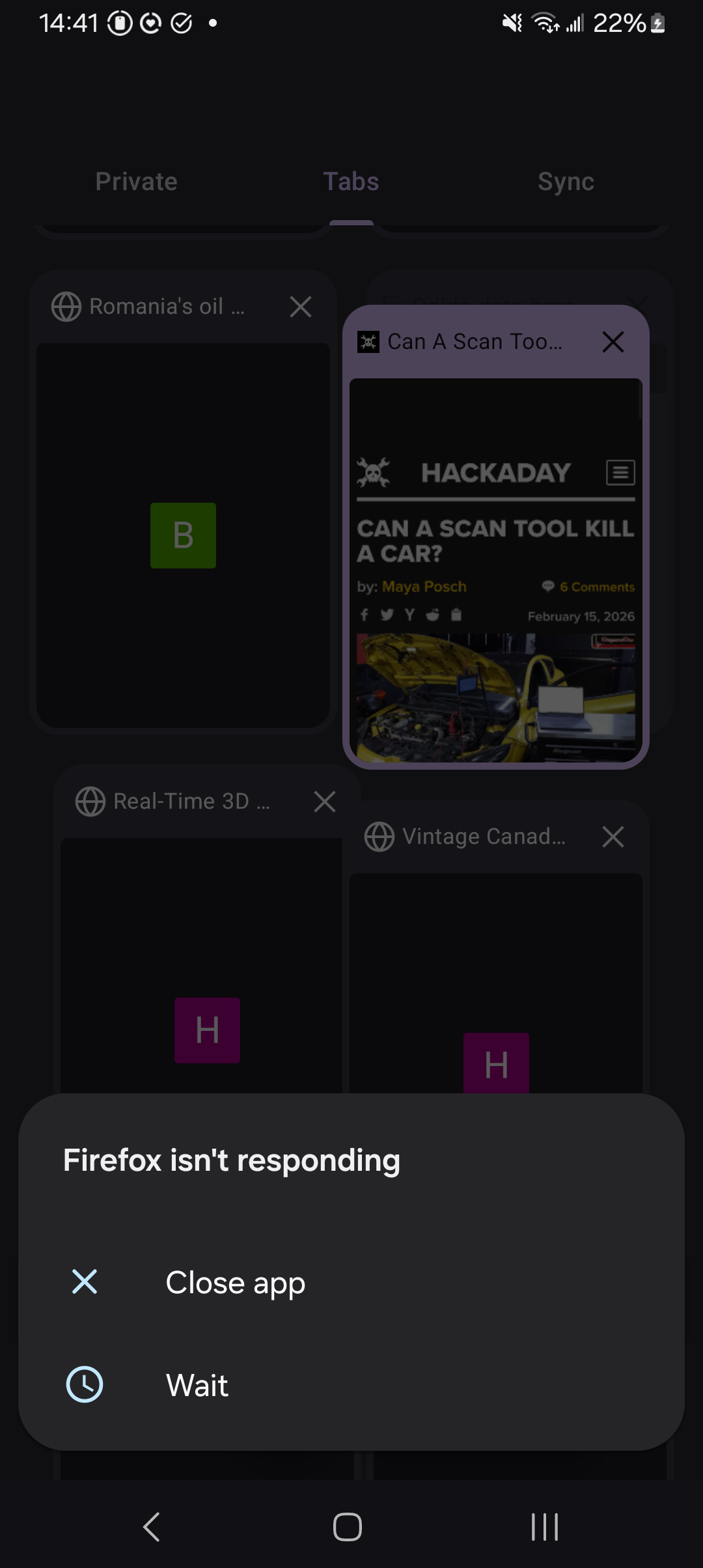
Recently, my Samsung A23 5G started freezing when closing tabs. I only started having this issue since Firefox updated to a new version with a new UI. I am currently on 147.0.3 on both devices. I load one tab, close it, load another, and then it usually freezes on the next close. Clearing the cache often allows me to go a couple more tabs without freezing, while simply closing Firefox still usually has the limit of two tabs before freezing. I usually just press "close app" when the "Firefox isn't responding" system box comes up. I've restarted my Samsung phone but the issue persists. My new Moto G Stylus 2025 doesn't freeze, but Firefox still feels noticably slower, especially when closing tabs. I've uploaded three screenshots. The first one shows how it freezes while I close a tab, while the second shows how Android's "not responding" message comes up. The third one shows the current version on both of my phones.
Ama-screenshot ananyekiwe

Isisombululo esikhethiwe

Edit from OP:

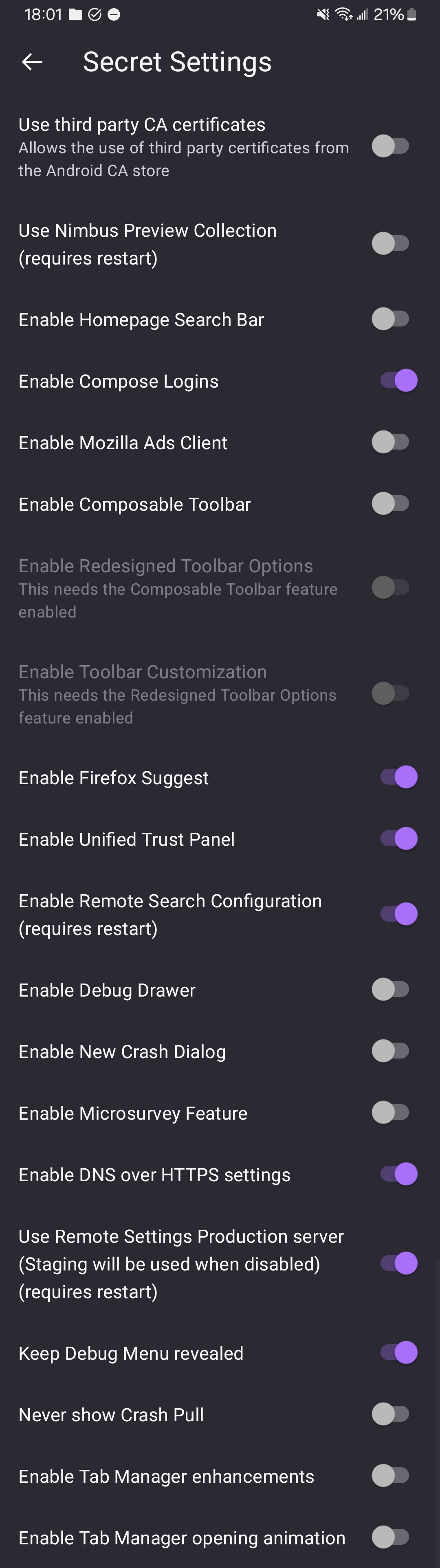
The specific change that is causing the freezing and slowness is "Tab Manager enhancements". Going into the "Secret Settings" and turning it off fixed the issue.
Funda le mpendulo ngokuhambisana nalesi sihloko 👍 0

All Replies (1)

Isisombululo Esikhethiwe

Edit from OP:

The specific change that is causing the freezing and slowness is "Tab Manager enhancements". Going into the "Secret Settings" and turning it off fixed the issue.

Buza umbuzo

You must log in to your account to reply to posts. Please start a new question, if you do not have an account yet.