


Sent and All Mail are out out order by date

My emails that are in Sent or All Mail are all out out order by date - random - different dates. I don't know what happened? I expect to see the most recent first - just as i do in my inbox. It is ok. They are fine in Gmail - where they come from. Thanks
I have used Thunderbird for a long time?
All Replies (11)

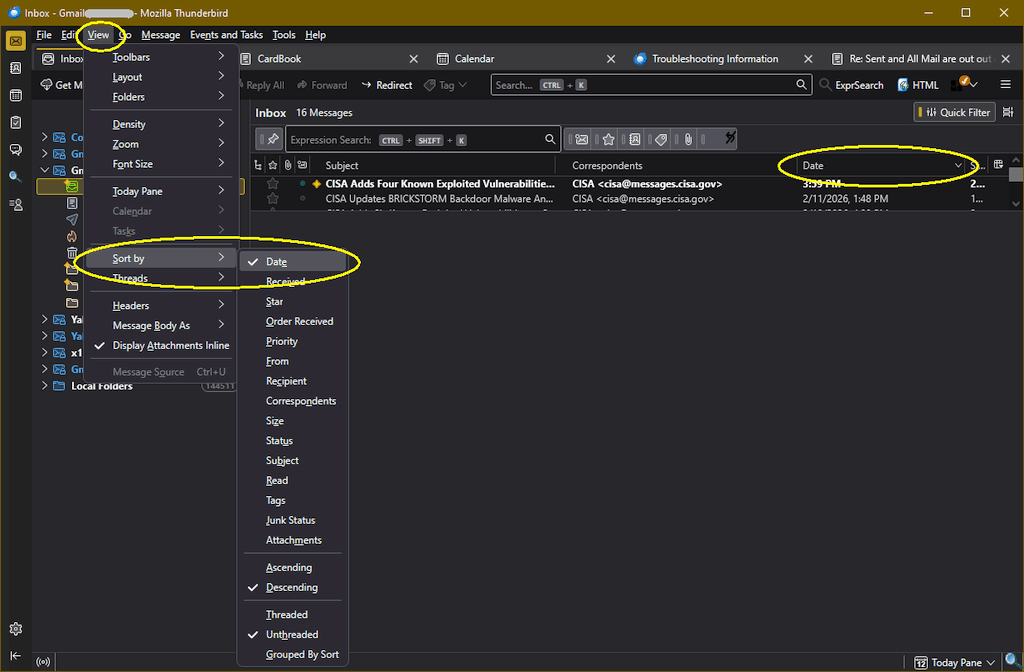
You can sort any folder by any criteria. While in that folder, click on the menu option View | Sort by and choose Date and either Ascending or Descending.
If you are using Table View rather then Card View, you can have a List Header that lets you easily re-sort the list with one click.
When i click on View in the menu above i have no option to "sort by" - i have gone through everything in the view menu. Maybe that is older thunderbird?
This is Windows version 140.7.1esr, but it's also on Windows version 115.18.0 and Linux Mint version 140.7.1esr. See the attached image...
I don't know enough to be able to read that black screen. I have used thunderbird for over 10 years with no problems. This just came up and i have no clue what is going on. Sure is a mess though. Thanks for trying. Will anyone else see my problem?
The "black screen" is just a picture of Thunderbird. I use a dark theme, but yours should look similar but maybe colored differently. The important thing is the menu. If you don't see it it may be hidden by default - hit <Alt> to make it pop up.
It's not really a problem - the message list is intended to be re-sorted at will, and can be put in any order you like.
Show us a screen capture and maybe it will make more sense to us.
How do i attach an excel document. I know how to screen print to it. I tried going to Browse below but the excel doc didn't show up in list.
I also tried ctrl v into this box ;^)
You can only upload images here, not documents like Excel.
You haven't mentioned your computer platform, but here's an article on how to make a screen capture with Windows, iOS, and Android (though this forum isn't for mobile devices.)
https://support.mozilla.org/en-US/kb/how-do-i-create-screenshot-my-problem
Got it. Just needed to put it on Paint
You can see how different yours is than mine and the lack of any order in the All Mail folder.
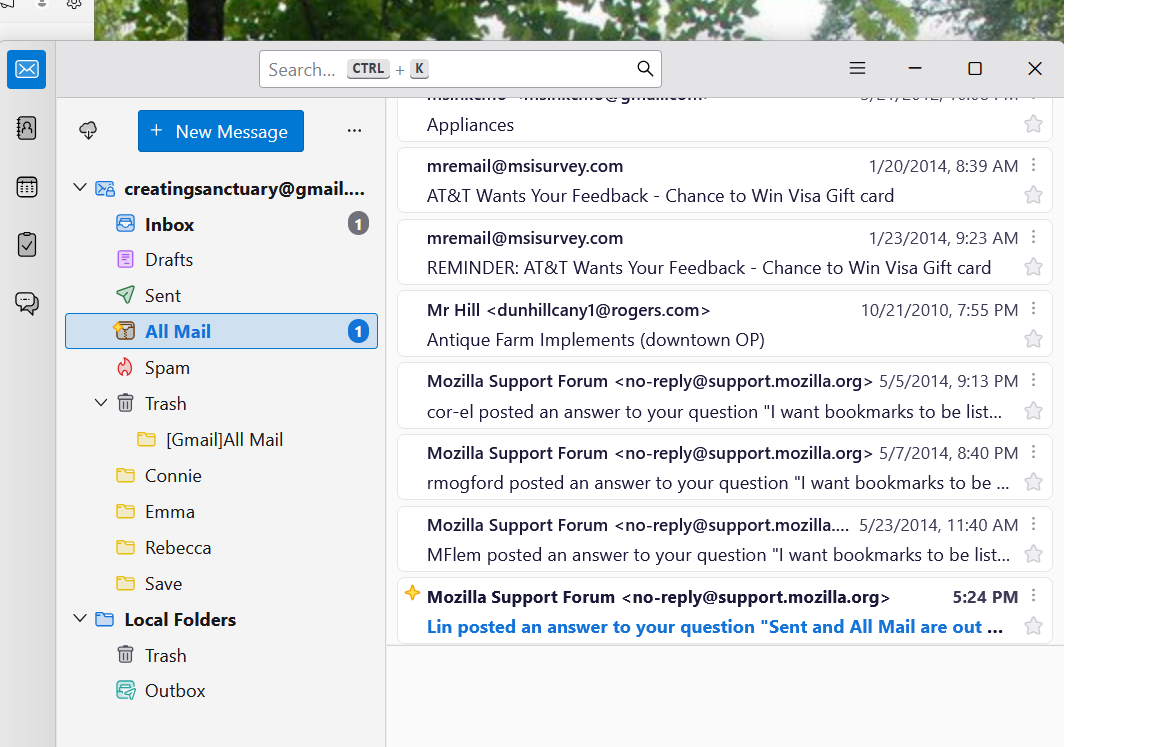
The main difference between your interface and mine is that you are viewing the messages in Cards View, but I'm using Table View. Also, you appear to have the Menu Toolbar hidden. You can expose the Menu by pressing the Alt key.
Once the menu is exposed, you can choose View | Sort By and choose Date and either Ascending (oldest at the top) or Descending (newest at the top.)
Thank you so much! That was so easy! I created a note for myself to get to the menu at the top. Fixing it all took probably less than a minute ;^)
Thank you for your patience with me. Not only did i learn how to get to the menu, but i learned that i can use Paint with Print Screen.
Enjoy your day...