


Fonts in Thunderbird

What font can used in Thunderbird that will display a capital I with top and bottom bars? Otherwise it's impossible to determine whether the letter is an capital i or the letter L.
All Replies (5)
Use a serif font, such as times roman
David, I did select Times Roman in the Font>Advanced section of General. In that section you must select a font for both Serif and Sans Serif. It does not seem as though I can select only Serif. In other words, Thunderbird seems to select the font. I have attached a screen shot of the settings I used. Thank you very much!
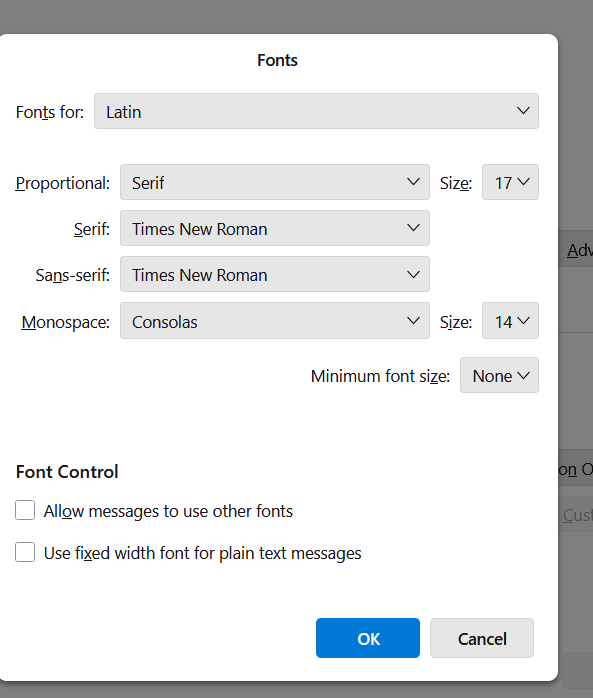
You can change all of those options. Thunderbird does not do it. For all to be times roman, also select times roman for monospace. Then click the top item where it shows 'latin' and enter the same exact content for 'Other writing systems' pane. Your default setting is the one that will be used. These settings are for what you see, not what recipient sees.
David, Thank again!! Worked perfectly! Al Aftoora
You are very welcome. I was glad to assist. :)