


Creating new account times out

Hey all, here's my issue:
I recently switched from macOs to Linux mint and started using Thunderbird again. I have three email accounts.
(1) Business, hosted through godaddy on an outlook/office365 platform (2) private on mail.com (3) private on web.de
Initially, i set up three. Accounts 2 and 3 were fully functional (imap) from the get go. Account one had issues sending emails.
Yesterday I sat down to finally try to solve the issue. In my "turn everything off and on" mindset, i completely reset (or so i though) TB, deleted all three accounts, uninstalled TB, reinstalled TB and set up the accounts again, starting with account 1.
When i finally got it running i realized the issue was a checkmark regarding smtp authentification (also a known problem with office365 running on client software apparently) on the microsoft backend, and not on my computer.
After that was set up, i tried adding my other two accounts. Now, this doesn´t work any more. I get timeouts in the setup process. I tried both, adding through the account hub and without it, it just does not work. All the credentials are obviously correct, so is the imap/server data input. So i think at least.
Thanks for any suggestion in advance.
All Replies (6)
Just something to check: go to settings>general and UNtick the account hub setting if it is ticked, and retry the setup. See attached.
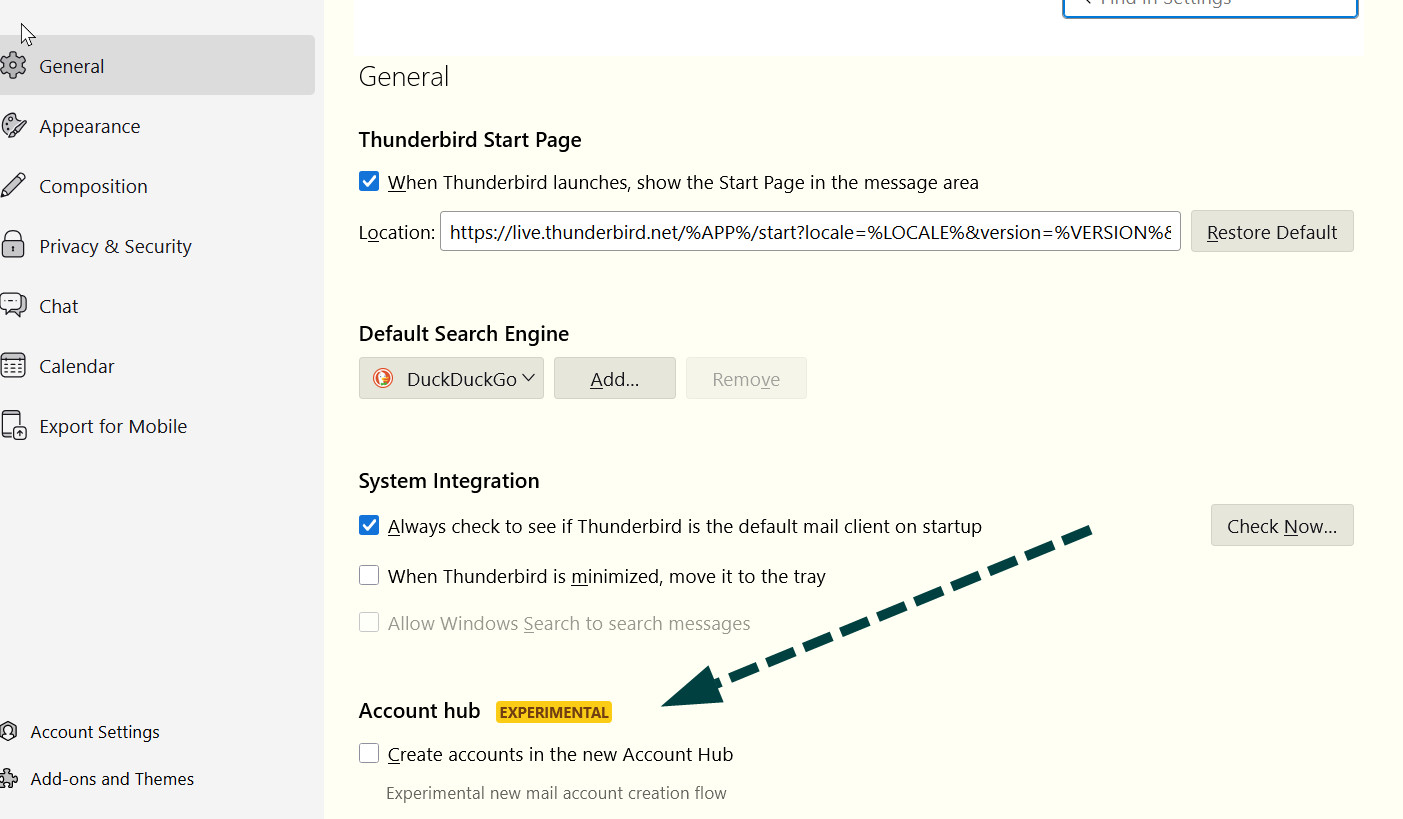
Nope, already tried that one. Makes no difference... do you think it would help to uninstall and purge all files?
Uninstalls rarely fix problems. And often causes new ones. Check settings>privacy&security to verify that there are no remnants from the previous install. Otherwise, I am not familiar with this problem.
Cam you specify what i should be looking for in those settings? The saved passwords only contain the one from the currently working account.
The fact that there is nothing there for those accounts is all I was hoping for. But I have no idea why you are timing out. If you know the proper settings, I suggest clicking the manual setup option on the setup page and see if that works.
Also, nothing. Tried an alternative port on web.d and the initial probing did say that it's ok, but no actual success... very annoying...