


Windows 10 reached EOS (end of support) on October 14, 2025. If you are on Windows 10, see this article.

Search Support

Avoid support scams. We will never ask you to call or text a phone number or share personal information. Please report suspicious activity using the “Report Abuse” option.

Learn More

How do I disable desktop mode automatically opening on every site

  • 1 baphendule
  • 2 zinale nkinga
  • 97 views
  • Igcine ukuphendulwa ngu TyDraniu

Making a setting to turn off automatic desktop site on screens over 7'0

Making a setting to turn off automatic desktop site on screens over 7'0

All Replies (1)

  1. Tap the menu button Firefox menu Android.
  2. Select Settings -> Site settings -> tap Request desktop view.
  3. Choose Off to disable desktop mode for all sites.
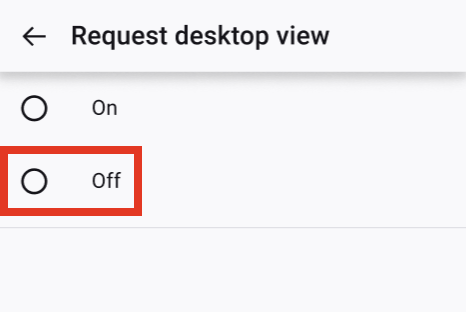
Request desktop view off

Buza umbuzo

You must log in to your account to reply to posts. Please start a new question, if you do not have an account yet.