How can the big, blue 'New message' button be displayed again?

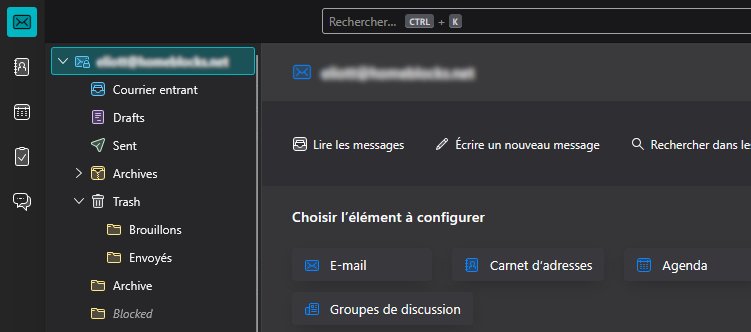
I think I clicked the wrong button, but now, the big, blue 'New message' button (and also the 'Load new messages' button) has disappear (please look at the attachment).
I searched in many places, as Appearance settings, "hamburger menu" >> Toolbars, Displaying (in the toolbar), etc., but I found nothing.
Does someone know how to display back these buttons?
Thanks, @eliotttak
Isisombululo esikhethiwe
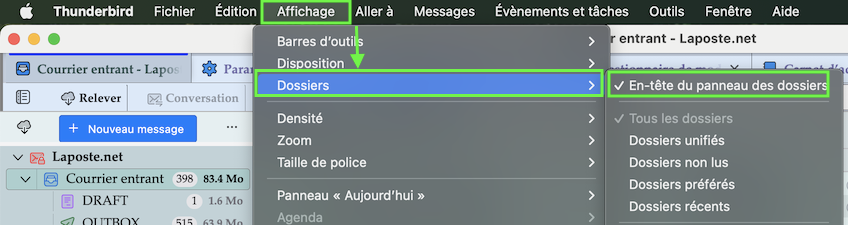
In your French Thunderbird version go to Affichage > Dossiers and check ✔︎ En-tête du panneau des dossiers I agree with you that this settings is well hidden and it took me while to remember...
Funda le mpendulo ngokuhambisana nalesi sihloko 👍 1All Replies (1)
Isisombululo Esikhethiwe
In your French Thunderbird version go to Affichage > Dossiers and check ✔︎ En-tête du panneau des dossiers I agree with you that this settings is well hidden and it took me while to remember...