


what happened to being able to send webpages from my iPhone to my computer?

I used to browse on Firefox on my iPhone, and when I wanted to delve into a tiny page I would send it to my computer's Firefox. That capability seems to have gone away. Is there still a way to do that? I have tried turning Desktop Site on but that doesn't seem to do anything. Help!
Isisombululo esikhethiwe
Hey Simon, I found it on my own, out of exasperation! When you are looking at a website in iOS, in the bar at the top of the page which has the page name, click on the little box with an arrow pointing up on the far left of that bar. That is the SEND button now, which gives you lots of options, including Send Link to Device.
Funda le mpendulo ngokuhambisana nalesi sihloko 👍 1All Replies (5)
Hi Helena
This support article should help:
https://support.mozilla.org/en-US/kb/send-tab-firefox-ios-another-device
Hi Paul, That video at the link you posted is what I used to do, but recently that page change to my attached screenshot.
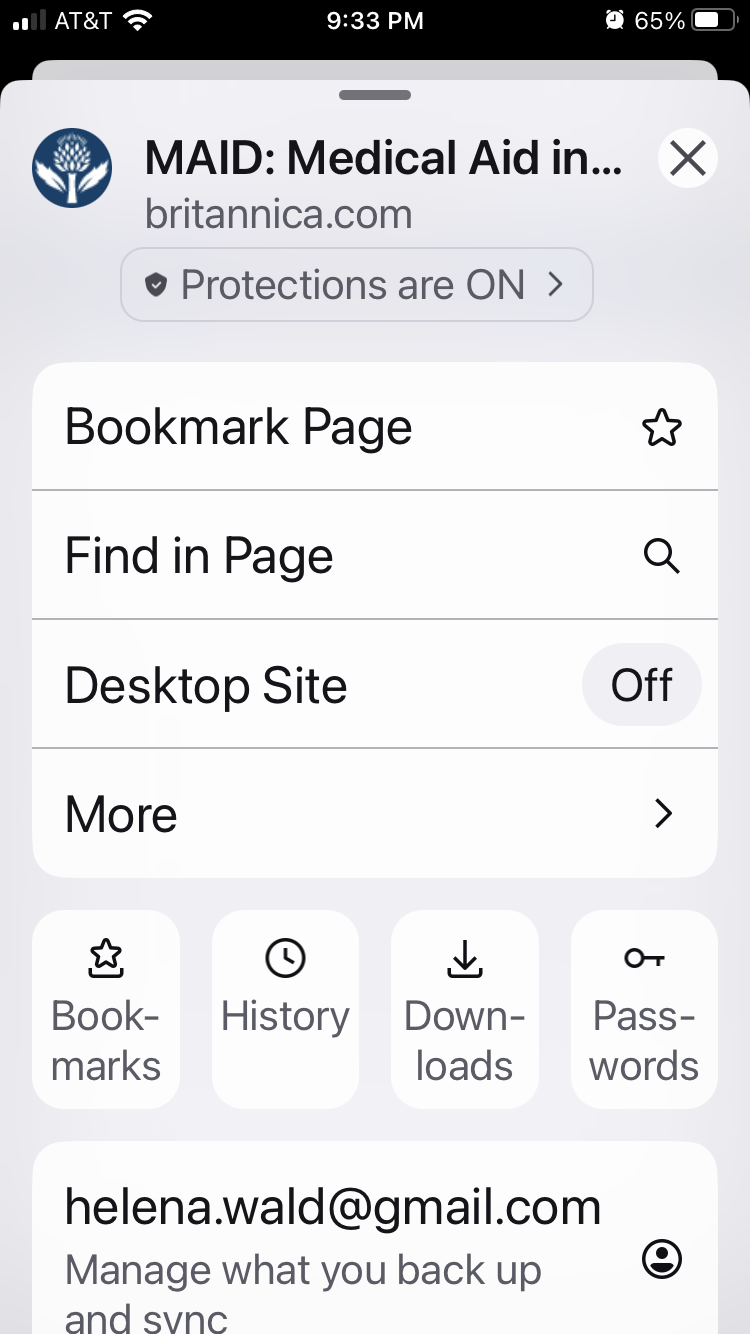

Same here, on iPhone iOS 18.6.2 using Firefox 143.0.1 (61598). Menu has changed - that video appears out of date.
Isisombululo Esikhethiwe
Hey Simon, I found it on my own, out of exasperation! When you are looking at a website in iOS, in the bar at the top of the page which has the page name, click on the little box with an arrow pointing up on the far left of that bar. That is the SEND button now, which gives you lots of options, including Send Link to Device.
Aha! Solved. Well done Helena :-)