


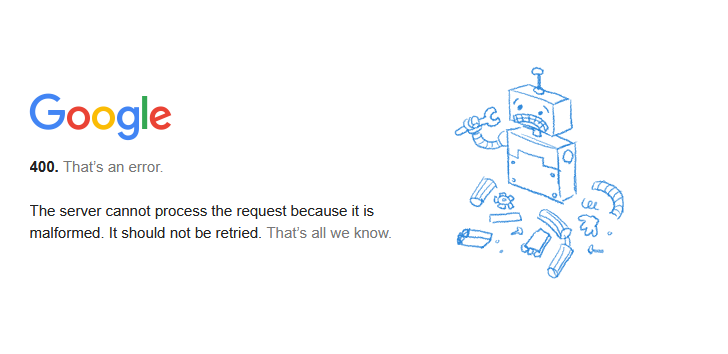
I am getting a Error 400 - email is fractured

I keep getting an error 400 - it tells me the account is fractured and should not be used. Is there a solution?
Isisombululo esikhethiwe
conklinjudith said
Thank you for your additional thoughts. None of those interfered with g-mail five days ago.
It is common for folk to think as you do. It used to work. It does not work now. So Thunderbird is the problem! Unfortunately that is very rarely the case. I would actually sometimes be happier of it was Thunderbird because we could do something about the issue, but as I said it is rarely the case.
Support folk like me banging on about third party products just makes those that have assumed they know the problem application frustrated so we use all sorts of ways of leading people to the conclusion that they have installed another application that is the problem. The standard diagnostics used to be to ask folk to restart their device in safe mode with networking. That excludes the third party applications, antivirus products other than defender as well as VPN products. The later two have significant issues working with email at the best of times and failures can most usually be ticked off to one or the other. Sadly safe mode with networking is totally unavailable to those that do not have the option to use a wired internet connection. These days that describes the vast majority of the internet users in the USA where infrastructure actually approaches third world standards and WiFi is the de jure standard.
So what to do;
- Remove any third party antivirus. You are using windows 10 or 11 so removing third party antivirus will means windows defender started up to protect you, so it is only a minor risk to diagnose the problem.
- Disable any VPN. Google in particular of mail providers is quikck to assume you have been hacked when a VPN is used. Your phone which almost always has some sort of google account tie in says you are not where the VPN says you are therefore the attempted access is a hack. In this instance it is unlikely to be the issue as the packet is according to google malformed, not misdirected
- Tell Thunderbird to use a full useragent string instead of an abbreviated one. use the config editor config editor to change the preference "mailnews.headers.useMinimalUserAgent" to false. Please report the results of this change. I lost an argument when the change was suggested that it would improve privacy when I said we had no real idea what any provider actually did with that information. So if the change makes it work, we really need to know.
- Tell Thunderbird to connect as an imposter reporting it is Firefox. Some folk had had success with that but I have no idea why. Perhaps their antivirus got out of the way once it was a browser and not a mail program. I have no idea. This time use the config editor config editor to change the preference general.useragent.compatMode.firefox = True and try again as with the last one. Your results are important to knowing what is happening here.
See https://support.mozilla.org/si/questions/1374493#answer-1500530
I do not have a solution for this quirk of human nature that makes folk assume the application that is demonstrating issue is actually the problem. But it means there are a lot of folk quite upset about the poor support they receive because support does not fix Thunderbird as is required for them to get mail. So you will have to bear with us while we trey and work through all of the options with you, not just the ones you have identified.
Funda le mpendulo ngokuhambisana nalesi sihloko 👍 1All Replies (11)
is this message being translated from some other language perhaps?
Error 400 as far as I am aware is a web page error, so are you needing to authenticate with your mail provider using oAuth perhaps?
Thanks for the reply, Matt. I have had to have an "expert" remove all traces of my Google account from Thunderbird. I am almost afraid to add it back again. Attached is the pop up I get from Thunderbird. The program is automatically adding all of the authentication parameters without any input from me, other than the email address. The message is in English.
That error usually means cookies aren't accepted in TB (not browser) Settings. Cookies are needed for OAuth2 authentication with e.g. gmail, outlook.com, AOL etc. accounts.
Thank you for your response. I have allowed third-parter cookies, but the error continued to appear. I am not sure how to get g-mail back into Thunderbird.
Using a VPN? Your antivirus might also be interfering if it's not the Windows Security app.
Thank you for your additional thoughts. None of those interferred with g-mail five days ago.
I have allowed third-parter cookies
Stop guessing, and just follow the instructions. https://support.mozilla.org/en-US/kb/automatic-conversion-google-mail-accounts-oauth20
Perhaps you have overestimated my ignorance, but following the instructions on the automatic conversion of Google to OAuth 2.0 is what initially caused the Error 400.
Try this: delete all entries for the account from Saved Passwords in Settings/Privacy & Security, restart TB, enter (hopefully) the account password in the OAuth window. If it still doesn't work, run Windows in safe mode to bypass any possible external interfering apps. Confirm your TB version is at least 128 or 140.
Isisombululo Esikhethiwe
conklinjudith said
Thank you for your additional thoughts. None of those interfered with g-mail five days ago.
It is common for folk to think as you do. It used to work. It does not work now. So Thunderbird is the problem! Unfortunately that is very rarely the case. I would actually sometimes be happier of it was Thunderbird because we could do something about the issue, but as I said it is rarely the case.
Support folk like me banging on about third party products just makes those that have assumed they know the problem application frustrated so we use all sorts of ways of leading people to the conclusion that they have installed another application that is the problem. The standard diagnostics used to be to ask folk to restart their device in safe mode with networking. That excludes the third party applications, antivirus products other than defender as well as VPN products. The later two have significant issues working with email at the best of times and failures can most usually be ticked off to one or the other. Sadly safe mode with networking is totally unavailable to those that do not have the option to use a wired internet connection. These days that describes the vast majority of the internet users in the USA where infrastructure actually approaches third world standards and WiFi is the de jure standard.
So what to do;
- Remove any third party antivirus. You are using windows 10 or 11 so removing third party antivirus will means windows defender started up to protect you, so it is only a minor risk to diagnose the problem.
- Disable any VPN. Google in particular of mail providers is quikck to assume you have been hacked when a VPN is used. Your phone which almost always has some sort of google account tie in says you are not where the VPN says you are therefore the attempted access is a hack. In this instance it is unlikely to be the issue as the packet is according to google malformed, not misdirected
- Tell Thunderbird to use a full useragent string instead of an abbreviated one. use the config editor config editor to change the preference "mailnews.headers.useMinimalUserAgent" to false. Please report the results of this change. I lost an argument when the change was suggested that it would improve privacy when I said we had no real idea what any provider actually did with that information. So if the change makes it work, we really need to know.
- Tell Thunderbird to connect as an imposter reporting it is Firefox. Some folk had had success with that but I have no idea why. Perhaps their antivirus got out of the way once it was a browser and not a mail program. I have no idea. This time use the config editor config editor to change the preference general.useragent.compatMode.firefox = True and try again as with the last one. Your results are important to knowing what is happening here.
See https://support.mozilla.org/si/questions/1374493#answer-1500530
I do not have a solution for this quirk of human nature that makes folk assume the application that is demonstrating issue is actually the problem. But it means there are a lot of folk quite upset about the poor support they receive because support does not fix Thunderbird as is required for them to get mail. So you will have to bear with us while we trey and work through all of the options with you, not just the ones you have identified.
Okulungisiwe ngu Wayne Mery
Matt and sfhowes: Thank you very much for your solutions. Following your directions I:
Deleted all saved Google passwords Deleted all Google saved activity Checked that Thunderbird is 140.0.1 (64 bit) Disabled “create accounts in New Account Hub” Disabled Acronis Disabled ADW Shield No VPN Ran MRT Disconnected 2 external drives Deleted all Google activity Deleted Google backup Changed preference for mailnews.headers.useMinimalUserAgent to FALSE Reinstalled Thunderbird – allowed change to new profiles for Thunderbird 68 Allowed autoconfiguration IMAP Google e-mail works well with Thunderbird!!