Lolu chungechunge lwabekwa kunqolobane.
Uyacelwa ubuze umbuzo omusha uma udinga usizo.

Solved
Okugcinwe kunqolobane
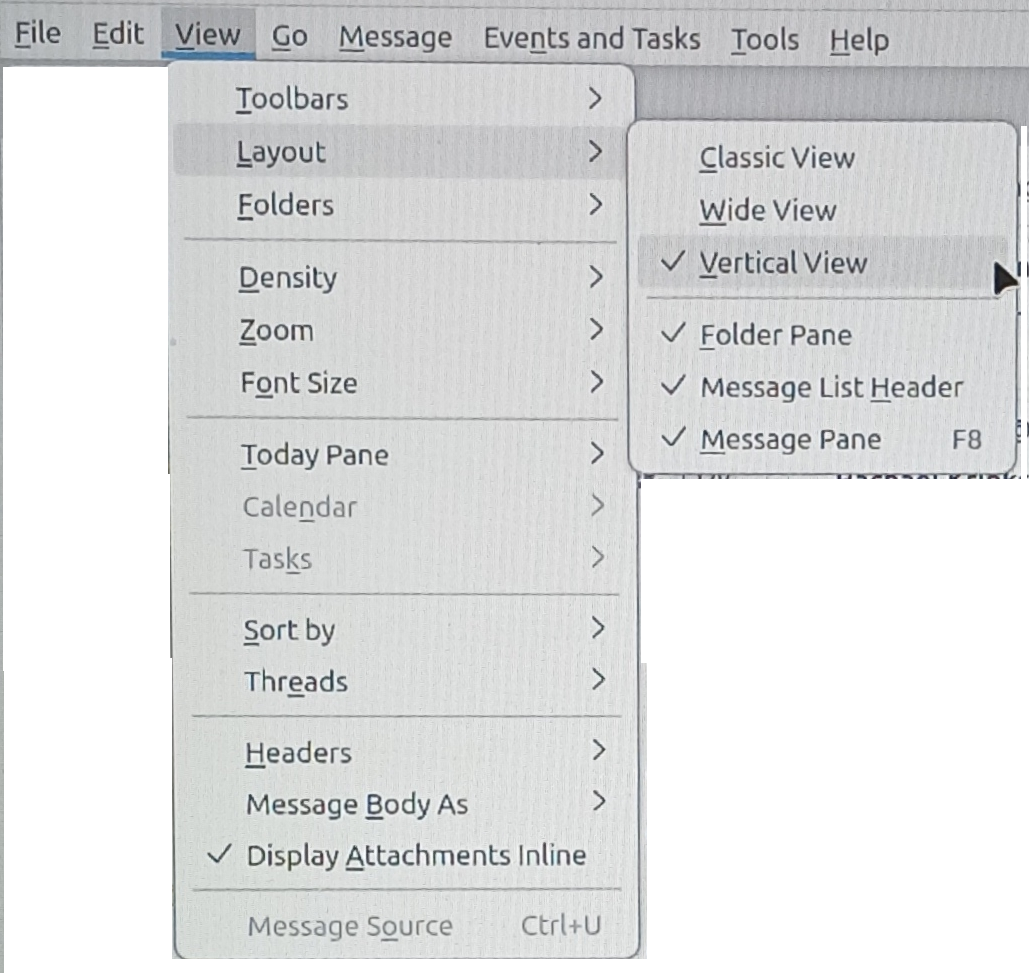
How do I move the message preview pane to the right side of the screen instead of the bottom.

How do I move the message preview pane to the right side of the screen instead of the bottom.
How do I move the message preview pane to the right side of the screen instead of the bottom.
All Replies (1)
Isisombululo Esikhethiwe
Answering my own question as follows:
- 1 Press "Alt" key
- 2 Select "View" in menu bar
- 3 Select "Layout" in menu box
- 4 Select "Vertical View" in menu box