


Firefox crashes when I click Help>Troubleshoot info

Firefox has recently started to crash on certain websites. It started as a shockwave error or slow plugin script. After my first reinstall that problem has ceased, but still would crash on other sites. I completely reinstalled Firefox, started in safe mode, no plugins and it still crashes on certain sites. When it crashes it doesn't offer a report of the crash. If I click Help > Troubleshoot info, it crashes.
所有回覆 (2)
選擇的解決方法
We're sorry to hear that Firefox is crashing. In order to assist you better, please follow the steps below to provide us crash IDs to help us learn more about your crash.
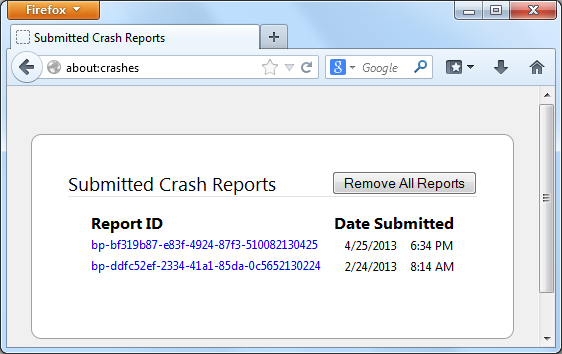
- Enter about:crashes in the Firefox address bar and press Enter. A Submitted Crash Reports list will appear, similar to the one shown below.
- Copy the 5 most recent Report IDs that start with bp- and paste them into your response here.
Thank you for your help!
More information and further troubleshooting steps can be found in the Troubleshoot Firefox crashes (closing or quitting unexpectedly) article.
Thanks Waka,
I was able to resolve the issue by installing an updated driver for my video card.