


The certificate is not trusted because no issuer chain was provided - firefox only

Hi, I'm trying to get my website: https://mgmt.pixafix.com/
and I'm getting the following error:
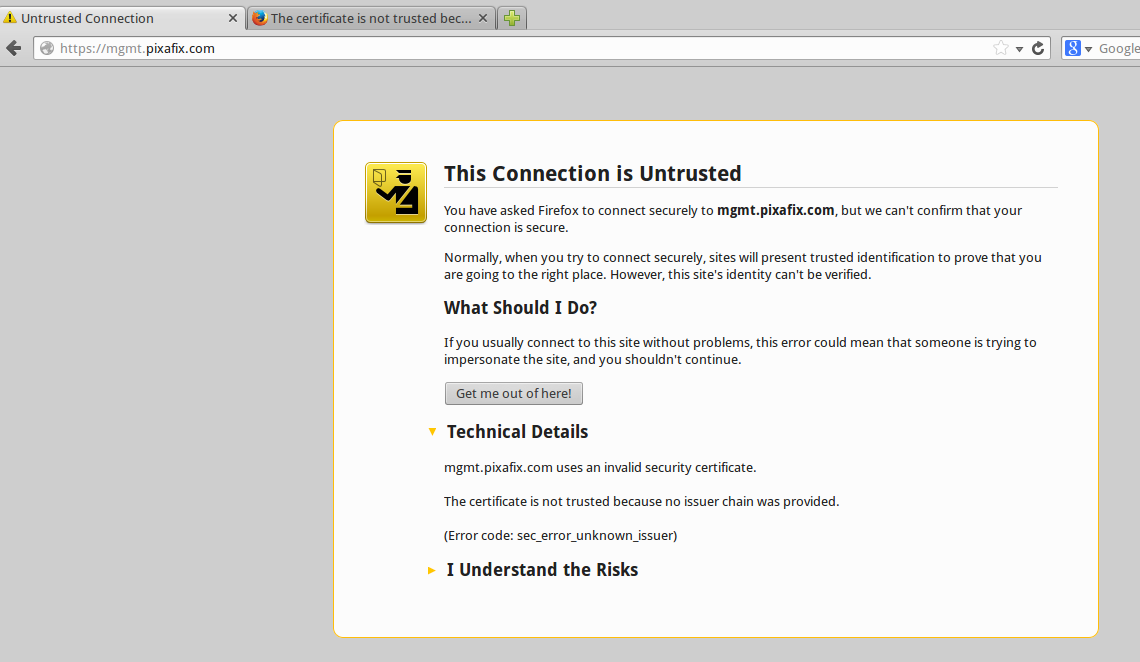
This Connection is Untrusted
...
mgmt.pixafix.com uses an invalid security certificate.
The certificate is not trusted because no issuer chain was provided.
(Error code: sec_error_unknown_issuer)
This is my website, and I've installed the certificate 2 month ago. I didn't check it using Firefox until now.
Firefox enter all other HTTPS website. All other browser entering my https domain with no warning.
Tested on 2 different machines:
Ubuntu - Firefox not working, Chrome - working fine (without any warning)
Mac - Firefox not working, Safari - working fine (without any warning)
I've tried the solutions described here:
And unable to use this solution because no firewall installed:
Thanks in advance for any help,
Ziv
由 zivperry 於 修改
被選擇的解決方法
Hello there. Did you check your date and time setting is up to date?
從原來的回覆中察看解決方案 👍 0所有回覆 (5)
Hi Zivperry here you can get the solution for your problem You should be able to download this EssentialSSLCA intermediate certificate from this page and install it in the Certificate Manager .https://support.comodo.com/index.php?_m=downloads&_a=viewdownload&downloaditemid=62&nav=0,1 Do NOT set any trust bits, those are only required for root certificates and should never be set for intermediate certificates.
Thanks sahilnmmt but it not helping.
I'm downloaded the EssentialSSLCA certificate and import it into firefox using:
Advanced > View certificate > Authorities > import
Didn't check any checkbox there.
Restarted my Firefox, and still getting the same message.
選擇的解決方法
Hello there. Did you check your date and time setting is up to date?
I checked the date and time at my desktop and on the server (mgmt.pixafix.com). The date and time are OK.
I've even run ntpdate to update the clock and restarted the web server (apache) - and still nothing.
I've tried another solution - maybe my web-server is not updated or something.
So I've update my server (yum update...) and now everything is up to date.
My server run on Amazon cloud (AWS).
And still, the problem still occur on Firefox, but not on other browsers.