


What plugins do i need get my firefox running fine again?

I deleted a lot of files to clear up memories, only i also accidentally deleted plugins. I reinstalled: Shockwave Flash, Java Applet Plug-in, Unity Player, Shockwave for Director, Adobe Acrobat NPAPI Plug-in, Version 10.1.4, Microsoft Office Live Plug-in, Silverlight Plug-In, QuickTime Plug-in 7.6.6, and iPhotoPhotocast. However, I still can't view some chats. What plugins am I missing? What plugins do you recommend? Is it even a plugin problem?
被選擇的解決方法
Do you get an info bar to notify of missing plugins or do you see a blocked plugin icon on the web page?
從原來的回覆中察看解決方案 👍 0所有回覆 (4)
If you have accidentally deleted files used by Firefox, I suggest this article which may be helpful to you: https://support.mozilla.org/en-US/kb/reset-firefox-easily-fix-most-problems
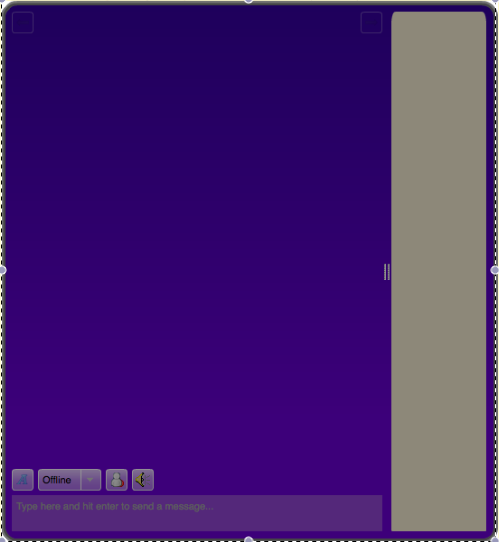
It didn't work. The chat that shows a purplish screen (in image) that i'm trying to get onto is 99chat.com. this is my info:
Application Basics
       Name
       Firefox
       Version
       15.0.1
       User Agent
       Mozilla/5.0 (Macintosh; Intel Mac OS X 10.6; rv:15.0) Gecko/20100101 Firefox/15.0.1
Profile Folder
Show in Finder
Enabled Plugins
about:plugins
Build Configuration
about:buildconfig
Crash Reports
about:crashes
Memory Use
about:memory
Extensions
Name
Version
Enabled
ID
Important Modified Preferences
Name
Value
       browser.cache.disk.capacity
       1048576
       browser.cache.disk.smart_size.first_run
       false
       browser.cache.disk.smart_size_cached_value
       1048576
       browser.places.smartBookmarksVersion
       4
       browser.startup.homepage_override.buildID
       20120905151427
       browser.startup.homepage_override.mstone
       15.0.1
       extensions.lastAppVersion
       15.0.1
       network.cookie.prefsMigrated
       true
       places.history.expiration.transient_current_max_pages
       100664
       privacy.sanitize.migrateFx3Prefs
       true
       security.warn_viewing_mixed
       false
       security.warn_viewing_mixed.show_once
       false
Graphics
       Vendor ID
       0x10de
       Device ID
       0x 869
       WebGL Renderer
       NVIDIA Corporation -- NVIDIA GeForce 9400 OpenGL Engine -- 2.1 NVIDIA-1.6.36
       GPU Accelerated Windows
       1/1 OpenGL
       AzureBackend
       quartz
JavaScript
       Incremental GC
       0
Library Versions
Expected minimum version
Version in use
       NSPR
       4.9.1
       4.9.1
       NSS
       3.13.6.0 Basic ECC
       3.13.6.0 Basic ECC
       NSS Util
       3.13.6.0
       3.13.6.0
       NSS SSL
       3.13.6.0 Basic ECC
       3.13.6.0 Basic ECC
       NSS S/MIME
       3.13.6.0 Basic ECC
       3.13.6.0 Basic ECC
IMO I think you have too many plugins enabled. Too many plugins and add-ons can slow up your Firefox sessions. I only have Shockwave plugin and a few add-ons.
選擇的解決方法
Do you get an info bar to notify of missing plugins or do you see a blocked plugin icon on the web page?