


On the downloads pop up i accidentally clicked "do this from now on" so now i have to open instead of save files how do i undo this?

So when i was downloading a torrent, the downloads pop up opened, and i accidentally clicked, "do it like this from now on" or something. What was selected was "Open" with utorrent, instead of "Save". So now whenever i download a torrent, instead of saving first and then allowing me to open later, i just open it with the utorrent program instead. I want to undo it so that i have a choice when to open it and to just save it.
所有回覆 (5)
Go to Options >> Go to Applications tab >> Search for TORRENT file >> Select "always ask " or "save file" from drop down menu.
I have Firefox version 11 and i do not find the 'TORRENT file' in the applications tab. All other file types are set to 'always ask me' but still Firefox gives me just the save option. The only file type which gives me the option for save or open is WordPad.
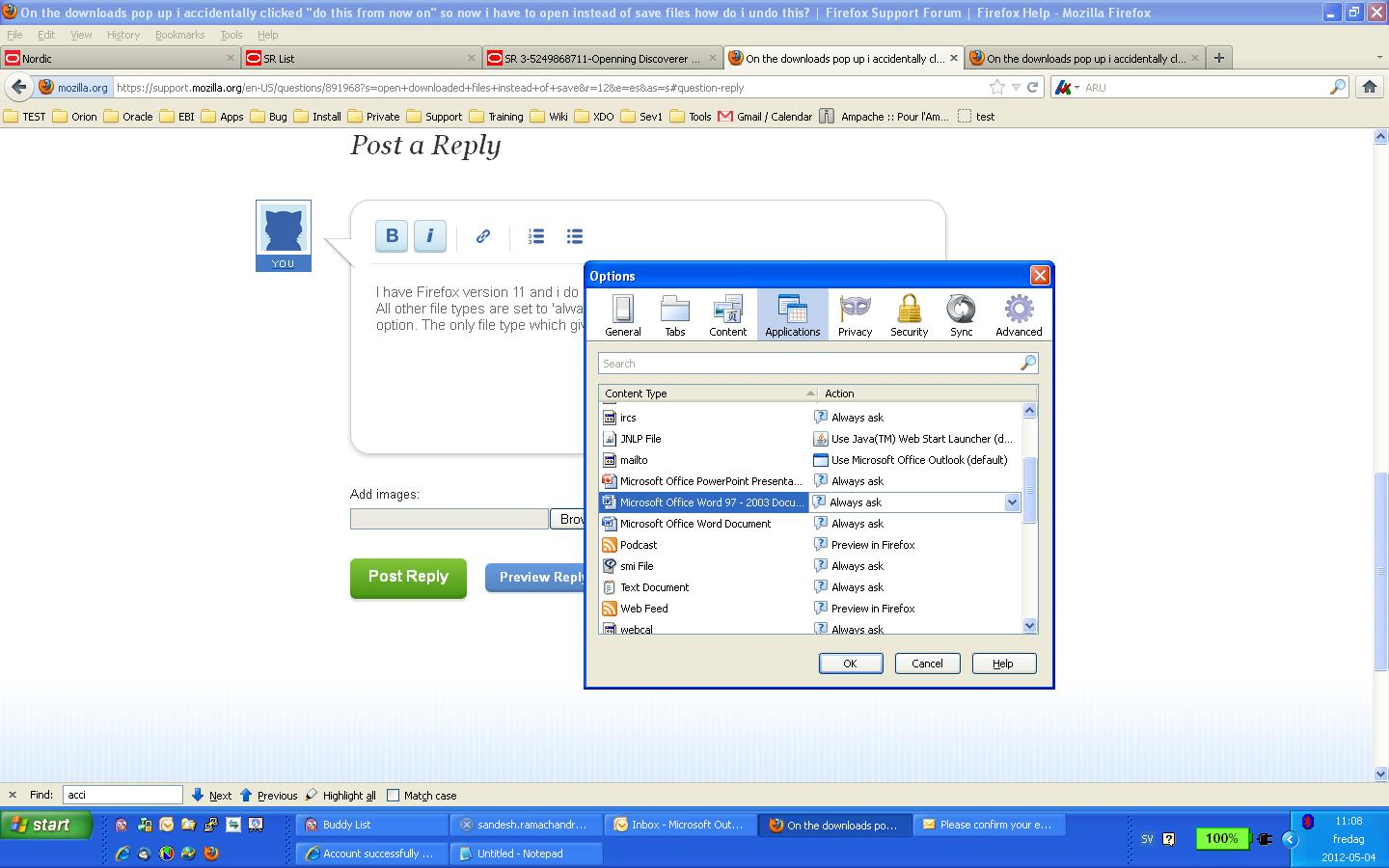
由 mtaheri 於 修改
I have the same issue. Anyone can help on this matter?
-> Start Firefox in -> Use Troubleshoot Mode in Firefox to check if your add-ons/extensions are causing the problems.
- Also see this article -> Troubleshoot extensions, themes and hardware acceleration issues to solve common Firefox problems
Check and tell if its working normally while using Firefox in Use Troubleshoot Mode in Firefox.