


Ever since latest update (153.0 (64 bits) everything crash.

Hello,
Ever since latest update (153.0 (64 bits) everything crash. I can open Firefox, but as soon as I enter a website, regardless of what it is, it won't load.
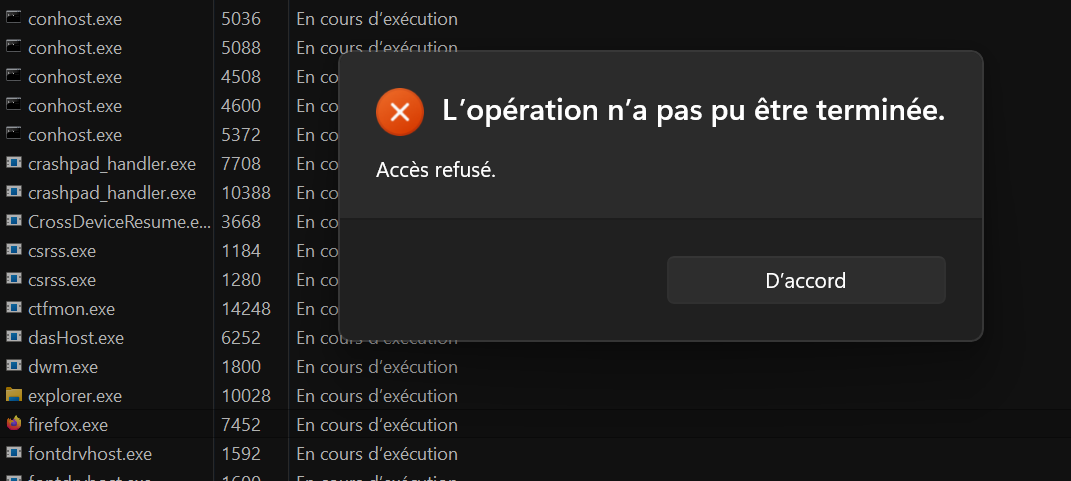
If i try to close the app, there's always a process that keeps running. It can't close. And if I try to force it it says that access is refused.
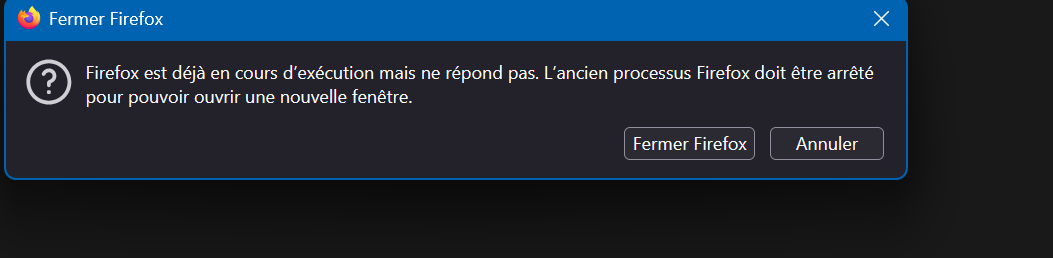
After that I keep receiving these errors that Firefox is already open and I need to close the last process of Firefox to continue but even if I say to close, it keeps repeating until my PC finally crash.
Everything was working 100% until Firefox updated itself. No Windows update nothing.
I can't even send crash report since it does the same error.

所有回覆 (2)
We're sorry to hear that Firefox is crashing. In order to assist you better, please follow the steps below to provide us crash IDs to help us learn more about your crash.
The crash report is several pages of data. We need the report numbers to see the whole report.
- Enter about:crashes in the Firefox address bar and press Enter. A list of Submitted (and Unsubmitted, if any) Crash Reports will appear, similar to the one shown below.
- Copy the 5 most recent Submitted Report IDs that start with bp- and then go back to your forum question and paste those IDs into the "Post a Reply" box.
Note: If a recent Report ID does not start with bp- click on it to submit the report.
(Please don't take a screenshot of your crashes, just copy and paste the IDs. The below image is just an example of what your Firefox screen should look like.)

Thank you for your help!
More information and further troubleshooting steps can be found in the Troubleshoot Firefox crashes (closing or quitting unexpectedly) article.
One quick fix to try: download a fresh installer from firefox.com and just run it over your installation. It should refresh things as necessary if the update somehow ended up corrupted. Thanks.