


GMX folders no longer loading

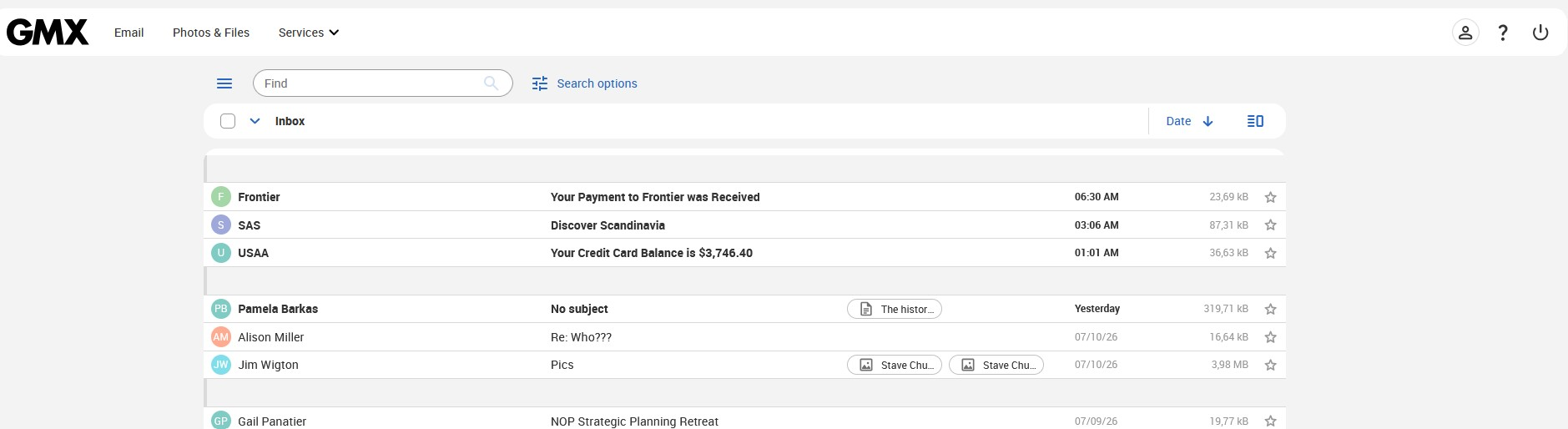
My folders suddenly stopped loading. When I log in, I can see grey boxes down the left hand side where my folders used to be. It looks as if the folders are trying to load, then the grey boxes disappear and all I see is in the screenshot I have attached.
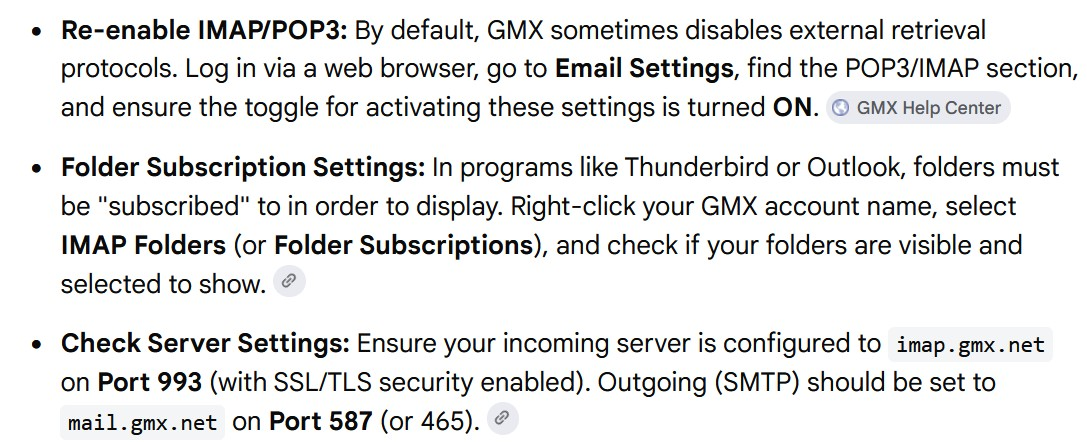
I have followed the instructions GMX provides. Cleared the cache, etc. Those didn't solve the problem. The second attachment shows instructions that showed when I did an online search. Please ignore the second suggestion regarding Thunderbird. If these instructions refer to gmx settings, I cannot access them as you see by the first attachment, there is no way I can access gmx settings. The icons you can see only change how my inbox contents are displayed. If the instructions refer to email settings within FIREFOX, I am still stuck as I can find no help within FIREFOX on GMX settings that deal with these settings. I am offering my firstborn, my beloved dog, Reggie, and my best wishes for a long and happy life to the person who can successfully help me with this problem. Hopefully, Pam Barkas
所有回覆 (2)
I'm not familiar with GMX interface so pardon the silly questions — isn't it possible they just redesigned the UI and things are now in different places?
There seems to be overflow navigation ("hamburger" menu) next to the "Find" search box, the icon looking like a stack of pancakes or jeep front fascia — would it be possible the functionality you're looking for is hiding in there?
JBR Thanks for the suggestion. I sniffed around and still cannot find the folders. I also tried changing my screen resolution to see if that affected what I was seeing, but it didn't make any difference.