


why are my familiar websites suddenly asking for text or email verification?
Over the last week or so my personal websites (such as Banking, Amazon, Facebook, etc.) suddenly started asking for (text or email) verification to sign in successfully. This only happens after a restart. (Sometimes I run a 'restart to untangle some glitch - but some Windows updates do a restart automatically.) And I have to go through all the verification stuff again! VERY ANNOYING!! Some MS tech this morning had me uncheck Cookies and other data in the Privacy and security category. But that didn't help. I just did a restart and AGAIN my bank(s) websites asked for a texted CODE. So did Facebook, and Amazon. Once I complete the CODE requirement it stays good until the next restart. And when I went to change that "cookies" option was nowhere to be found (to change it back) In SETTINGS>PRIVACY & SECURITY - NOW shows just the green button and box that says "STANDARD". I don't want or need this annoying added verification on every site that I use daily. I don't know exactly how or when this started...(maybe about a week ago).
所有回覆 (2)

"I don't want or need this annoying added verification on every site that I use daily."
Some All commercial sites where personal logins are required are going that way, i dread the day my hosting company require that, They have been 'threatening' to have two level security for a few years.
Not a Firefox issue
選擇的解決方法
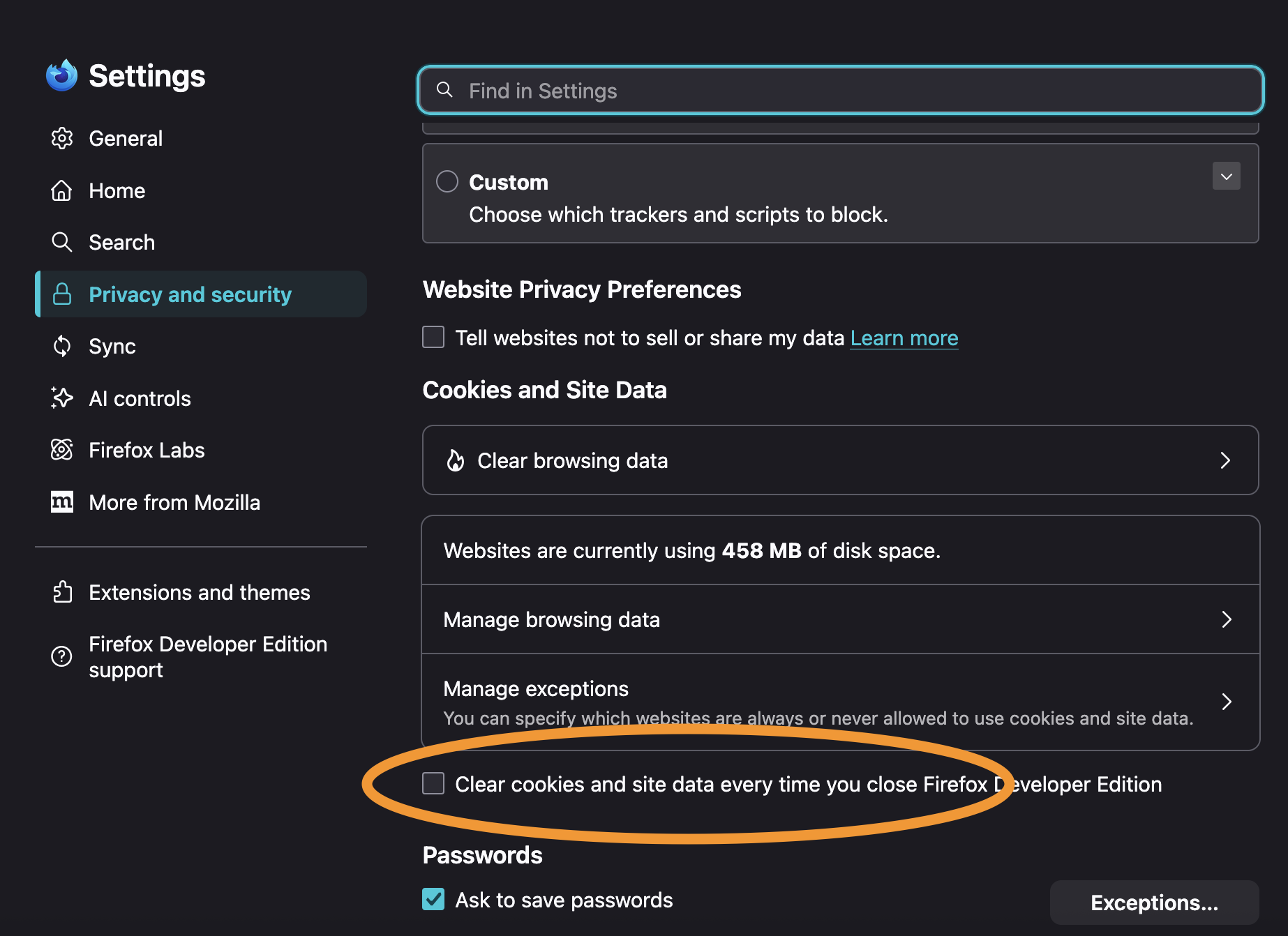
See https://support.mozilla.org/questions/1581657 in case you have settings in place to wipe your site data on restart.
The preference you want to verify is pictured here:
由 jbr 於 修改