


absolutely giant quicksuggest-amp.sql file taking up 2gb of space.
what it says on the tin. went data purging with ol reliable WinDirStat and found this absolute behemoth of a file in the profiles directory for firefox. its especially weird considering the entire Firefox directory itself is only 1.5GB with this menace taking 1.3 of it. I cant imagine that bookmarks, search history, passwords, the works takes up any more than about 300mb. so im wondering if im just stuck in the early days of data or if the file really is just that girthy.

被選擇的解決方法
That's mostly all old unused content that didn't get properly cleaned up:
從原來的回覆中察看解決方案 👍 0所有回覆 (3)
Yes. I have disabled the quick suggest. I have enough going on in my head to not want AI/DI suggesting what to focus on :)
UPDATE: Mind you, just checked and mine is 30Mb from nothing ??????
So thanks for the note
UPDATE 2
Checking settings, see image . . . I think Fx updates override some basics 1. The top tick enabled I have to uncheck in the Search suggestions and the Trending cannot be changed :(
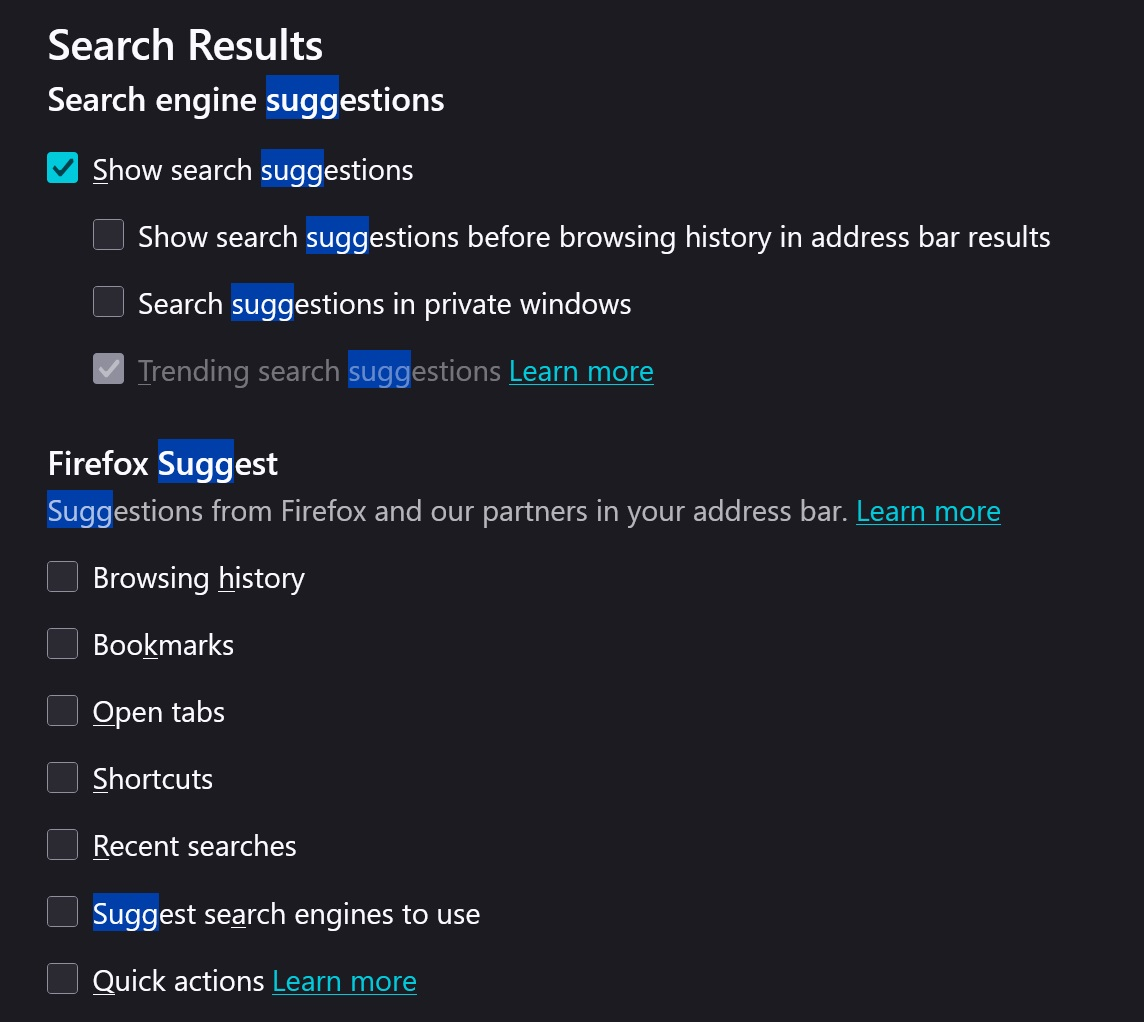
由 amoun 於 修改
選擇的解決方法
That's mostly all old unused content that didn't get properly cleaned up:
Oh, you're on 140esr that did not get the cleanup patch. That's why. Well, if you plan to stick with ESR, the 153esr coming soon will have this fixed.