


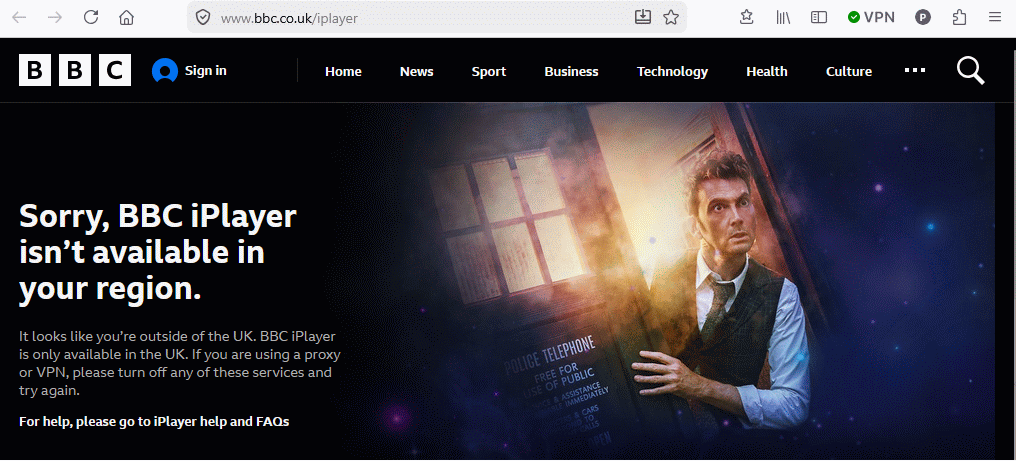
Have activated Firefox VPN testing BBC iPlayer U.K. from Germany location but VPN doesn't work.

Have activated Firefox VPN testing BBC iPlayer U.K. from Germany location but VPN doesn't work. it's the same for skysports.com. - from this experience, it seems that the Firefox VPN doesn't work.
所有回覆 (5)
Interesting. How did you manage to change your country? What does https://www.iplocation.net/ say when it's turned on? Have you tried to clear cookies for that site?
PS. Last year I tried to watch Wimbledon and it was difficult to pass this screen even with real VPN, so I wouldn't expect much from it.
hi TY - thanks for your reply - i just clicked on your link and tested the IP address link and it showed that i was located in Montgomery, Alabama (US) and using WIN10 which I'm not, am in Germany using WIN 11 - anyway, something strange going on...if you've used VPN before, and that doesn't prevent using BBC iPlayer, then what's the point - did i miss something? - is VPN in Firefox working for you?...thanks for your feedback!
Right, your endpoint is in Alabama, mine in Munich (I'm in Poland). It's working, but a lot of streaming websites blocks known VPN IPs as most likely foreigners.
It also can keep your old location in a cookie, so it's better to test it in a private window.