


Unrestored window

Mozilla usually doesn’t restore all the windows I’m working in; when I open it, it only restores a few of them. I usually use the ‘History’ > ‘Recently Closed’ > ‘Reopen All Windows’ option, but this time not all the windows I need are being restored. My most important window, containing 1,000 essential tabs for various articles, hasn’t been restored, and it seems as though I have absolutely no chance of finding it at all; I don’t even have a ‘Restore previous sessions’ button. I don’t know how to get that window back, because restoring the tabs one by one would take an age and I’d probably lose a lot of them (it’s very important that these were tabs, not bookmarks). What should I do?
被選擇的解決方法
Oh yeah, need to get more ram, you see it's almost maxed out. Also may need to watch the hard drive performance. If there no further questions, mark it as resolved and have a good day.
從原來的回覆中察看解決方案 👍 1所有回覆 (4)

Mario Krivobok said
My most important window, containing 1,000 essential tabs for various articles, hasn’t been restored
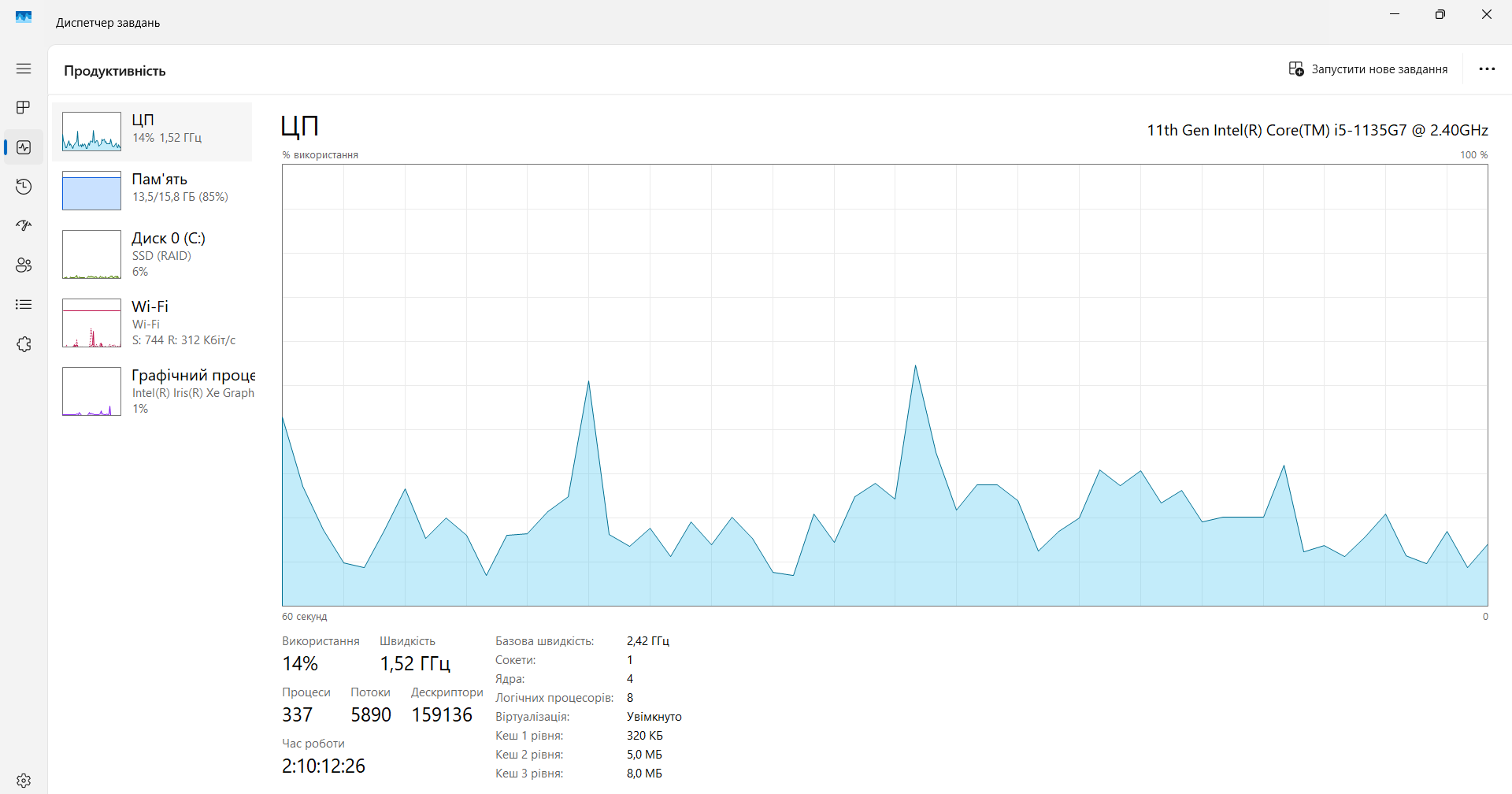
WOW Mario. That's a lot of tabs. ;-)) The geek in me is curious to know your system spec. Can you post a screenshot of the performance tab from task manager? So many users complain about system resources. The session restore... It's been a long time issue for Firefox and it also happens in the forks of Firefox(Waterfox). See if this helps. https://support.mozilla.org/en-US/questions/1557927#answer-1790790
Thanks! Over the last couple of days, I’ve manually restored most of my tabs from history—yeah, it wasn’t easy. But I have to say I might have exaggerated a bit; I actually had about 350 tabs. I’ve noticed that when I open another 15–20 tabs or join an online conference, the system slows down, but overall, I don’t really notice anything else.
選擇的解決方法
Oh yeah, need to get more ram, you see it's almost maxed out. Also may need to watch the hard drive performance. If there no further questions, mark it as resolved and have a good day.