


Windows 10 reached EOS (end of support) on October 14, 2025. If you are on Windows 10, see this article.

搜尋 Mozilla 技術支援網站

防止技術支援詐騙。我們絕對不會要求您撥打電話或發送簡訊,或是提供個人資訊。請用「回報濫用」功能回報可疑的行為。

了解更多

University Website Blocked by Security Risk

  • 1 回覆
  • 0 有這個問題
  • 89 次檢視
  • 最近回覆由 TyDraniu
  • Open

My university website (brightspace) is blocked by "Warning: Potential Security Risk Ahead" and clicking advance does not allow me to continue. I was using brightspace when it suddenly became blocked and I have received errors stating it was an HSTS error to now an expired certificate. I have tried to restart Firefox and clearing the website from my history and clearing cache, but nothing worked so far. Accessing this website has only been an issue on my Firefox on my laptop. The website's servers is not having issues, my other devices can access it flawlessly, and using other web browsers on my laptop does not cause any issues. I would like not to switch my browser, so any help to accessing this website would be greatly appreciated
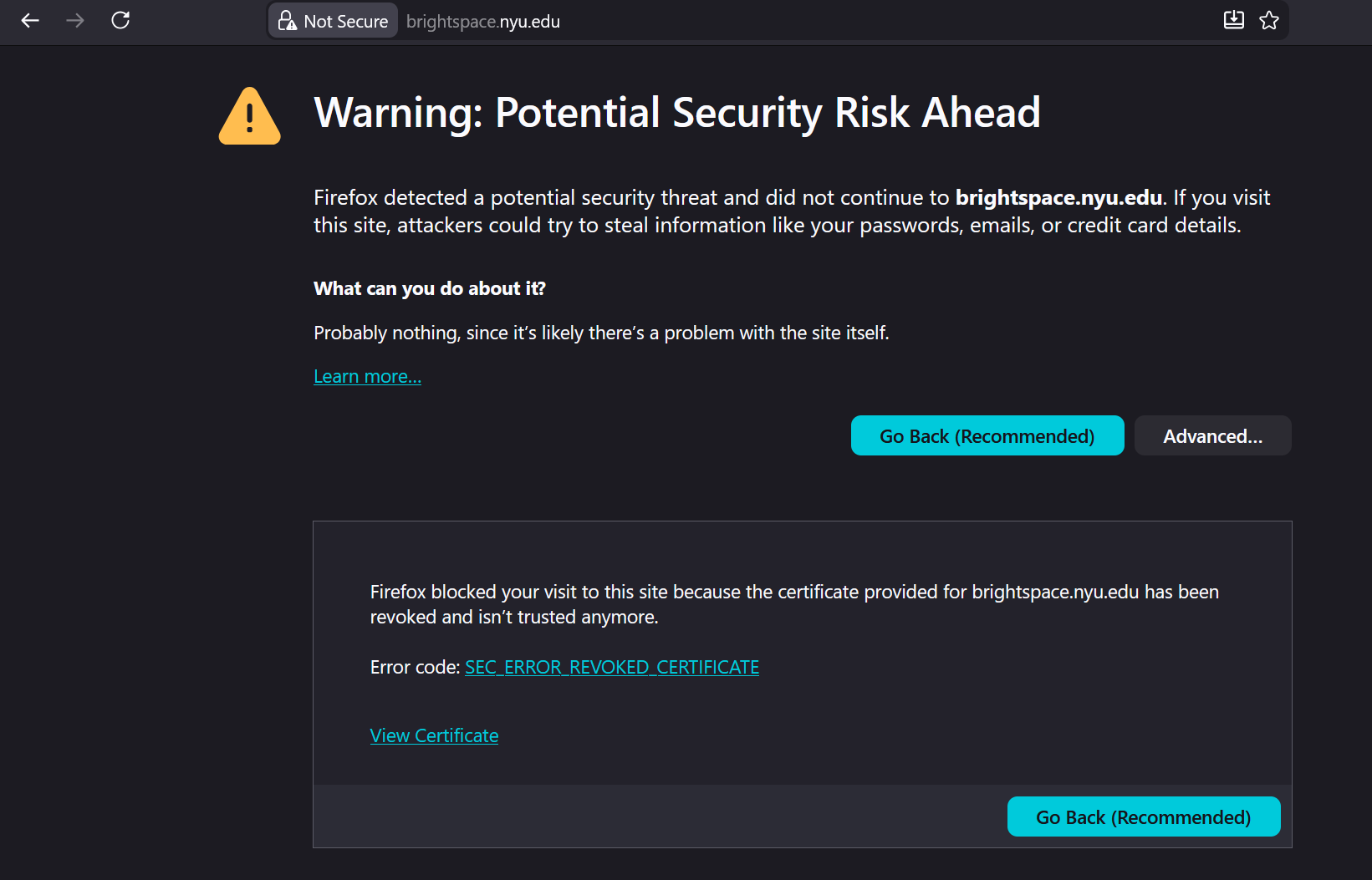
My university website (brightspace) is blocked by "Warning: Potential Security Risk Ahead" and clicking advance does not allow me to continue. I was using brightspace when it suddenly became blocked and I have received errors stating it was an HSTS error to now an expired certificate. I have tried to restart Firefox and clearing the website from my history and clearing cache, but nothing worked so far. Accessing this website has only been an issue on my Firefox on my laptop. The website's servers is not having issues, my other devices can access it flawlessly, and using other web browsers on my laptop does not cause any issues. I would like not to switch my browser, so any help to accessing this website would be greatly appreciated
附加的畫面擷圖

所有回覆 (1)

One of the certificates in the certificate chain has been revoked and Firefox is right to reject it. Other browsers don't check the revocation status very frequently (but eventually they'll block it too). Please contact uni's IT team about it.

問個問題

如果您還沒有帳號,您必須先登入帳號 來回覆文章。還沒有帳號的話,只能發問新問題