


Email sending not working

Since last night my emails in 3 accounts won't send in thunderbird. I get the following message
the message could note be sent because connecting to the outgoing server SMTP mail.optusnet.com.au failed. The server maybe unavailable or is refusing SMTP connections. Please verify that your outgoing server (SMTP) is correct and try again.
The provider Optus has confirmed it doesn't have any issues.
Is there a problem with this with Windows 11 which i have just downloaded 5 days ago?
Does anyone have any suggestions?
所有回覆 (6)
Do you have the recommended settings?
https://www.optus.com.au/support/answer/using_an_email_application_with_optusnet_email_1434
I have the same problem, but I have a MacBook Air with Mac OS Sequoia 15.7.2. The error started yesterday (21 November) and I get the same error message as ajs1101. Just finished conversing with Optus support and they confirmed that it's not at their end: webmail works okay, can receive email and send it (will note there was a hiccough earlier briefly when could not send from webmail, but okay now). All settings as recommended (port for incoming server actually different from what Optus recommends, but when I changed it from 995 to 110, Thunderbird stopped being able to download emails, so changed it back again. Port for outgoing is as recommended, 25.)
I have the latest version of Thunderbird for Mac, 145.0.
My partner, who also uses Thunderbird, cannot receive emails either. He has an older Mac running an older OS.
I have included two images, the second one showing details of selected server. When I clicked 'fetch certificate' it failed. Does that signify anything important?
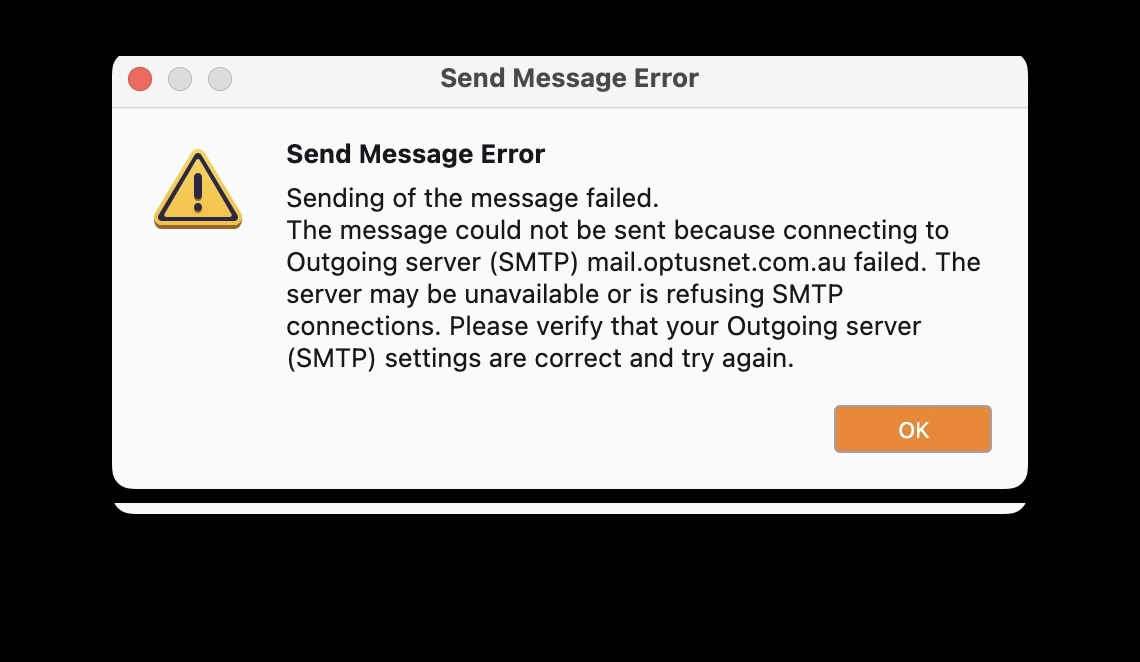
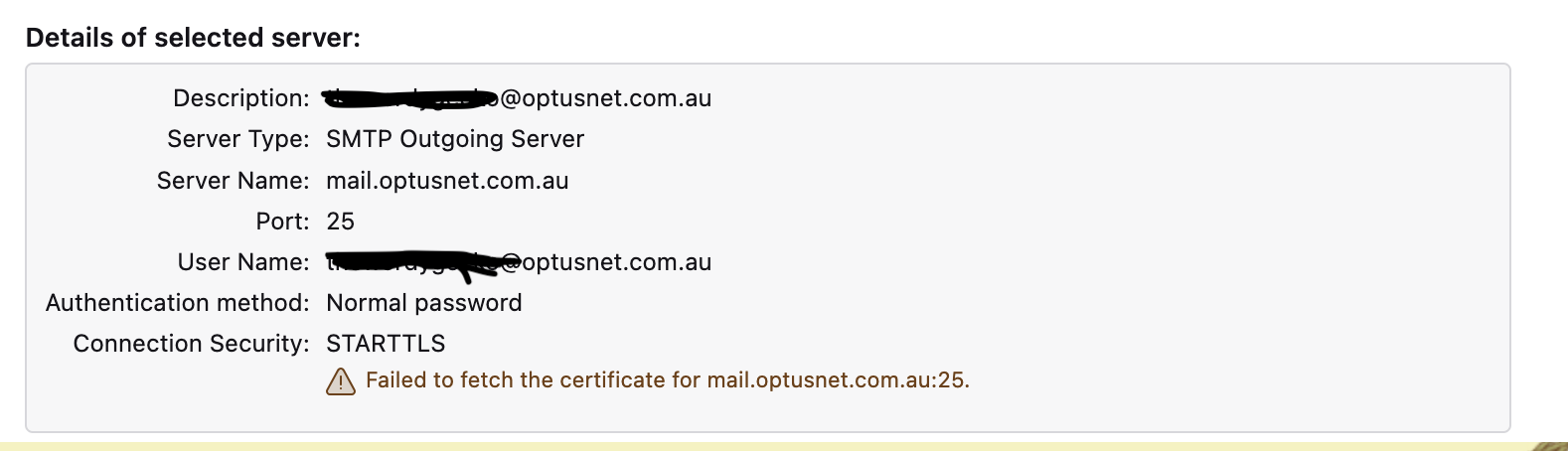
Thanks i didn't get that second message but did get the first. Will resort to a computer expert on Monday!
Two things. Is there an antivirus? They do not like consumer software using port 25. It has essentially been reserved for servers for the last 20 years.
Is there a VPN in use, many ISP's refuse to send mail unless you connect to the internet using their service. A VPN masks that. It used to be a mostly US issue, but it does sound like the sort of thing Optus would do.