


unwanted extensions

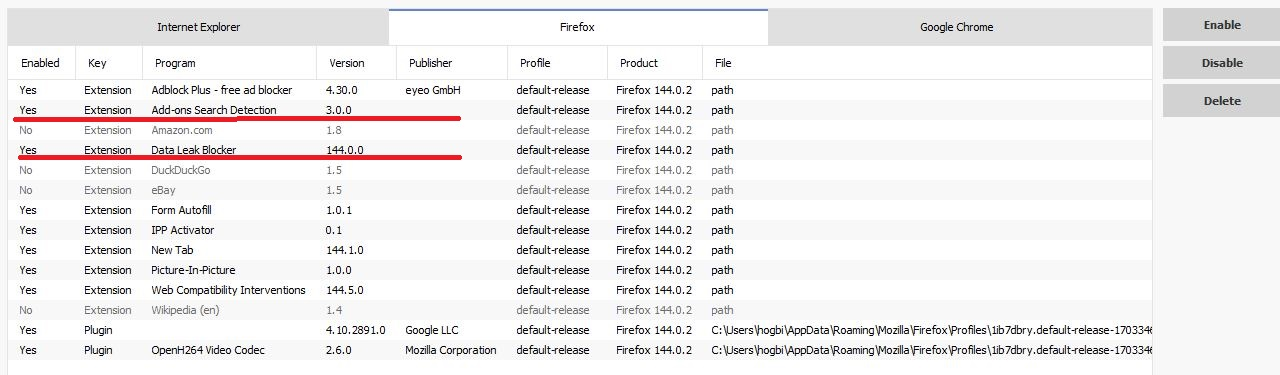
whenever I do a Firefox update, there sometimes is a new extension included that I personally feel no use or need for..most of the time I can disable them w/programs like Ccleaner (see image), but some are persistent, and return the next time I open Firefox. Firefox always consumed a significant portion of my 8gigs of RAM, and my latest update to 144.02, it is approaching 15%. Any way I can stop this short of reverting back to previous version?
所有回覆 (2)
These are important files of Firefox. Don't remove them. It won't help you with your memory issue anyway.
Ty...I disagree w/your statement regarding "It won't help you with your memory issue anyway".. albeit small increases, w/every FF update, I see Firefox's % of my RAM use increase-it starts to add up over time.