


Backed up Firefox session not being properly restored

I've been backing up my opened tabs for the past 4 or 5 years with the steps in this legendary post: https://support.mozilla.org/en-US/questions/1257866
But this time it failed me and I don't know why. I just switched from Debian to Linux Mint, put everything up to date, but when I copy the sessions-store folder back into my session folder, as described in the post, nothing happens. I tried restoring only the 2 files listed there, and also dropping them in the general user folder, outside sessions-store, but still nothing. I've also noticed that the sessions-store folder isn't created automatically, even if I open a bunch of new tabs now and close the browser.
I don't even know how to begin troubleshooting this to be honest, this is the first time this method's ever failed me :(
I also saw this post: https://support.mozilla.org/en-US/kb/how-restore-browsing-session-backup But it doesn't help either.
所有回覆 (4)

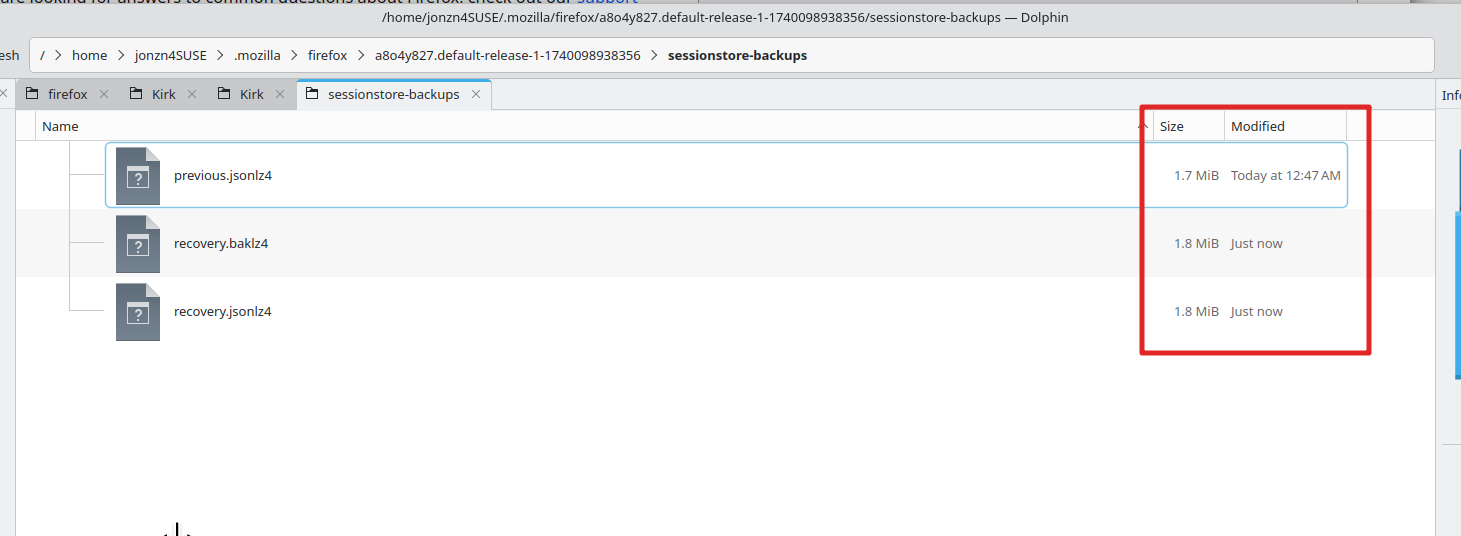
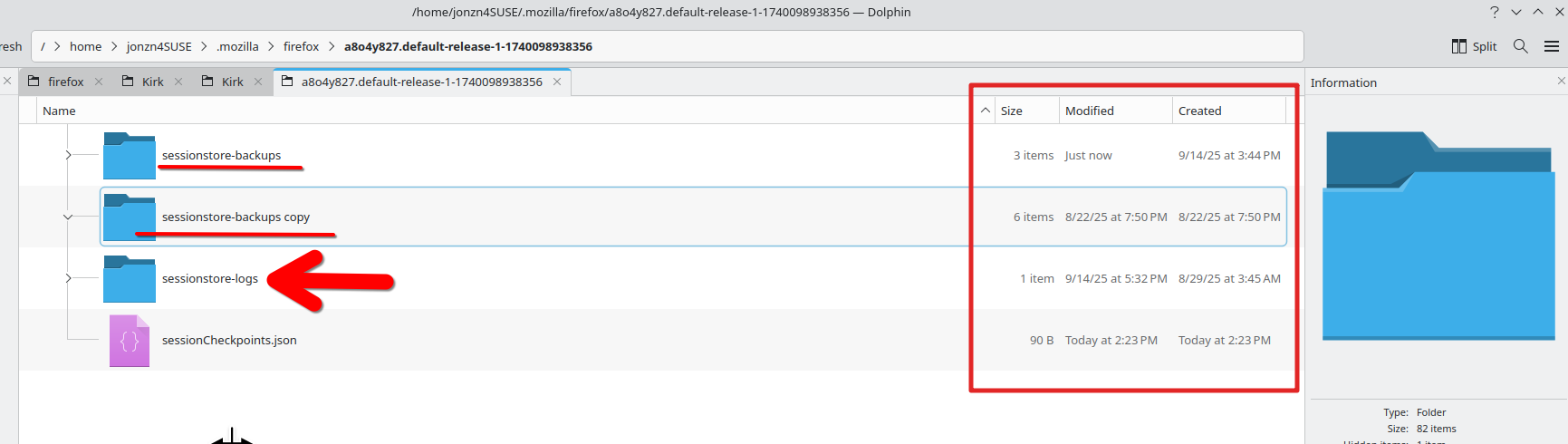
Interesting. I've seen Nightly in the past reset the files in the sessionstore-backups folder which is why I make copy of the folder. see screenshots Post a screenshot of the files in your folder. Here's a screenshot of mine and I currently have 15 windows with tabs. You can see the size of the files are in the MiB range. If your file sizes are in the k something range, then your files have been reset. You can also see the last time I made a copy of the folder last month and will need to make another current copy. I always move the old copy to the trash, but rarely delete just case it's needed.
由 jonzn4SUSE 於 修改
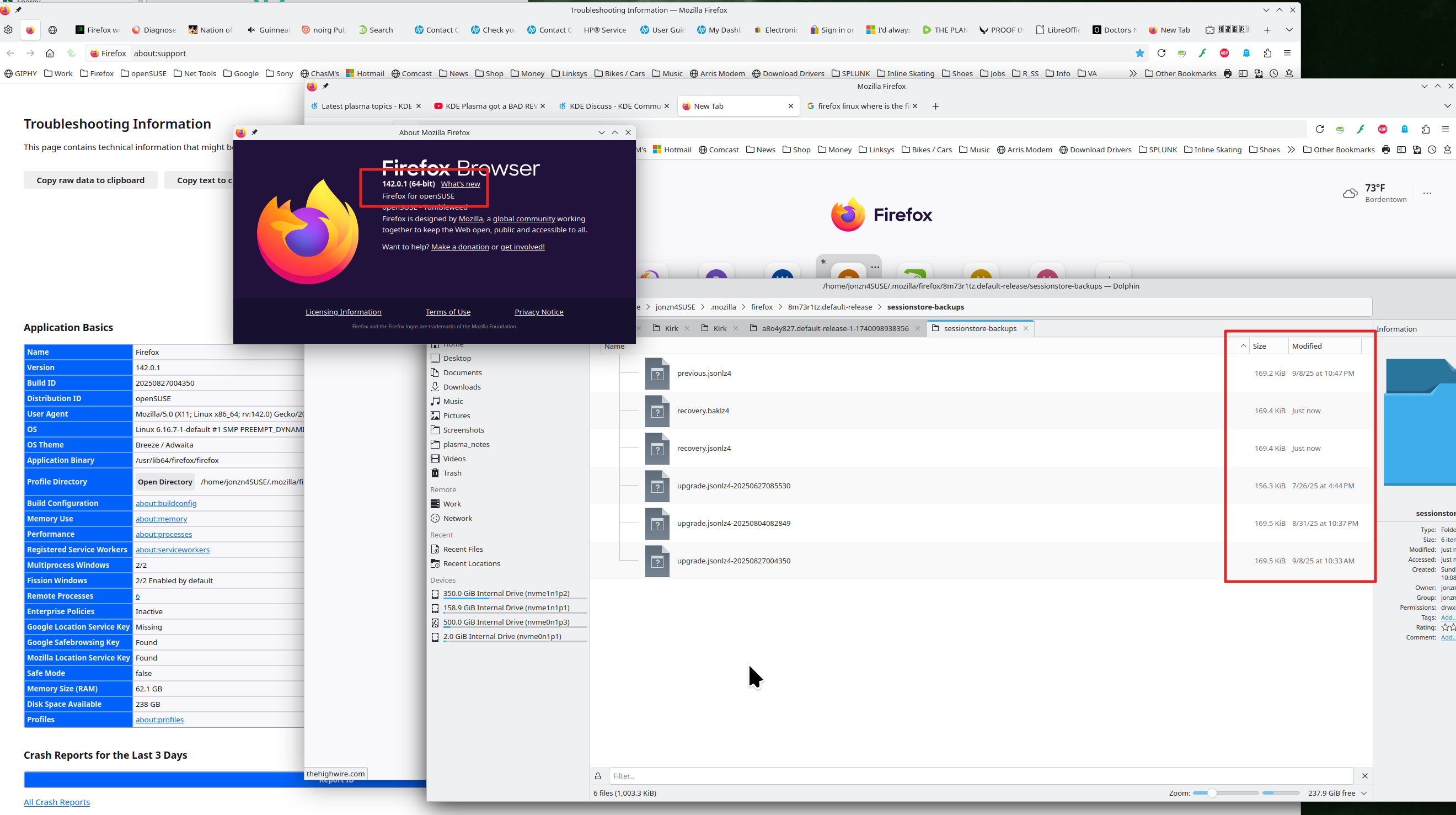
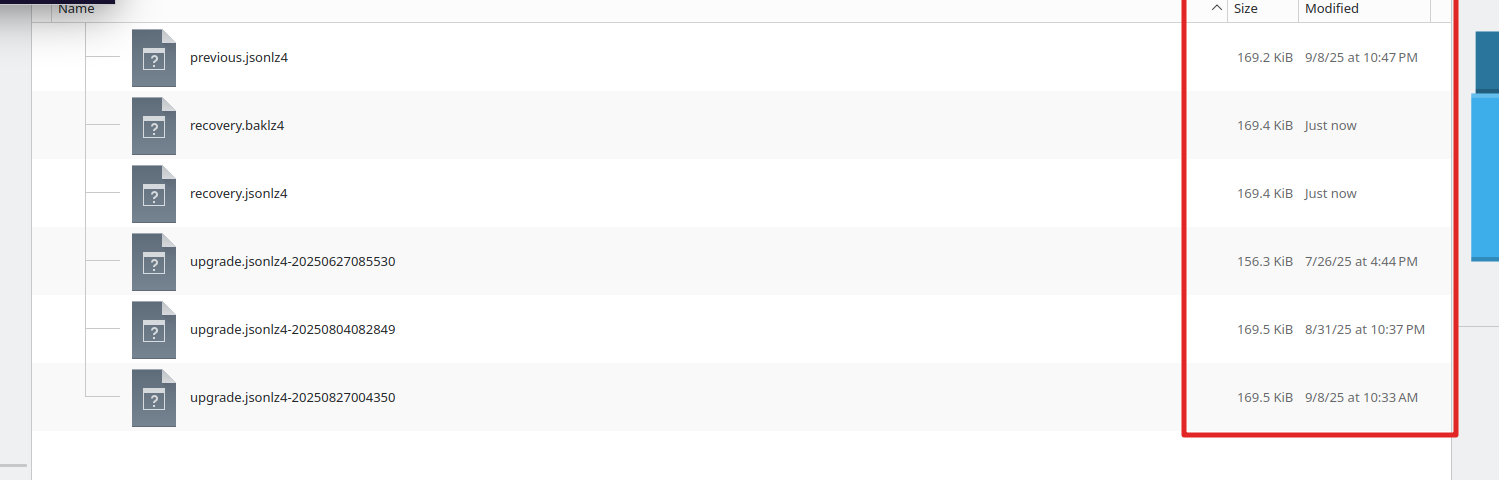
Here's a screenshot of my distro Firefox with just 2 windows and a few tabs. see screenshot You see the small size of the files.
由 jonzn4SUSE 於 修改
Here's the files right now, listed with sizes. And the smaller image is the backed up folder I have, which I copied back from the previous OS.
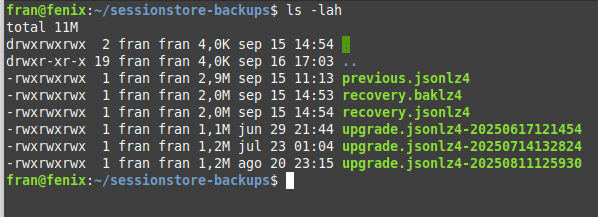
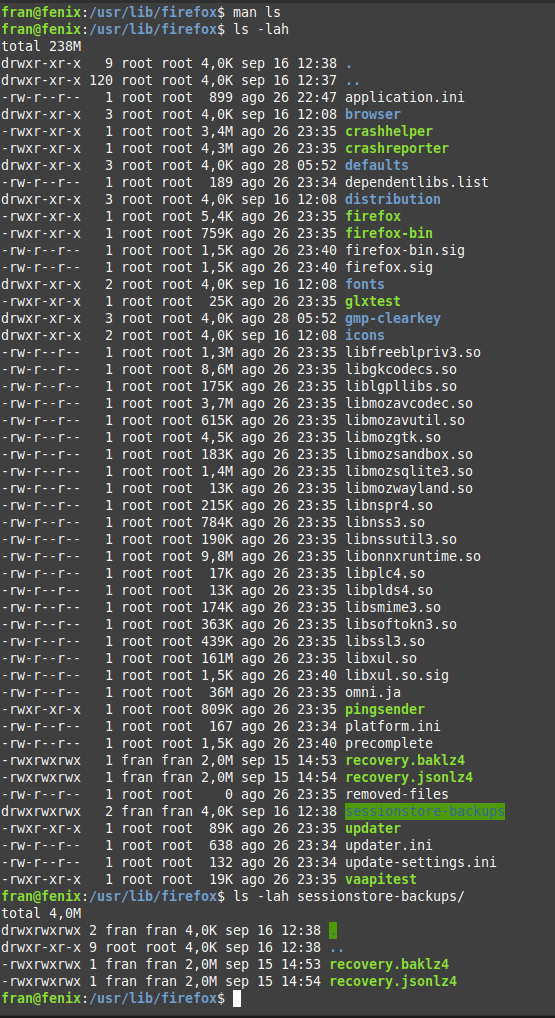
Yeah, your files sizes are bigger than mine. So making a copy and changing the name to sessionstore.jsonlz4 and moving it into your profile folder didn't work? This is your distro version or did you go through that install process from the Mozilla KB?
As a test, try downloading Firefox from Mozilla, run firefox-bin from the folder and see if you have the same issue. https://www.mozilla.org/en-US/firefox/all/#product-desktop-release Then place the sessionstore.jsonlz4 from your current Firefox in the profile folder of this version and see what happens.