


Windows 10 reached EOS (end of support) on October 14, 2025. If you are on Windows 10, see this article.

搜尋 Mozilla 技術支援網站

防止技術支援詐騙。我們絕對不會要求您撥打電話或發送簡訊,或是提供個人資訊。請用「回報濫用」功能回報可疑的行為。

了解更多

EU log in not working

  • 1 回覆
  • 0 有這個問題
  • 150 次檢視
  • 最近回覆由 TyDraniu

I am an EX EU employee and have access via a double authenticated procedure to the "EU LOGIN" which gives me access to several internal webpages of my former work organisation. The most important is the access to the HEALTH SERVICE, which actually is blocked since one week-- and now it seems like this-- through your web browser. I am an ancient Mozilla user and supporter. After claiming my help desk in EU that my EU LOGIN is blocked, I got the answer, try to use another browser- and I saw that with another browser it worked. What happened with Mozilla? Do you want me to go to apple-microsoft or what ever?


(english translation of the returning message)

Error: Redirection Error

The requested website is redirecting the request in such a way that it can never be completed.

This problem can sometimes occur if cookies are disabled or rejected.
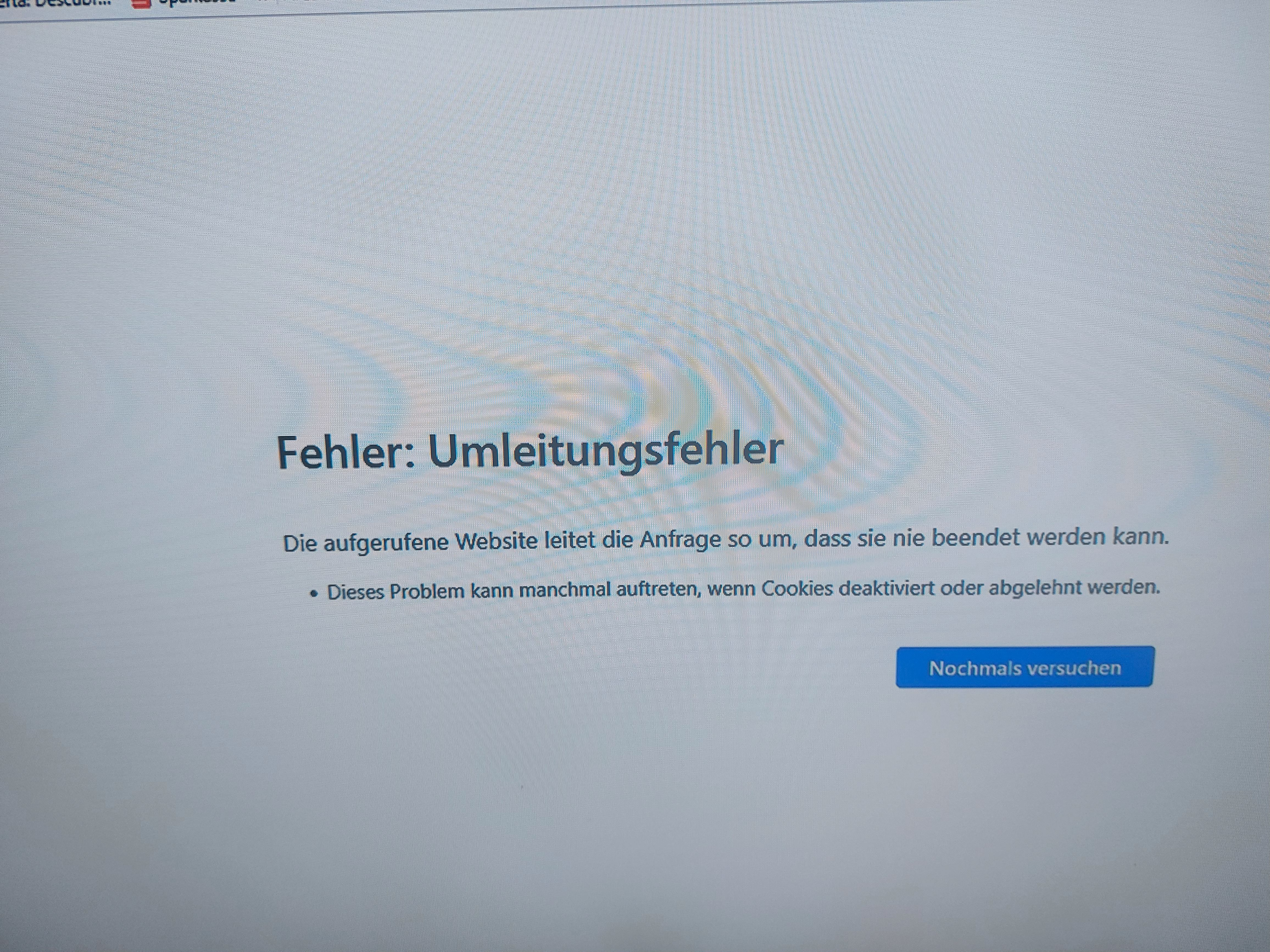
I am an EX EU employee and have access via a double authenticated procedure to the "EU LOGIN" which gives me access to several internal webpages of my former work organisation. The most important is the access to the HEALTH SERVICE, which actually is blocked since one week-- and now it seems like this-- '''''through your web browser'''''. I am an ancient Mozilla user and supporter. After claiming my help desk in EU that my EU LOGIN is blocked, I got the answer, try to use another browser- and I saw that with another browser it worked. What happened with Mozilla? Do you want me to go to apple-microsoft or what ever? (english translation of the returning message) Error: Redirection Error The requested website is redirecting the request in such a way that it can never be completed. This problem can sometimes occur if cookies are disabled or rejected.
附加的畫面擷圖

所有回覆 (1)

Try to click the shield icon in the address bar and select Clear cookies and site data, then press Reload (Ctrl + R).