此討論串已被封存。
如果您有需要幫助,請新增一個新問題

封存
how do i manage pop ups?

I NEED TO ENABLE POP UPS FOR AN APPLICATION I NEED TO FILL OUT
I NEED TO ENABLE POP UPS FOR AN APPLICATION I NEED TO FILL OUT
所有回覆 (1)
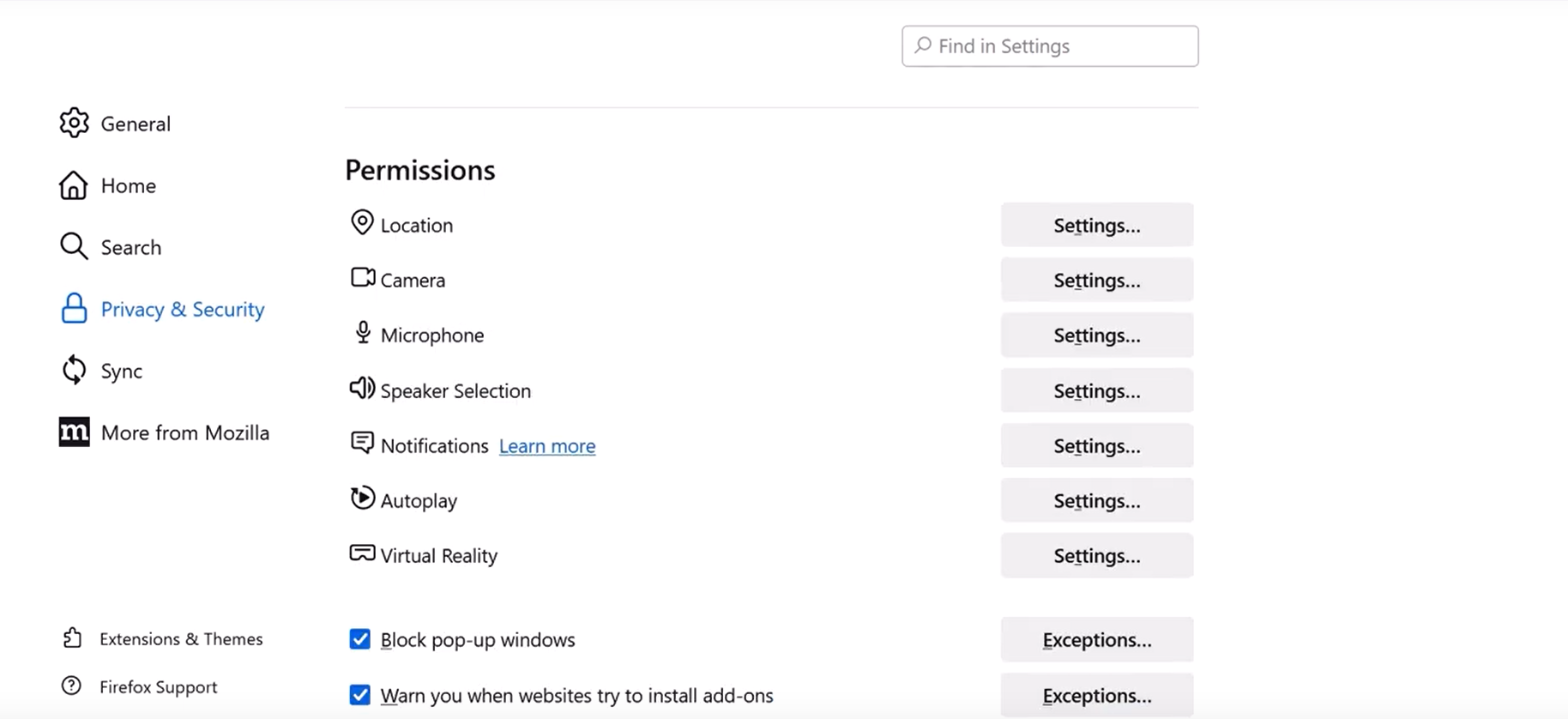
Hello! To allow pop-ups, follow these steps:
1. Click the three lines on the right side of the taskbar,
2. Click Settings on the menu,
3. On the left side, find the Privacy and security tab and click on it,
4. Scroll down a little further to reach the Premissions section,
5. Under the section, find the Block pop-up windows function and uncheck it.
I hope this helps you!
Vexi