


History wiped on exit with options not working as per requirements.

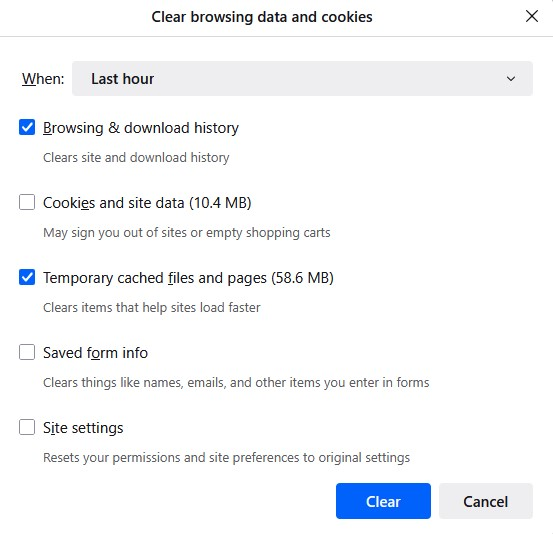
Ok so I usually choose these option to remember history and from time to time delete Browsing & download history and Temporary cached files and pages.
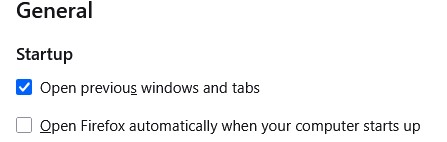
Note: I have "Open previous window and tabs" ticked in general settings which also has a restore previous session option in the history menu. This brings back previous session with tabs etc as is when I close FF. https://assets-prod.sumo.prod.webservices.mozgcp.net/media/uploads/images/2025-06-28-08-45-51-cf2daf.png
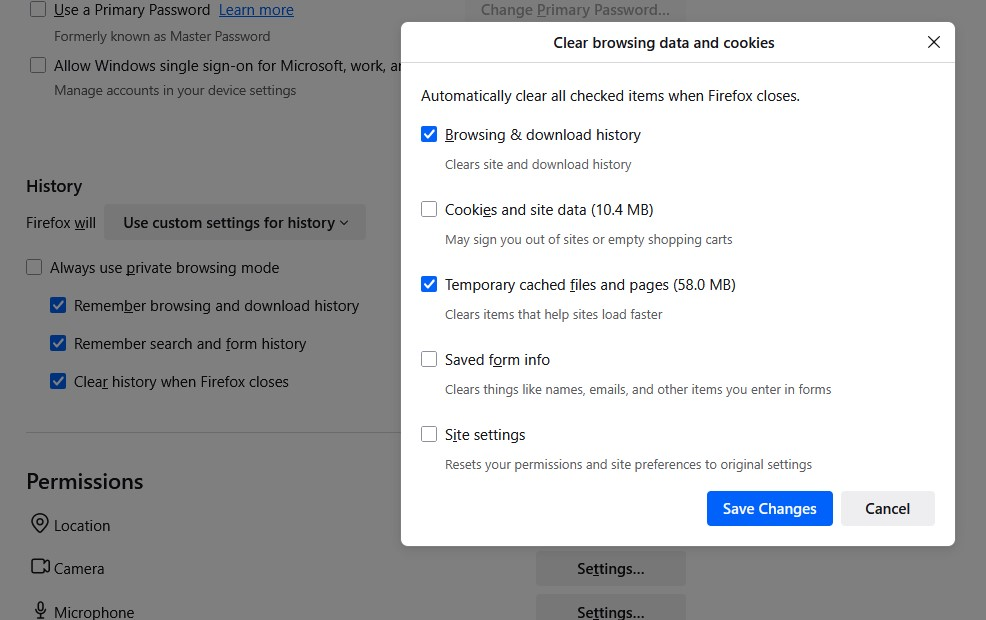
I thought I could automate this on exit but don't think its working right. So I change the option to "use custom settings for history" and tick all three options:
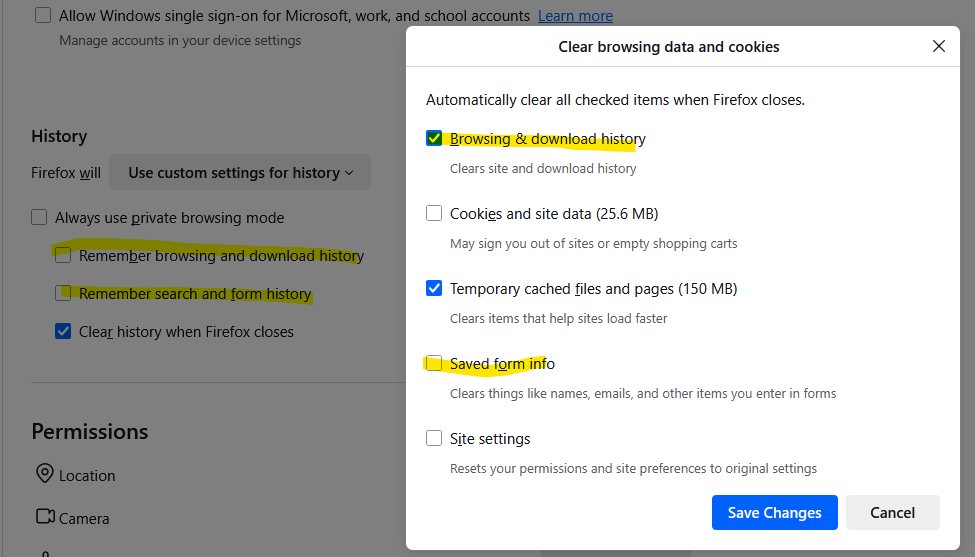
Remember browsing and download history Remember search and form history Clear history when Firefox closes For "Clear history when Firefox closes" I ticked Browsing & download history and Temporary cached files and pages. https://assets-prod.sumo.prod.webservices.mozgcp.net/media/uploads/images/2025-06-28-08-45-43-b10213.png
The issue is the restore session option is missing and FF opens with all previous tabs gone. I am frankly not even sure what else is missing such as cookies, site data etc. Is this meant to work like so?
被選擇的解決方法
Mrsash said
I thought I could automate this on exit but don't think its working right. So I change the option to "use custom settings for history" and tick all three options: Remember browsing and download history Remember search and form history Clear history when Firefox closes For "Clear history when Firefox closes" I ticked Browsing & download history and Temporary cached files and pages. https://assets-prod.sumo.prod.webservices.mozgcp.net/media/uploads/images/2025-06-28-08-45-43-b10213.png The issue is the restore session option is missing and FF opens with all previous tabs gone. I am frankly not even sure what else is missing such as cookies, site data etc. Is this meant to work like so?
Unfortunately, it is not working the way you want because "session history" is part of "browsing history." When you clear "browsing history" at shutdown, that also clears the session history files that store your open (and recently closed) windows and tabs.
The difference from clearing history during your session manually is that 15 seconds later, Firefox starts writing session history to disk again, making it possible to restore your session.
If you want to clear browsing history automatically at shutdown, you could consider using an add-on session manager. I haven't tested these in years, so please check their reviews to see what issues they might have:
- https://addons.mozilla.org/firefox/addon/tab-session-manager/
- https://addons.mozilla.org/firefox/addon/session-sync/
所有回覆 (8)
So no clues?
選擇的解決方法
Mrsash said
I thought I could automate this on exit but don't think its working right. So I change the option to "use custom settings for history" and tick all three options: Remember browsing and download history Remember search and form history Clear history when Firefox closes For "Clear history when Firefox closes" I ticked Browsing & download history and Temporary cached files and pages. https://assets-prod.sumo.prod.webservices.mozgcp.net/media/uploads/images/2025-06-28-08-45-43-b10213.png The issue is the restore session option is missing and FF opens with all previous tabs gone. I am frankly not even sure what else is missing such as cookies, site data etc. Is this meant to work like so?
Unfortunately, it is not working the way you want because "session history" is part of "browsing history." When you clear "browsing history" at shutdown, that also clears the session history files that store your open (and recently closed) windows and tabs.
The difference from clearing history during your session manually is that 15 seconds later, Firefox starts writing session history to disk again, making it possible to restore your session.
If you want to clear browsing history automatically at shutdown, you could consider using an add-on session manager. I haven't tested these in years, so please check their reviews to see what issues they might have:
thanks for your response. Ok interesting. I was sure this is not working as expected.
So its working as expected? I haven't tested the history is being remembered or not but the previous tabs themselves not being opened on launch itself I was sure is conflicting of the settings I picked.
Would think either it should be greyed out(bring back tabs on open setting) or I be notified when I choose to wipe history with custom settings.
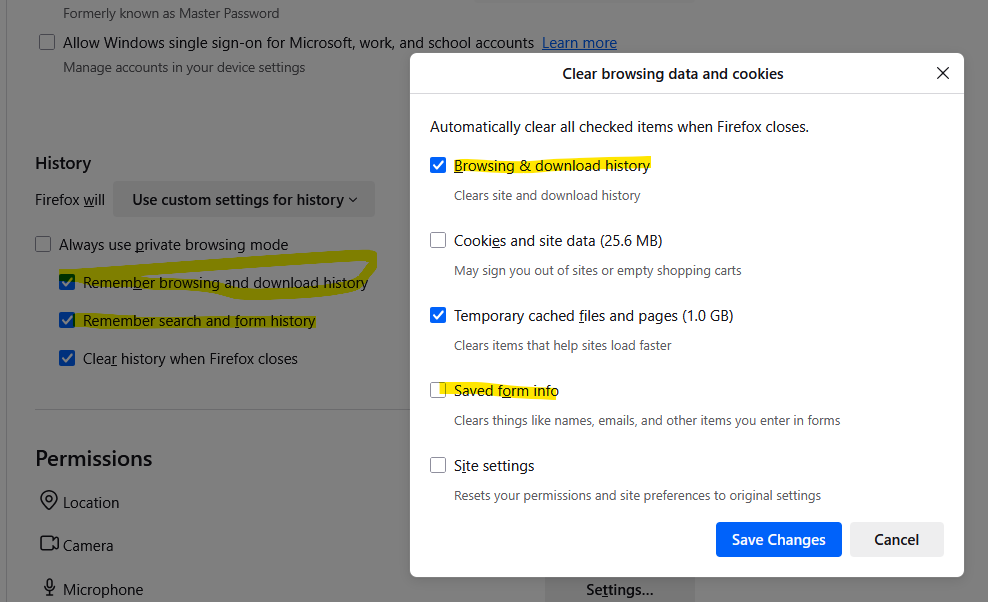
Sorry if I am not understanding but the options in the history on close itself are contradicting. See images please. The fact that I can make those settings itself is confusing as to what its meant to do on close.......
Update: Oh so the bottom option is only one for what it does on close...
由 Mrsash 於 修改
The main boxes refer to saving history in real time. The Settings dialog is only for the feature to clear history when Firefox closes.
You need to stop clearing browsing history when Firefox closes if you want to be able to restore open tabs in your next session.
Ok thanks. I guess I should only do the cache since that's the biggest data hog.
Hi,
I've marked jscher2000's first reply as a solution. Please let me know if I'm wrong.
Denys said
Hi, I've marked jscher2000's first reply as a solution. Please let me know if I'm wrong.
If the goal is to fix issues I think needs a look. If you choose Delete browsing history on exit but also choose to Open previous windows and tabs in settings somewhere else. This should keep the tabs on reopening firefox. Or it should grey out "Open previous windows and tabs" if you think its working correctly. Not very smart really.
thanks
Mrsash said
If you choose Delete browsing history on exit but also choose to Open previous windows and tabs in settings somewhere else. This should keep the tabs on reopening firefox. Or it should grey out "Open previous windows and tabs" if you think its working correctly.
Mozilla has a product suggestion site at https://connect.mozilla.org/. If you have time, you can post that request there to get into the current feedback stream. Use the "Ideas" section of the site (at https://connect.mozilla.org/t5/ideas/idb-p/ideas).