Firefox 137.0.1 does not display the status bar correctly
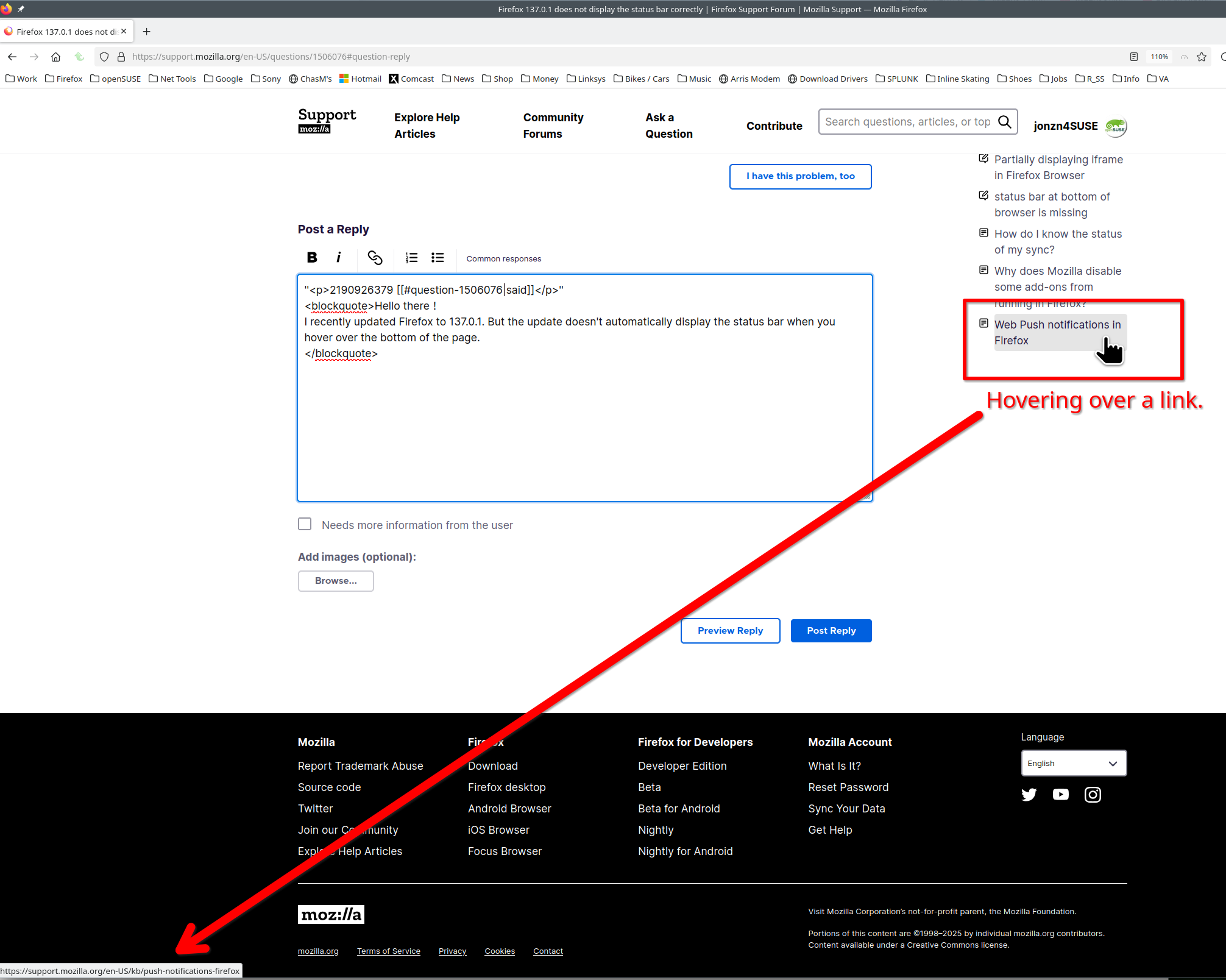
Hello there! I recently updated Firefox to 137.0.1. But the update doesn't automatically display the status bar when you hover over the bottom of the page. I had to resize Firefox to make it full screen to display the status bar properly. This makes it difficult for me to use Firefox. I'm pretty sure this is due to a version update. This problem occurred after I updated the Firefox browser, during which time my Windows system was not updated. Is there any solution? Or how can I download a previous version of the browser?
Hello there!
I recently updated Firefox to 137.0.1. But the update doesn't automatically display the status bar when you hover over the bottom of the page. I had to resize Firefox to make it full screen to display the status bar properly. This makes it difficult for me to use Firefox.
I'm pretty sure this is due to a version update. This problem occurred after I updated the Firefox browser, during which time my Windows system was not updated.
Is there any solution? Or how can I download a previous version of the browser?
由 NoahSUMO 於 修改