


Windows 10 reached EOS (end of support) on October 14, 2025. If you are on Windows 10, see this article.

搜尋 Mozilla 技術支援網站

防止技術支援詐騙。我們絕對不會要求您撥打電話或發送簡訊,或是提供個人資訊。請用「回報濫用」功能回報可疑的行為。

了解更多

Trying to copy Bookmarks from Firefox Nightly to Firefox running Windows 11

  • 2 回覆
  • 0 有這個問題
  • 99 次檢視
  • 最近回覆由 sambeau63
  • 已解決

I have followed all of the on line instructions to move/copy Bookmarks from Firefox Nightly (current version as of 20February025) to regular Firefox browser. Both are running on same machine. Nightly install is also running Firefox ad blockers. Following all of the instructions on line I can find to accomplish, but cannot move book marks to Firefox. Have copied bookmarks from Firefox Nightly as HTML file to stand alone device but unable to get the bookmarks to import from stand alone device into Firefox. Assistance please.

I have followed all of the on line instructions to move/copy Bookmarks from Firefox Nightly (current version as of 20February025) to regular Firefox browser. Both are running on same machine. Nightly install is also running Firefox ad blockers. Following all of the instructions on line I can find to accomplish, but cannot move book marks to Firefox. Have copied bookmarks from Firefox Nightly as HTML file to stand alone device but unable to get the bookmarks to import from stand alone device into Firefox. Assistance please.

被選擇的解決方法

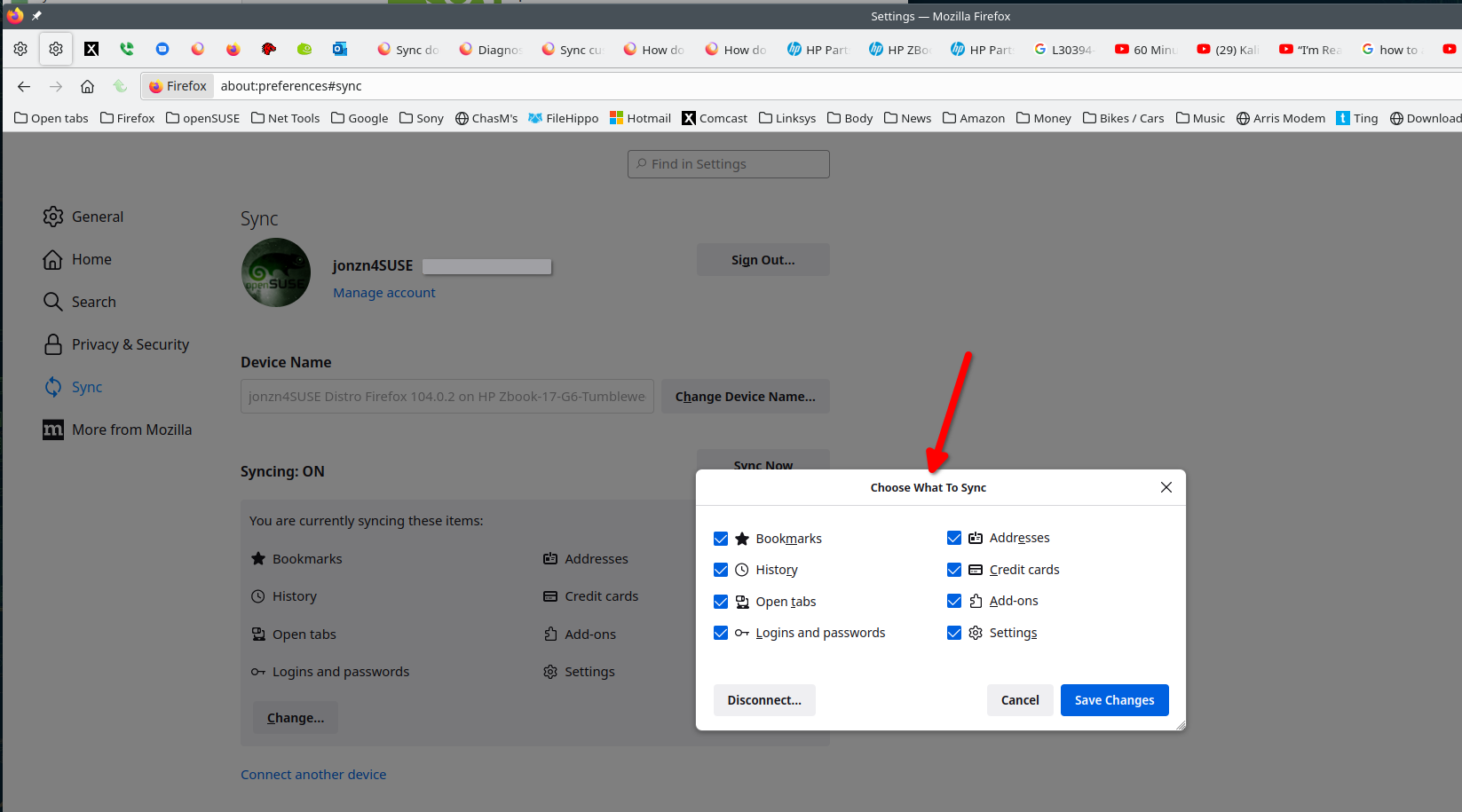
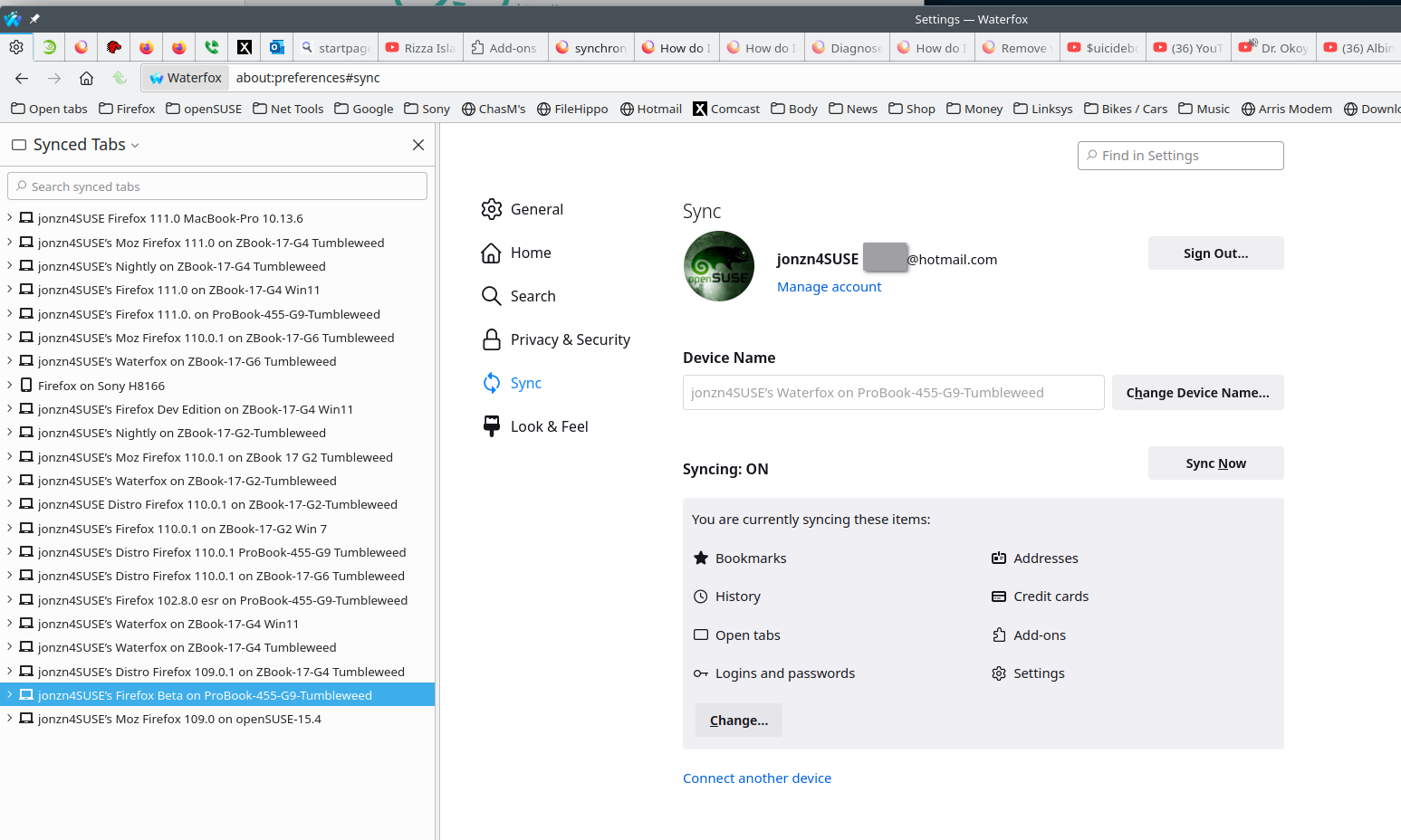
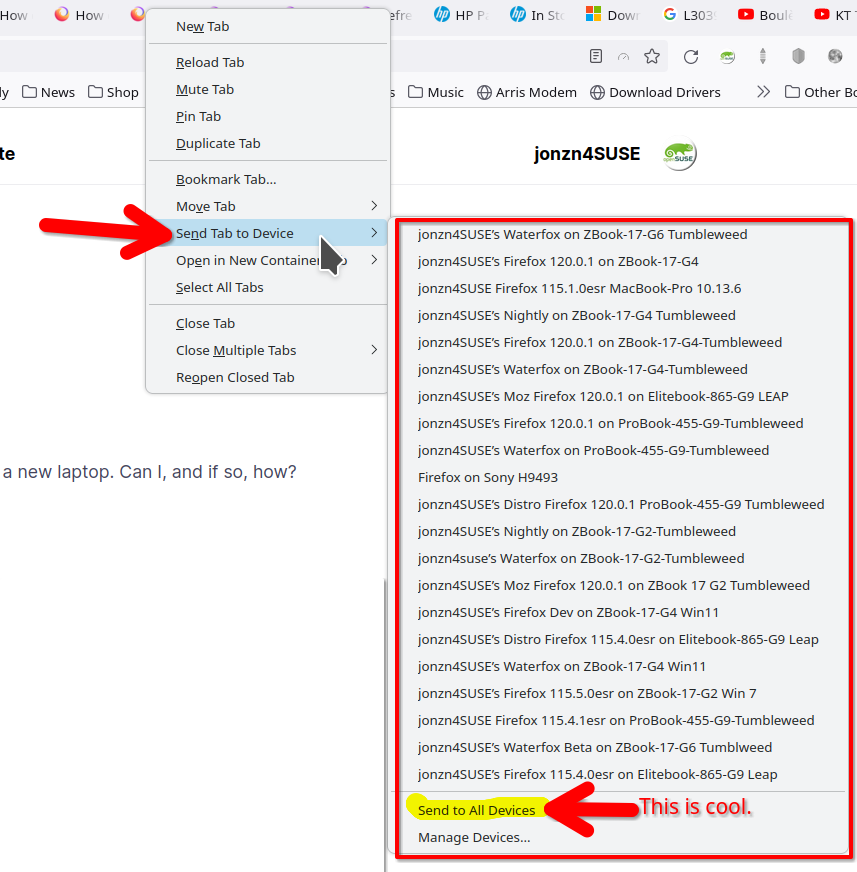
How about trying Sync? see screenshots https://support.mozilla.org/en-US/kb/how-do-i-set-sync-my-computer https://support.mozilla.org/en-US/kb/how-do-i-choose-what-information-sync-firefox Log into the browser that has the bookmarks first. Give sync some time to work if you've never used it before. Then sign into the other browser and watch the magic. The checked sync options will start populating the 2nd browser. The tabs will not come over, but you'll be able to see, open, and send them.
從原來的回覆中察看解決方案 👍 1

所有回覆 (2)

選擇的解決方法

How about trying Sync? see screenshots https://support.mozilla.org/en-US/kb/how-do-i-set-sync-my-computer https://support.mozilla.org/en-US/kb/how-do-i-choose-what-information-sync-firefox Log into the browser that has the bookmarks first. Give sync some time to work if you've never used it before. Then sign into the other browser and watch the magic. The checked sync options will start populating the 2nd browser. The tabs will not come over, but you'll be able to see, open, and send them.
jonzn4SUSE Many thanks! Worked fine.