


Syncing my account

Hi there,
I just got a new laptop a few days ago and I signed into my Mozilla account but none of my bookmarks or history is pulling up. Does it take a while?
所有回覆 (5)
Hi Sylvia
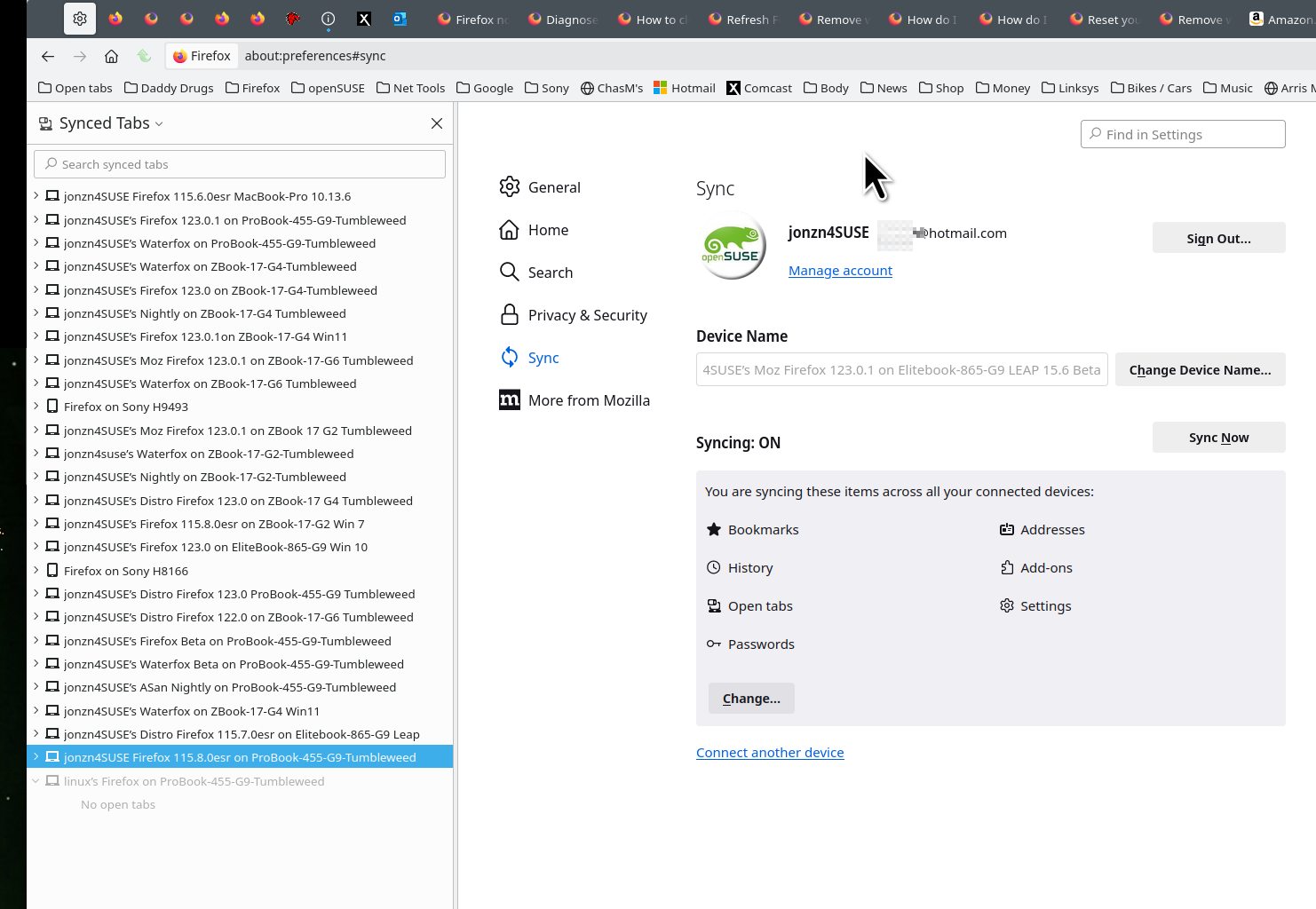
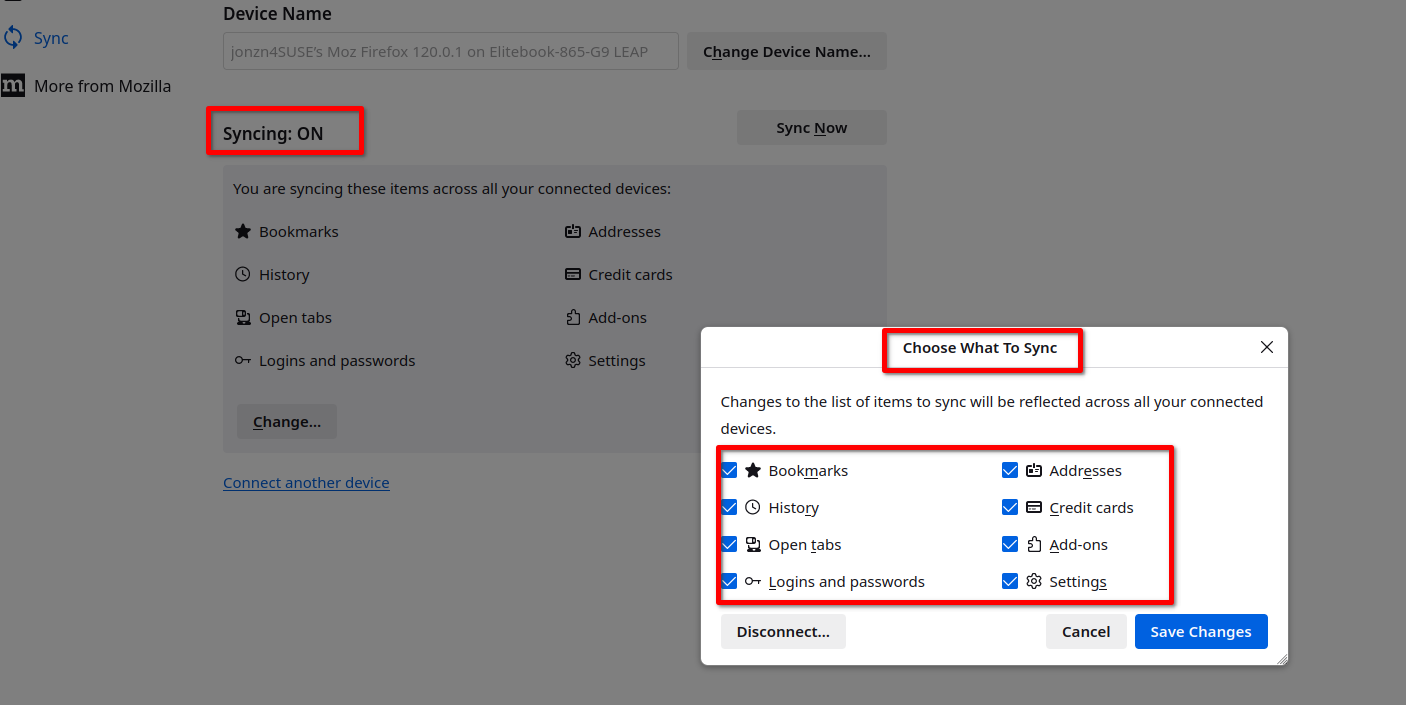
Is Sync enabled in Firefox? Please check in: Settings > Sync > Syncing: OFF or ON. If it's OFF, enable it and press the button "Sync Now".
由 ventolinmx 於 修改
Hi,
When I go to my account settings all that pulls up is the following:
由 Sylvia Johnson 於 修改
Those are your account's settings. You need to go to Firefox's Settings. On Windows you click on the button with the three horizontal lines, or "hamburger menu" and then you go to the "Settings" option. This is below your account settings (look at the screenshot).
Please don't post private information in the forums.
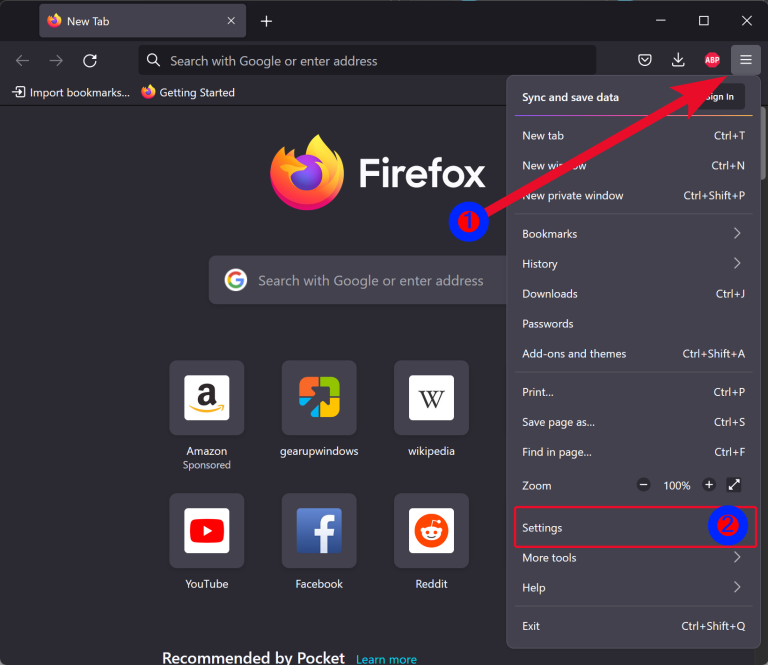
由 ventolinmx 於 修改
ok still didn't solve the issue. Is there a way you can check my account on your end?

Post a screenshot and block any personal info from this page. https://accounts.firefox.com Then under Connected Services you can see other device with your account. Make sure the sync options you want are checked. see screenshots
Sync info... FYI... Firefox Sync IS NOT A DATA BACKUP SERVICE https://support.mozilla.org/en-US/kb/how-do-i-set-sync-my-computer https://support.mozilla.org/en-US/kb/how-do-i-choose-what-information-sync-firefox https://www.mozilla.org/en-US/firefox/features/sync/ https://hacks.mozilla.org/2018/11/firefox-sync-privacy/ Sync is not a backup tool but it is a good sync/transfer/move tool https://support.mozilla.org/en-US/forums/contributors/707681
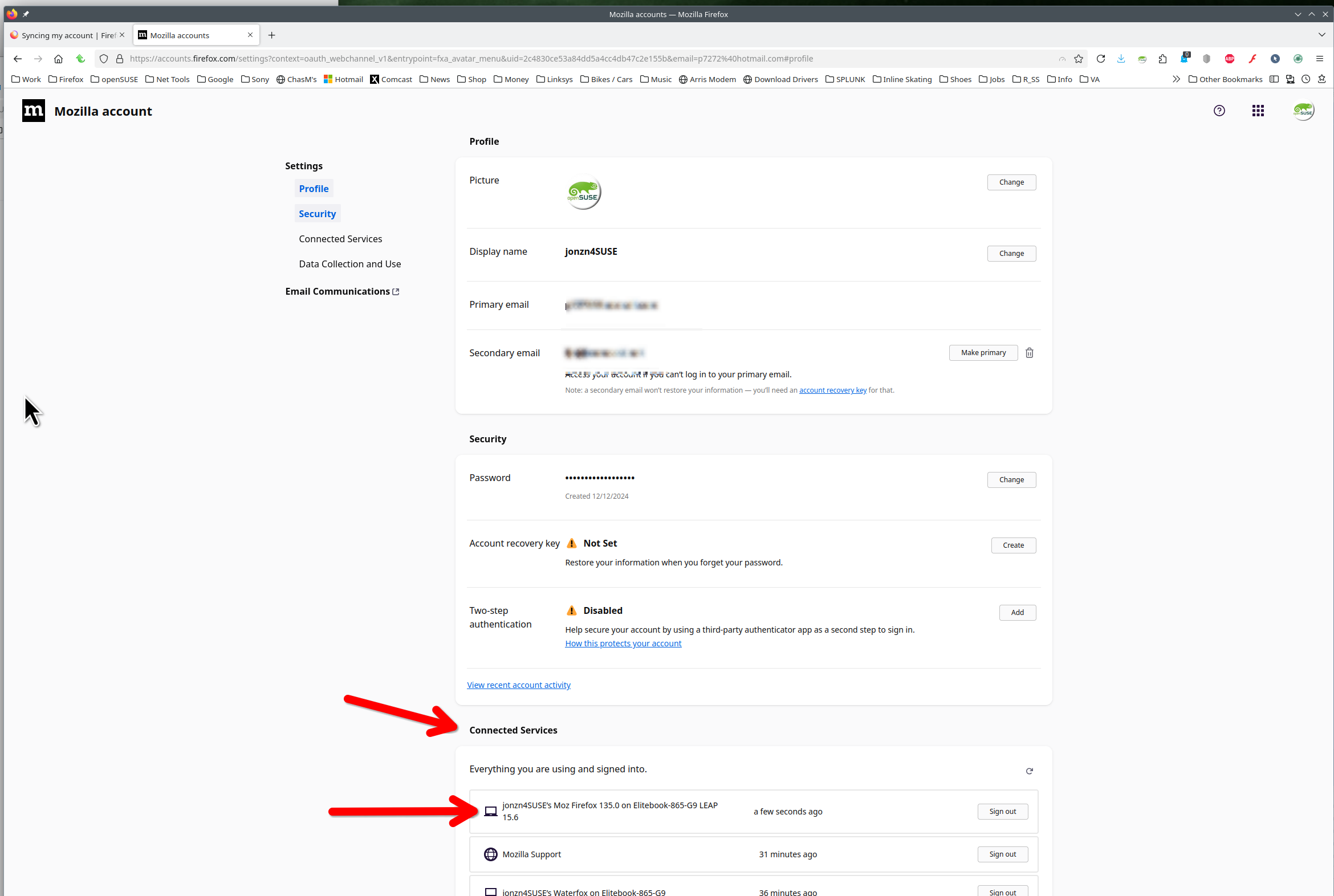
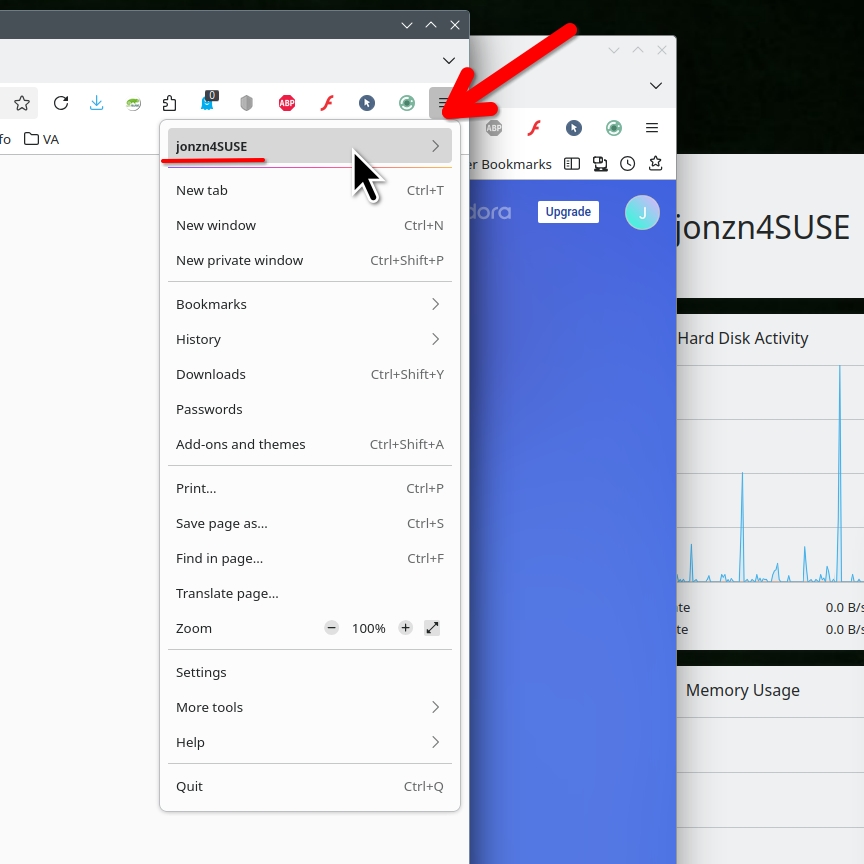
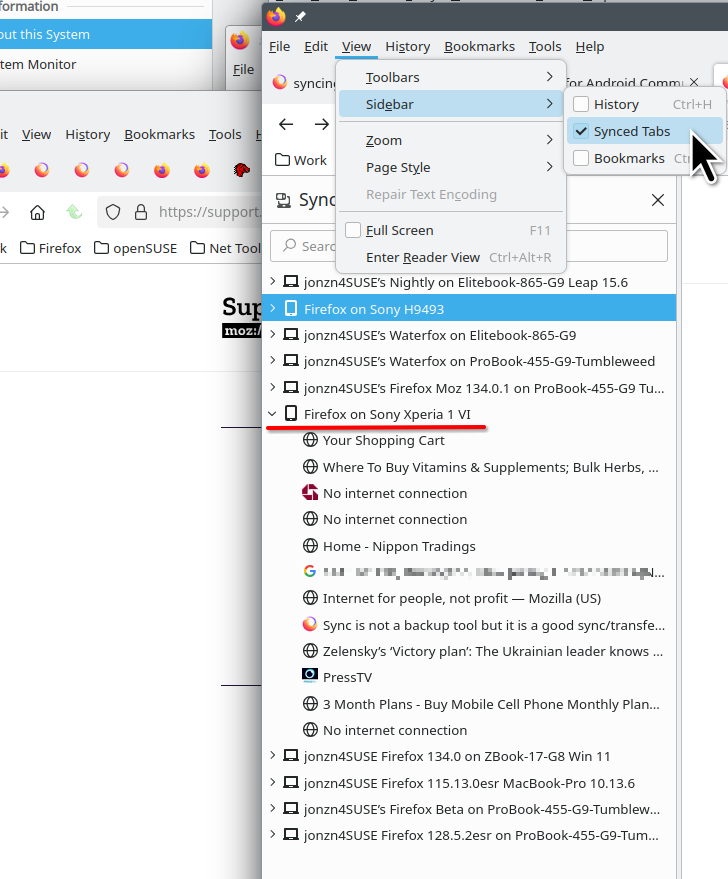
由 jonzn4SUSE 於 修改