


Bookmarks impor doesn't show bookmarks on title bar?

Hello, I just tried to import bookmarks to Firefox, however they're not appearing on the title bar?
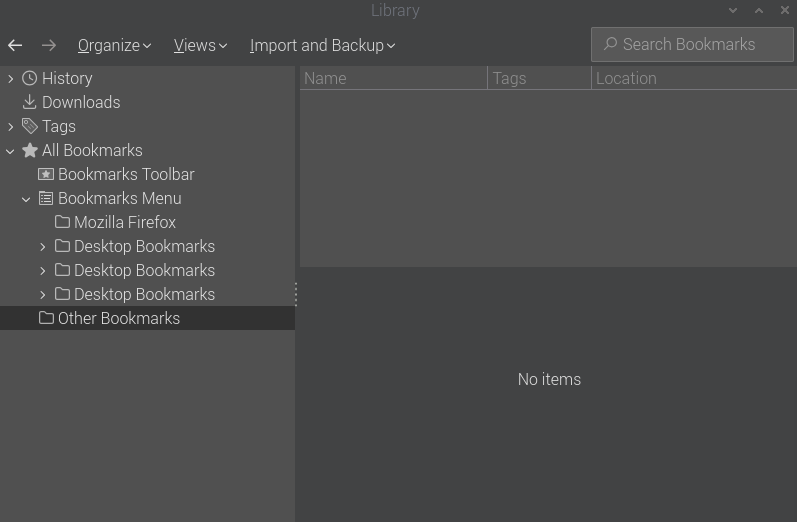
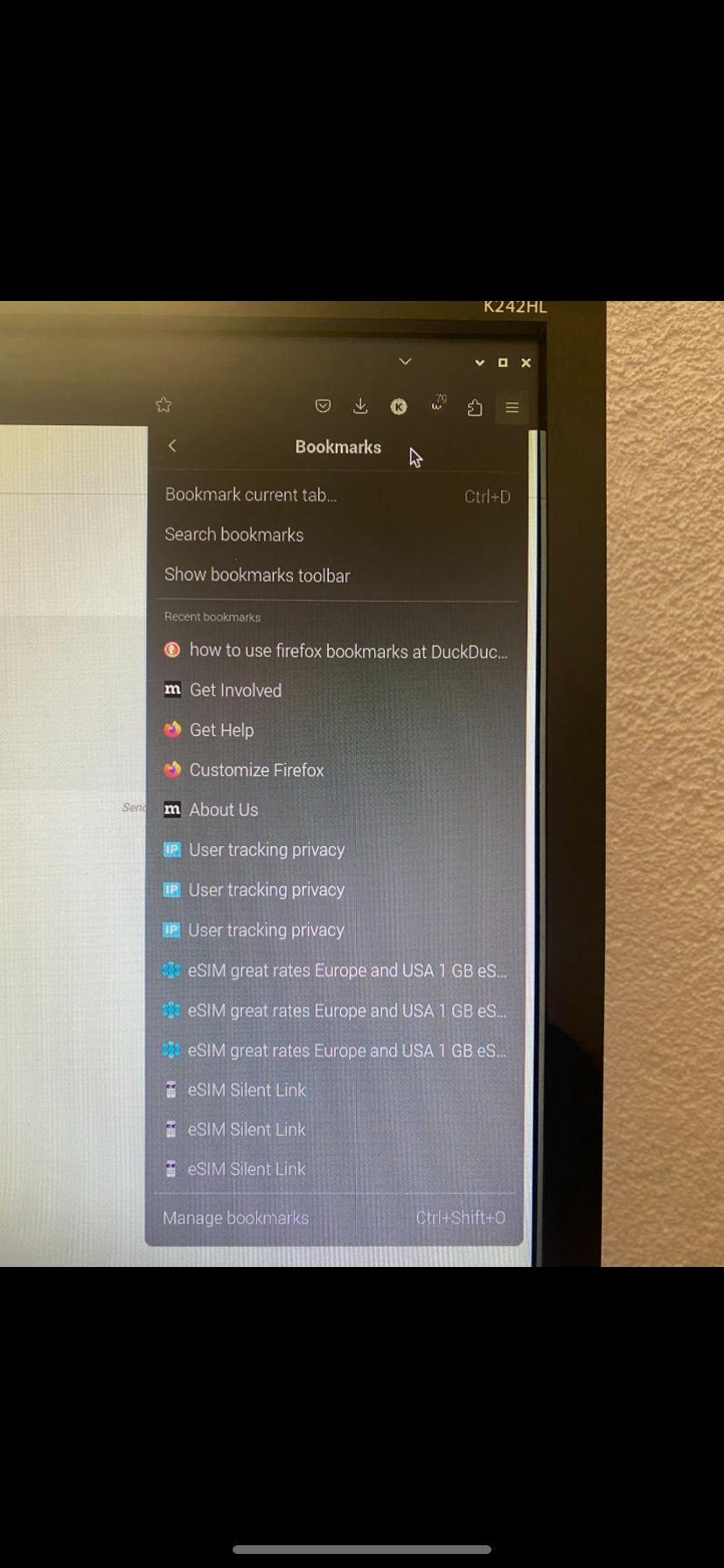
I imported bookmarks to desktop Firefox 134.0.1 (aarch64) on raspberrypios - 1.0, but the title bar only shows Import Bookmarks... and the imported bookmarks are located in Library -> All Bookmarks -> Bookmarks Toolbar/Bookmarks Menu -> Mozilla Firefox -> Imported Bookmark.
所有回覆 (3)
Sorry about the title, I see no option to edit and correct the typo.
Also, I'm coming from Brave, so I'm used to the handy bookmarks appearing in the top of a new tab, rather than the Firefox appearance of Import bookmarks...
2 screenshots showing how I imported my bookmarks.html 3 times.
How do these sync with Firefox desktop and mobile, as I am trying to transfer from Brave mobile due to Brave desktop crashing since November.
You can find "Edit this question" under the sidebar "Question Tools" menu (you may have to scroll to the top). For a reply, "Edit this post" is in the three-dot menu next to a reply.
In some case will bookmarks you imported appear under the Bookmarks Menu folder, so you may have to move imported bookmarks to the Bookmarks Toolbar folder to make them appear on the Bookmarks Toolbar.