


I can't find "Sync" option in firefox v133

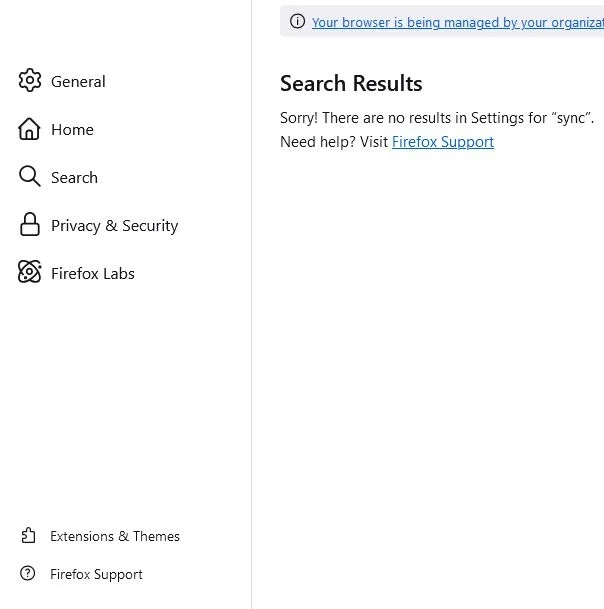
I installed a new Windows 10, then I installed the latest version of Mozilla Firefox v133 and there's no sync option in this version 🤔 What is the problem?
I want to recover my bookmarks and passwords
Any solution?
As you can see in the picture
所有回覆 (4)

選擇的解決方法
Are you at home or work? Your browser is managed. see your screenshot Where did you get Firefox from? Windows home or pro? What security software your running?
Remove Your browser is being managed by your organization from Firefox https://winaero.com/remove-your-browser-is-being-managed-by-your-organization-from-firefox/
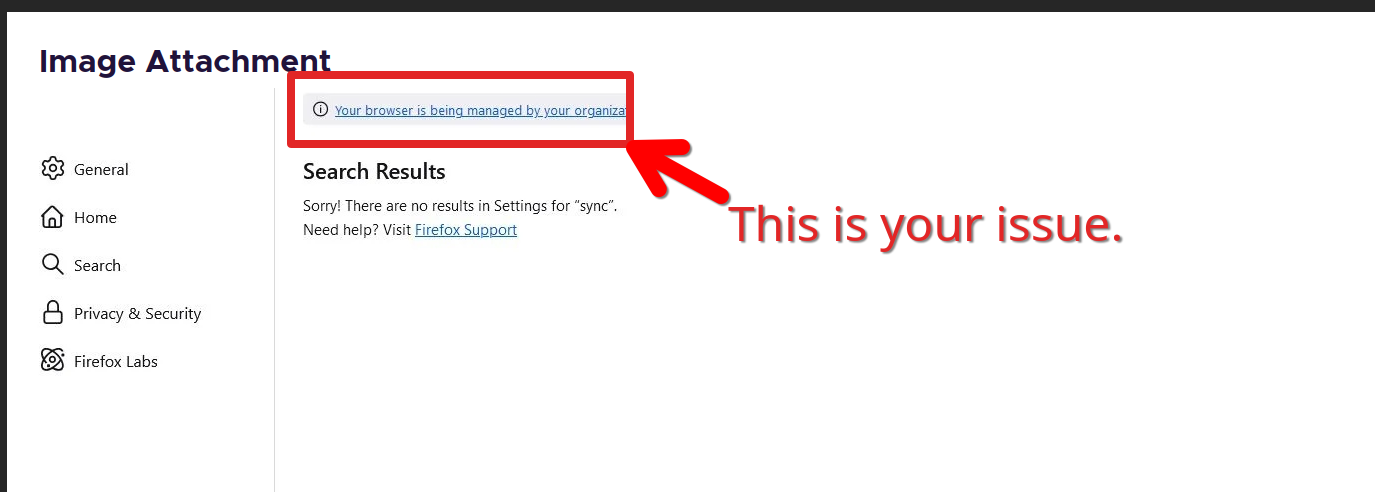
由 jonzn4SUSE 於 修改
I don't know what is that mean "by your organization" But maybe because i installed windows 10 loT enterprise .. Could this be the reason?
I will try to uninstall and reinstall again maybe 🤔
I will also try the method in the link to solve the problem
Ok thnx
由 mdl79711 於 修改
There's a link, try to click it and tell us what your active policies are.
Ok thanks problem fixed
I only deleted "disablefirefoxaccounts" from registry 👍