


How do I get the old "custom history" options back?

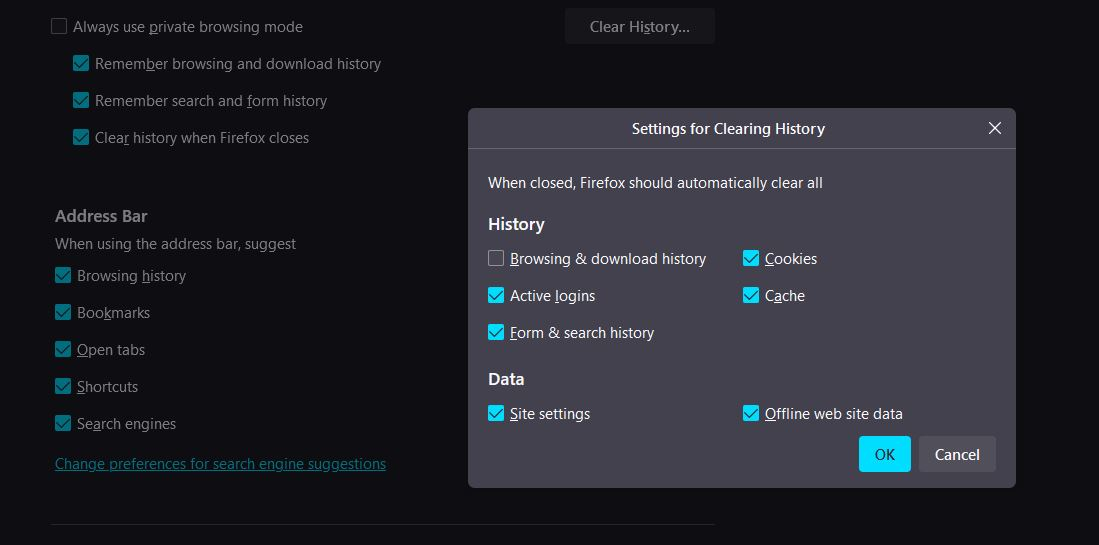
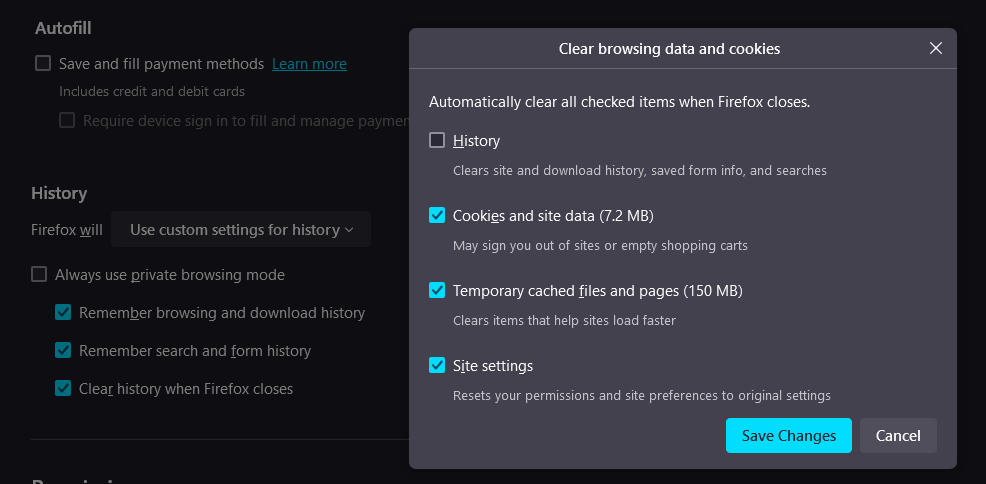
The latest version of Firefox desktop has changed the "custom history" settings lumping forms and history with browsing history and downloads history. Before these were all separate options which was much more useful. How can I get the old menu back?
I don't want to just untick the higher menu "remember search and form history" as I want firefox to remember form and search history during a session - I often have firefox open for several hours at a time. But I do want to know when I close firefox that it will purge form history, but keep browsing and download history.
被選擇的解決方法
Found it myself after a lengthy search. Default was changed in v128 onwards but original can be reinstated on demand. For anyone looking in future: open about:config go to privacy.sanitize.useOldClearHistoryDialog set the option to True (default is false)
從原來的回覆中察看解決方案 👍 2所有回覆 (1)
選擇的解決方法
Found it myself after a lengthy search. Default was changed in v128 onwards but original can be reinstated on demand. For anyone looking in future: open about:config go to privacy.sanitize.useOldClearHistoryDialog set the option to True (default is false)