


Website no longer accessible - but no problem with that website. Is Mozilla 'blocking' access?

Since doing an update on the Firefox browser, I am unable to access one specific website that had no issues prior. The website that is no longer available to open in Firefox is owned/managed by an organization outside of the USA. After 3 or 4 days of attempting to open this specific website, I launched a Google browser and had no trouble opening the website. I am hoping that Mozilla is not going to the culture of suppressing religious freedoms by deciding which websites can and can not be accessed on that basis.
所有回覆 (6)
What site??? Show the issue.
the site: https://naijasermons.com.ng/ - the problem/ issue: returns this response (has been happening since about mid-July 2024)
"Unable to connect An error occurred during a connection to 127.0.0.1.
   The site could be temporarily unavailable or too busy. Try again in a few moments.
   If you are unable to load any pages, check your computer’s network connection.
   If your computer or network is protected by a firewall or proxy, make sure that Firefox is permitted to access the web."
still happening ...
It's just worked for me using FireFox 128. I am in England though so that may be making a difference.
thanks for the reply thepillenwerfer - I've had this problem since the upgrade to version 128. Looks like I'll go back to previous version and see if that solves the problem.
Here is what I get no matter the version of Firefox from the US. see screenshots Where are you? Also post a screenshot of this working in Chrome. If it worked in the previous version, you should also post that screenshot. I'll have to boot to windows to test chrome. Why is the site sending some user to 127.0.0.1???

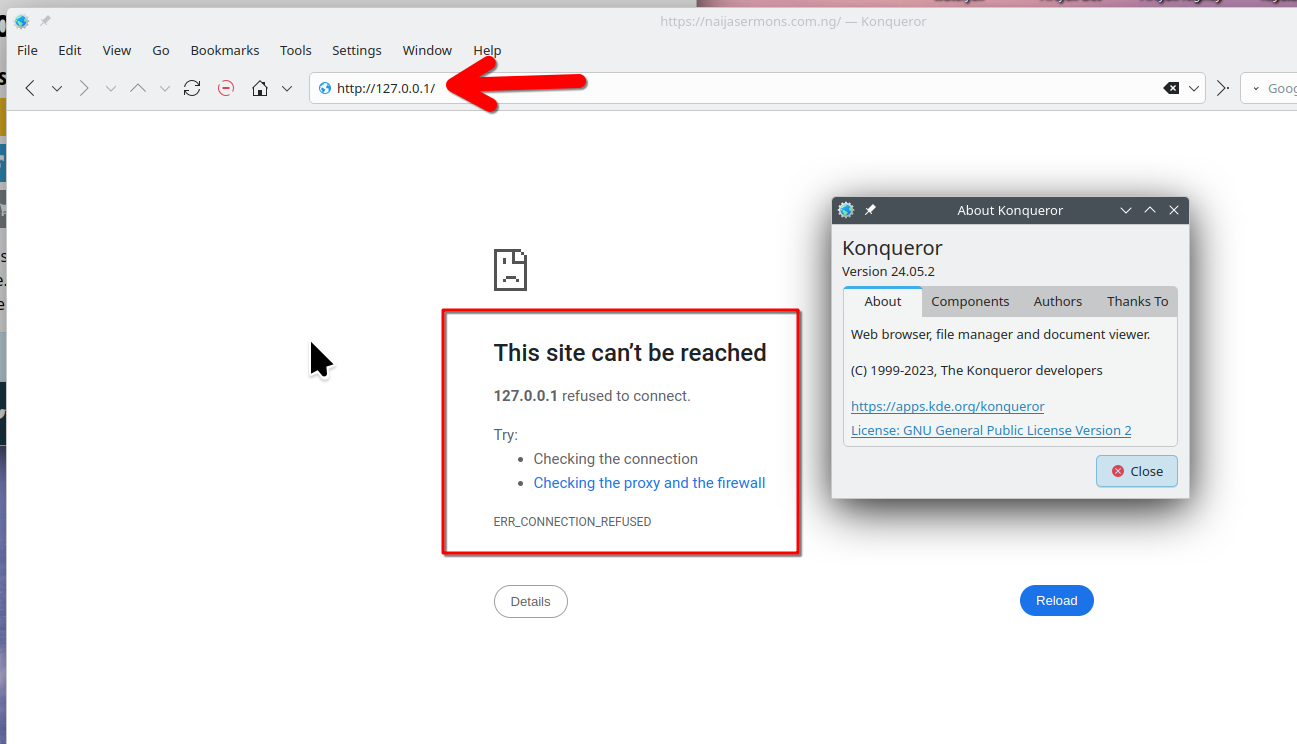
由 jonzn4SUSE 於 修改
Make sure that you do not block this site via a hosts file or otherwise.
Can you resolve this website via the DNS Lookup tool in about:networking? You can open "about:" pages via the location/address bar.