


Favicon in bookmark

Hello everyone,
I have a problem. I have seen that there have been discussions about this in the past. Unfortunately I have not found a solution and the discussions are all archived.
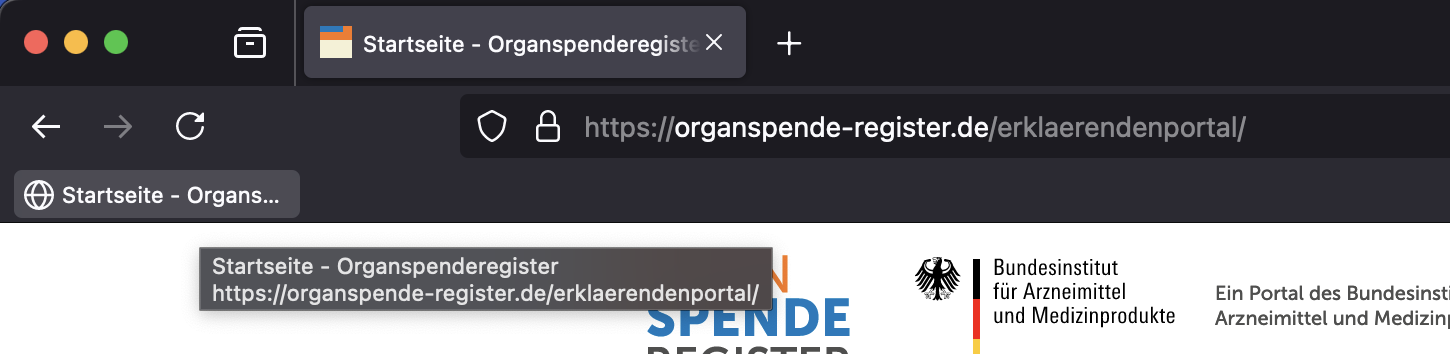
Now to the problem: Various pages have no favicon in Firefox when I drag them into the bookmark bar as a bookmark. However, when the page is active in the tab, a favicon is visible there.
The problem does not seem to be unique to me. Several people have tested it. It also seems to be a problem in Firefox only. In other browsers, this problem does not occur.
What can website owners do to fix this problem?
Here is an example of a site where I have the problem. www.organspende-register.de
Many thanks in advance. Best regards
Translated with DeepL.com (free version)
所有回覆 (3)
You can try this extension:
Thank you very much for your answer. But I'm afraid that doesn't solve my problem. My question is more about what website operators can do to avoid this problem.
I'm experiencing the same issue with Firefox 132.0.2 (aarm64) on MacOS. Except, it only happens for just a few sites, such as Slashdot.
Based on other articles, I exited Firefox and removed the favicon/places files under the active profile; restarted and revisited every website. Consistently, the same sites do not update the favicon. Visiting the site specificall to the favicon.ico has no affect.
I am going to guess there is a bug somewhere.
So, what I did was copy the places* and favicon* files from my other Macbook Pro (Intel, same Firefox version) over to my new Macbook, and it works.
This settled the issue, but based on what I've read there is an issue somewhere. I'd love to know what it is and how to resolve it properly, though.