


Mac Dock won't disappear when I put youtube video (or other things like google slides) in fullscreen

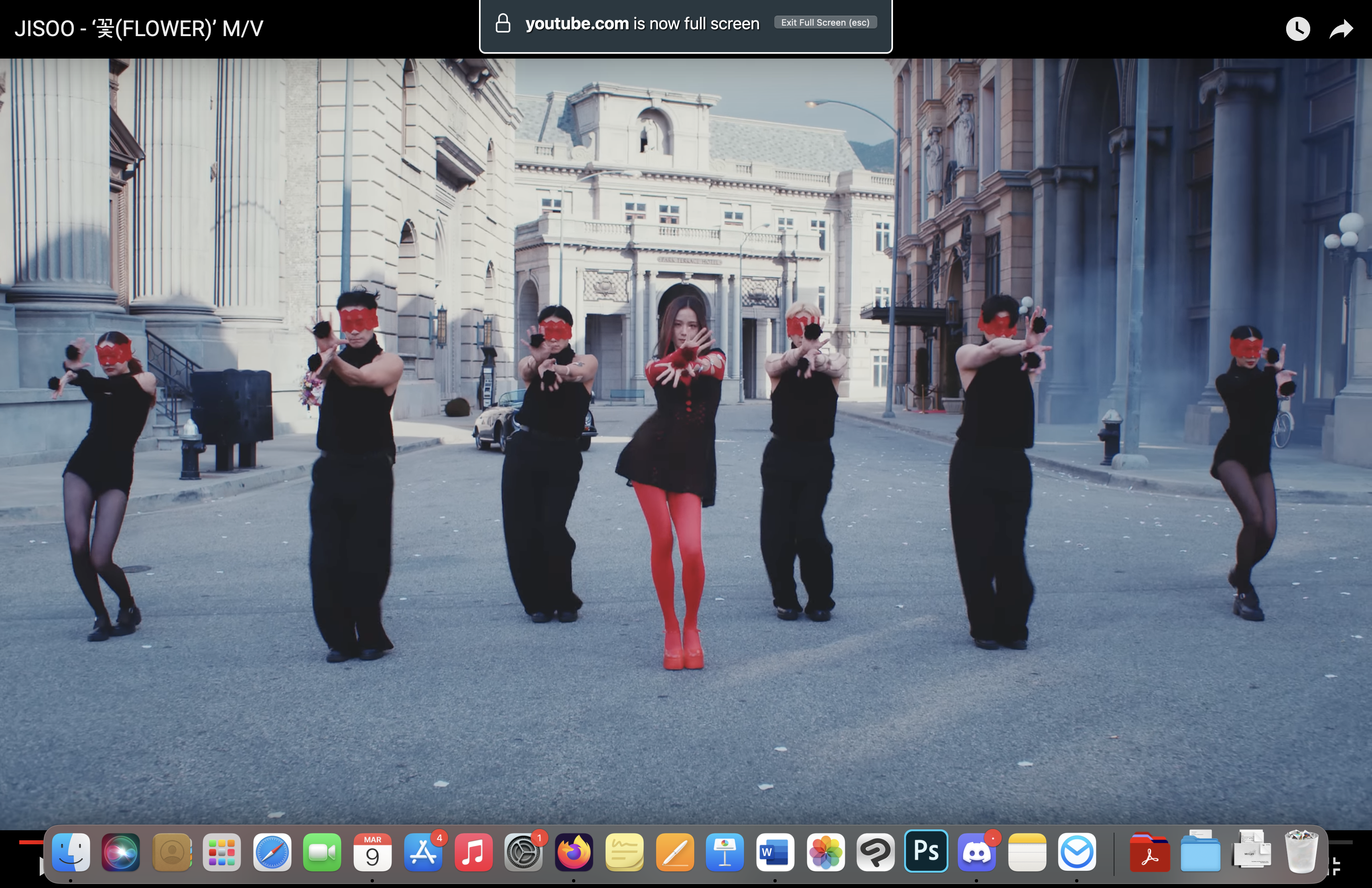
Hi, I am using the newest Mac Air 15" with M3 chip, with the latest version of firefox (123.0.1) I have found an issue where when I put YouTube videos in fullscreen mode, the dock will not disappear like it normally would. The only workaround I've found is to put firefox in actual fullscreen mode (which then makes the dock disappear entirely), but I would prefer not to do as I typically maximize my screen instead. I'm assuming this is a bug on firefox specifically as fullscreen mode for videos/other things works normally in Chrome and Safari (which I also maximize screen), with the dock disappearing as it should.
I don't know if anyone else has encountered this issue though (as everything works fine on my older Mac...) Hopefully this can be resolved soon? I hope this makes sense :")
所有回覆 (3)
選擇的解決方法
Try to enter about:config in the address bar and set full-screen-api.macos-native-full-screen = true.
TyDraniu said
Try to enter about:config in the address bar and set full-screen-api.macos-native-full-screen = true.
This worked! thank you!
This will be default in version 124.