


Can't pin certain extensions?

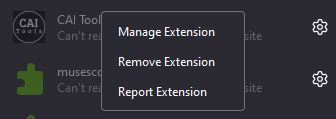
So, there's an extension I want to pin, right? It has no menu, meaning that it's grayed out usually. However, the website it's supposed to affect does not get affected. That is, unless I were to refresh the site, then quickly move my mouse to the extensions menu, open it, and show the extension.
So, there's an extension I want to pin, right? It has no menu, meaning that it's grayed out usually. However, the website it's supposed to affect does ''not'' get affected. That is, unless I were to refresh the site, then quickly move my mouse to the extensions menu, open it, and show the extension.
所有回覆 (1)
If the extension author didn't include a toolbar button, you can't pin its button to the toolbar.
I wonder why opening the list has an effect on whether the extension works on the page. Is it because the focus moved away from the page to a drop-down? In that case, clicking the menu button or moving the cursor into the address bar (Ctrl+L or F6) might do the same thing.